
About Steal His Look Plus [2026]
From mod.ioStealHisLookPlus is a parallel, fully recreated version of Steal His Look Mod, adding QoL improvements: copied mercenaries are renamed to «Mercenary of _Name_», chat shows whose profile was copied, and it works in both character and spectator mode.
StealHisLookPlus is a parallel version of the original Steal His Look Mod, fully recreated from scratch. Its key distinction lies in quality-of-life (QoL) improvements that extend the base functionality (see the Features section).
Features
0. StealHisLookPlus allows you to copy mercenary profiles from other players or bots. Aim your crosshair at the character and press the assigned key — the profile will be copied.
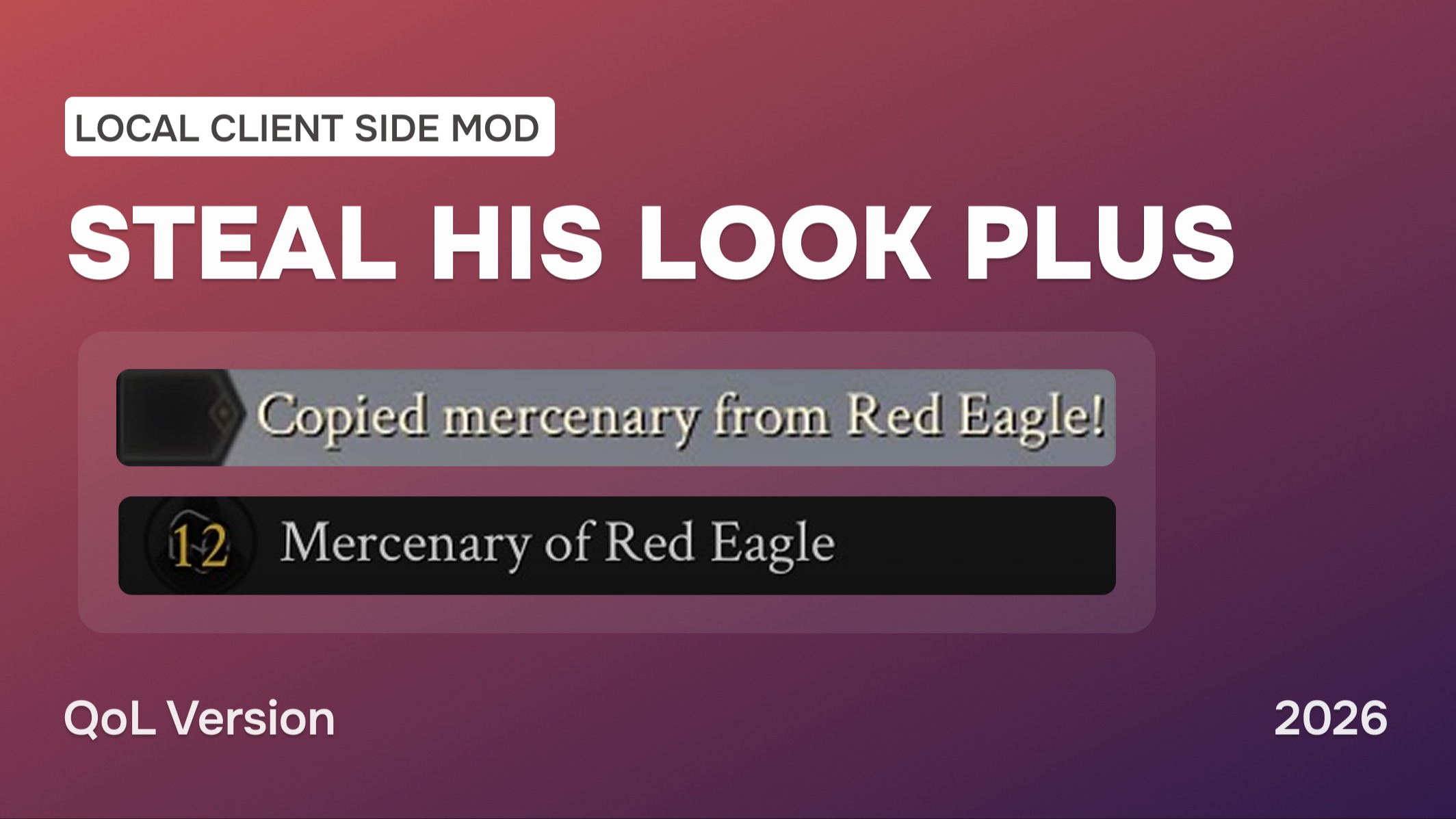
1. When copying a profile, the mercenary is automatically renamed to Mercenary of %PlayerName% instead of the default Cloned Profile.
2. In addition to the standard chat notification that a profile has been copied, the mod also displays the name of the player whose profile was copied.
(This is especially useful when players are moving actively and it’s difficult to aim precisely).
3. It works both in character mode and while in spectator mode.
Work in Progress
- An upcoming update will add the ability to copy a mercenary’s profile via a console command, removing the need to run or fly across the map.
Example: StealProfile <name>
Installation Instructions
🏷 If you are already using client-side mods, you can skip step 1.
1. Installing AutoLoader
- Go to https://mod.io/g/mordhau/m/clientside-mod-autoloader and install the AutoLoader Mod by @cswic.
- Follow the instructions on the page. This will simplify the use of this mod and other client-side mods in the long run.
2. Installing the Mod
- Choose the manual installation option to download the file.
- Copy the .pak file into your Mordhau game directory: /Mordhau/Content/CustomPaks, just like any other client-side mod.
- If the CustomPaks folder does not exist in /Mordhau/Content, create it manually.
3. Configuring Game.ini
- Open the file: <user>/AppData/Local/Mordhau/Saved/Config/WindowsClient/Game.ini
- Add the following lines:
If you are already using other client-side mods (e.g., LuteMod, GuardianSpectatorUtility), simply add the line to the existing AutoLoader section.
[/AutoLoader/BP_AutoLoaderActor.BP_AutoLoaderActor_C]ClientMods=/StealHisLookPlus/BP_StealHisLookPlusClientMod.BP_StealHisLookPlusClientMod_C
4. Restart the game
5. Assigning the Key in Game
- Open the game’s key bindings settings.
- Locate «Spectator Tertiary Action».
- Set it to your desired key.
By default, this is the middle mouse button.
This is strictly a client-side mod and is not intended for servers.
The mod must not be used with any other Steal His Look version for it to work properly.
Conclusion
Thanks to everyone who helped in word or deed, including Cswic and Schweeppes.
Special thanks to DrinkDwarf for the original idea behind the mod.
Feedback
I would be glad to receive your feedback and ideas for future updates.
Don’t forget to check out my other mods
- Client-side Mod | Visual Filter Switcher
- Client-side Mod | Moderation Assist
- Map | Adamantium: FFA and Duels
Highlights
From source dataFootprint
Rated a light load on a server.
Last update
Its author last shipped an update 10 mo ago.
Steal His Look Plus [2026] on Nxeon
From our catalogue- One-click install
- Not available. One-click install isn't available for this game's mods yet. Download it and upload it to your server in Files.
- Server load
- light
- Smallest plan we suggest
- Mordhau — 4 GB (4 GB RAM). This follows our own load rating above, not a benchmark.
- Latest build
- 2.1.0, released 2026-01-18
Run Steal His Look Plus [2026] on a Mordhau server
Deploy a server above, then upload the file in Files.
What kind of mod it is
From the catalogChat & community
Chat, voice, Discord, clans and other community features.
Compatibility
- Game
- Mordhau
Verified at the source
- ✓mod.ioOfficial listing, checked 2026-11-04Open ↗
- ✓AuthorUMBERIUM, as published on mod.io
- ✓LicenseNot published by the sourceFree