






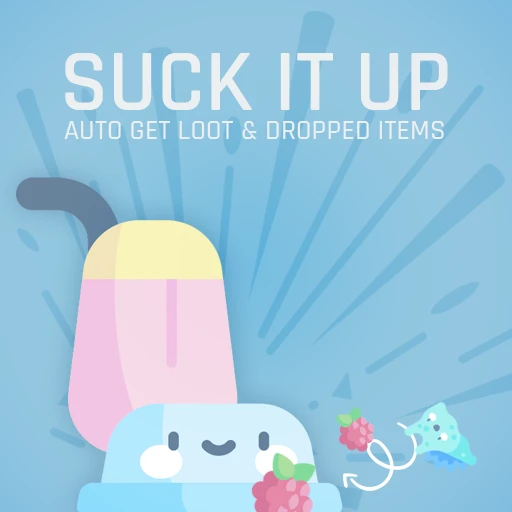
About Auto Get Loot and Dropped Items
From ficsit.appAutomatically gets loots as berries, slugs or dropped items, in some meters from you. Bonus: Loot Manager

<style> .multiplayer-banner { background-color: #4caf50; border-top: 4px solid #000; border-bottom: 4px solid #000; margin: 20px 0; padding: 10px 0; display: flex; align-items: center; justify-content: center; gap: 15px; width: 100%; } .multiplayer-text { color: #ffffff !important; font-weight: bold; text-transform: uppercase; letter-spacing: 2px; font-size: 1.1rem; text-shadow: 2px 2px 0px #000; } .multiplayer-sub { background: #000; color: #4caf50 !important; padding: 2px 10px; font-size: 0.8rem; font-weight: bold; text-transform: uppercase; border: 2px solid #fff; } .thumb-icon { font-size: 1.5rem; filter: drop-shadow(2px 2px 0px #000); } </style>
<style> .mod-container { --sf-gold: #fa9549; --sf-loot: #4fd1c5; --sf-bg: #2d2d2d; --sf-border: #000; max-width: 850px; margin: 20px auto; background-color: var(--sf-bg); color: #e0e0e0; padding: 30px; border: 4px solid var(--sf-border); box-shadow: 10px 10px 0px var(--sf-border); } .mod-container h1 { color: var(--sf-gold); text-transform: uppercase; text-align: center; border-bottom: 3px double var(--sf-gold); padding-bottom: 10px; margin-bottom: 25px; } .mod-container h2 { color: var(--sf-loot); font-size: 1.2rem; text-transform: uppercase; margin-top: 30px; border-left: 4px solid var(--sf-loot); padding-left: 10px; } .mod-container .warning-box { background: #742a2a; border: 2px solid #000; padding: 15px; margin: 20px 0; font-size: 0.85rem; } .command-box { background: #1a202c; color: #63b3ed; padding: 15px; border: 1px solid #4a5568; font-family: monospace; text-align: center; margin: 20px 0; } .filter-grid { display: grid; grid-template-columns: repeat(auto-fit, minmax(150px, 1fr)); gap: 10px; margin: 20px 0; } .filter-item { background: #1a1a1a; border: 1px solid #444; padding: 8px; font-size: 0.8rem; text-align: center; border-top: 3px solid var(--sf-loot); } .mod-container img { width: 100%; border: 4px solid #000; display: block; margin: 15px 0; } .aquila-footer { --sf-bg: #1a1a1a; --sf-border: #000; --sf-gold: #f2c94c; --discord: #3b4e8d; --patreon: #ff6058; --steam: #f2f2f2; --pix: #f2d600; --paypal: #249ce2; --youtube: #ff0000; max-width: 850px; margin: 40px auto; background-color: var(--sf-bg); padding: 30px; border: 4px solid var(--sf-border); border-top: 6px solid var(--sf-gold); box-shadow: 10px 10px 0px var(--sf-border); text-align: center; } .aquila-footer .btn-container { display: grid; grid-template-columns: 1fr 1fr; gap: 12px; margin-bottom: 20px; } .aquila-footer .full-btn { grid-column: span 2; } .aquila-footer .social-btn { display: flex; align-items: center; justify-content: center; padding: 12px; border: 3px solid #000; box-shadow: 4px 4px 0px #000; text-decoration: none; transition: transform 0.1s; } .aquila-footer .social-btn:hover { transform: translate(-2px, -2px); box-shadow: 6px 6px 0px #000; } .aquila-footer .btn-text { color: #ffffff !important; text-transform: uppercase; font-weight: bold; font-size: 0.9rem; line-height: 1.2; } .aquila-footer .discord { background: var(--discord); } .aquila-footer .patreon { background: var(--patreon); } .aquila-footer .youtube { background: var(--youtube); } .aquila-footer .steam { background: var(--steam); } .aquila-footer .steam .btn-text { color: #d35400 !important; } .aquila-footer .paypal { background: var(--paypal); } .aquila-footer .sub-text { display: block; font-size: 0.65rem; opacity: 0.9; font-weight: normal; margin-top: 4px; text-transform: none; } </style>
Auto Get Loot and Dropped Items
Stop hunting for dropped items! This mod automatically collects all nearby loot directly into your inventory. Whether you died and need your crate or just dropped some berries, the Magnet has you covered.
• Inventory: Always keep at least one slot empty for the magnet to function.
• Achievements: Auto-collecting Somersloops or Mercer Spheres will not count toward Steam/Epic achievements. Pick those up manually if you want the credit!

Customizable Filters
Use the /loot menu to toggle specific categories and set your scanning frequency and range:
Loot Manager Widget
Monitor every single item currently on the world map. Click the widget icon to instantly toggle the auto-collection on or off when you need precision control.

Highlights
From source dataGame versions
Built for Satisfactory >=491125.
Footprint
Rated a light load on a server.
Dependencies
Needs 1 other project installed alongside it.
Auto Get Loot and Dropped Items on Nxeon
From our catalogue- One-click install
- Supported on Nxeon Satisfactory servers. We download it from ficsit.app, place it, and restart the server.
- Server side
- Required on the server
- Server load
- light
- Smallest plan we suggest
- Satisfactory — 8 GB (8 GB RAM). This follows our own load rating above, not a benchmark.
- Latest build
- 1.0.13, released 2026-06-07
Recent builds
| Build | Released | Game versions | Loaders |
|---|---|---|---|
| 1.0.13 | 2026-06-07 | >=491125 | n/a |
| 1.0.4 alpha | 2023-11-16 | >=264901 | n/a |
Run Auto Get Loot and Dropped Items on a Satisfactory server
Pick a server or deploy a new one above; it is installed in one click.
What kind of mod it is
From the catalogWeapons, items & crafting
New weapons, gear, items and the recipes to make them.
Runs on your server
From source side supportficsit.app lists Auto Get Loot and Dropped Items as required on the server. Check its ficsit.app page to see whether players need it too.
Compatibility
- Game
- Satisfactory
- Runs on
- Serverrequired on the server
- Game versions
- >=491125
- Requires
- 1 other project installed alongside it.
Verified at the source
- ✓ficsit.appOfficial listing, checked 2026-10-15Open ↗
- ✓AuthorAndre Aquila, as published on ficsit.app
- ✓LicenseNot published by the sourceFree








