







About BoomBoxPlus
From ficsit.appThe Boom Box plays your music: local files, YouTube, SoundCloud, Spotify playlists and internet radio, synced in multiplayer.
BoomBoxPlus
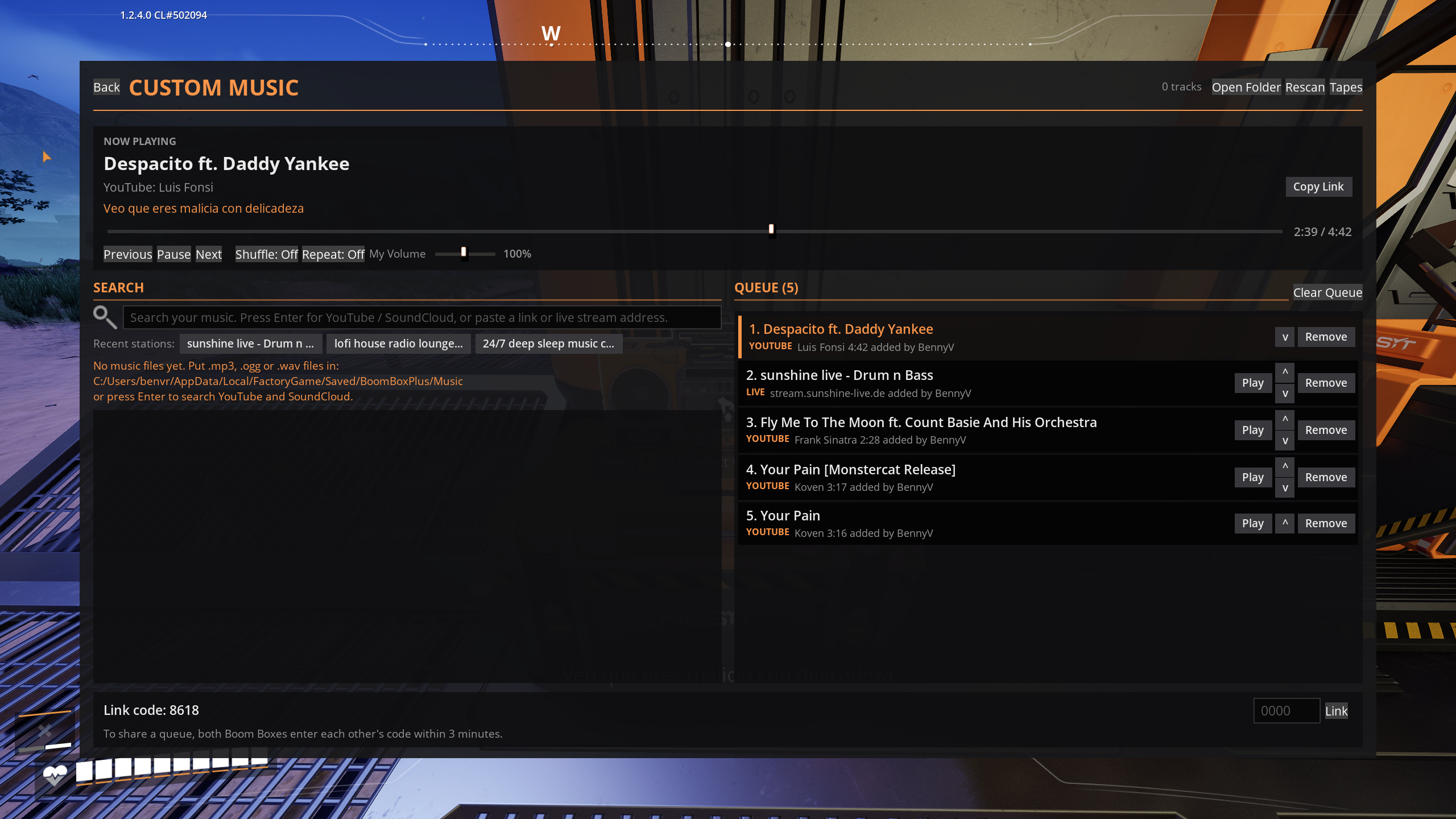
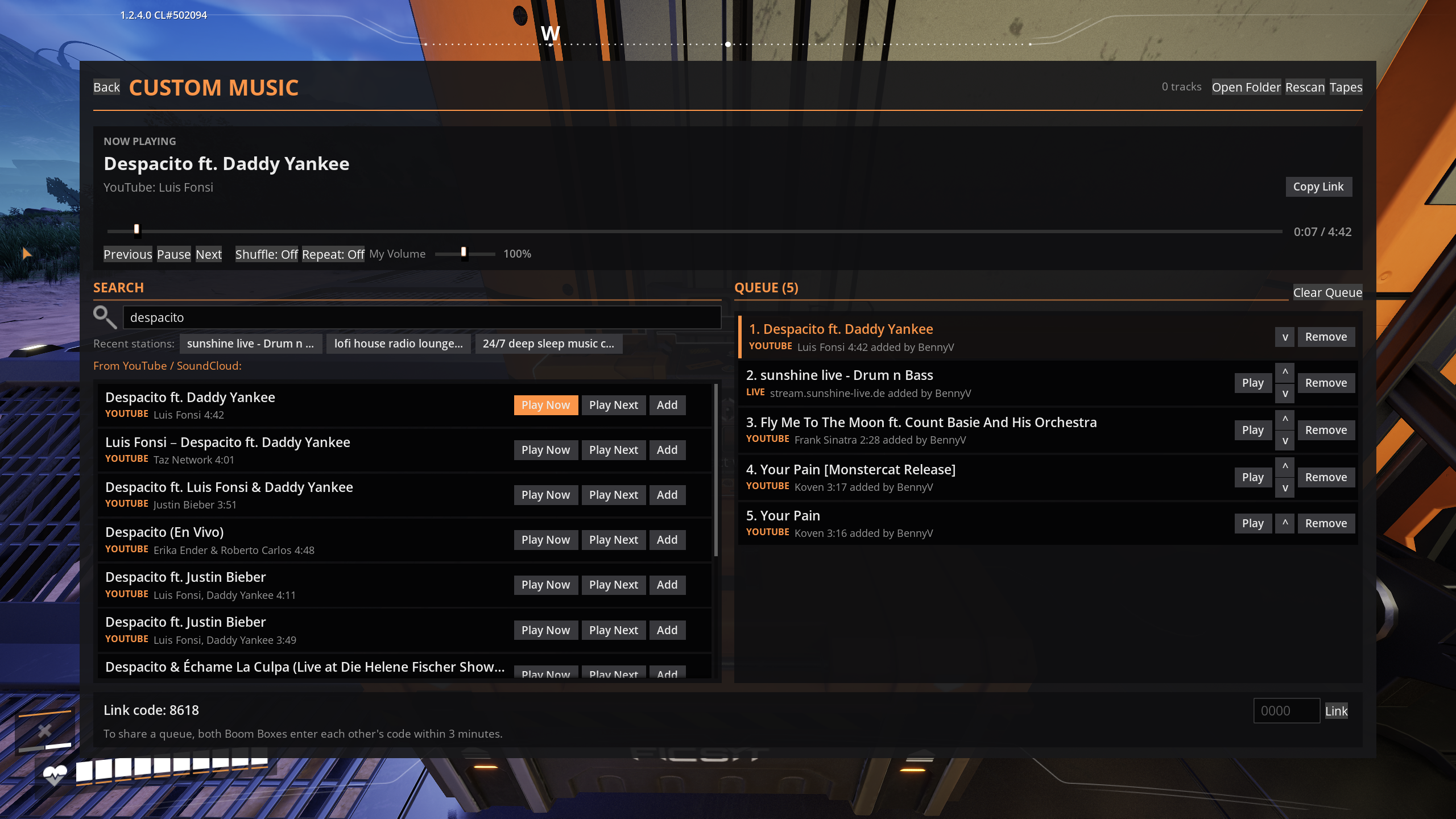
The Boom Box finally plays your music. Press the new Custom Music button on any Boom Box and it plays songs from your own music folder, YouTube or SoundCloud, whole Spotify playlists, or live internet radio, and everyone within earshot hears the same song at the same moment.
Inspired by the PEAK mod sPEAKer.
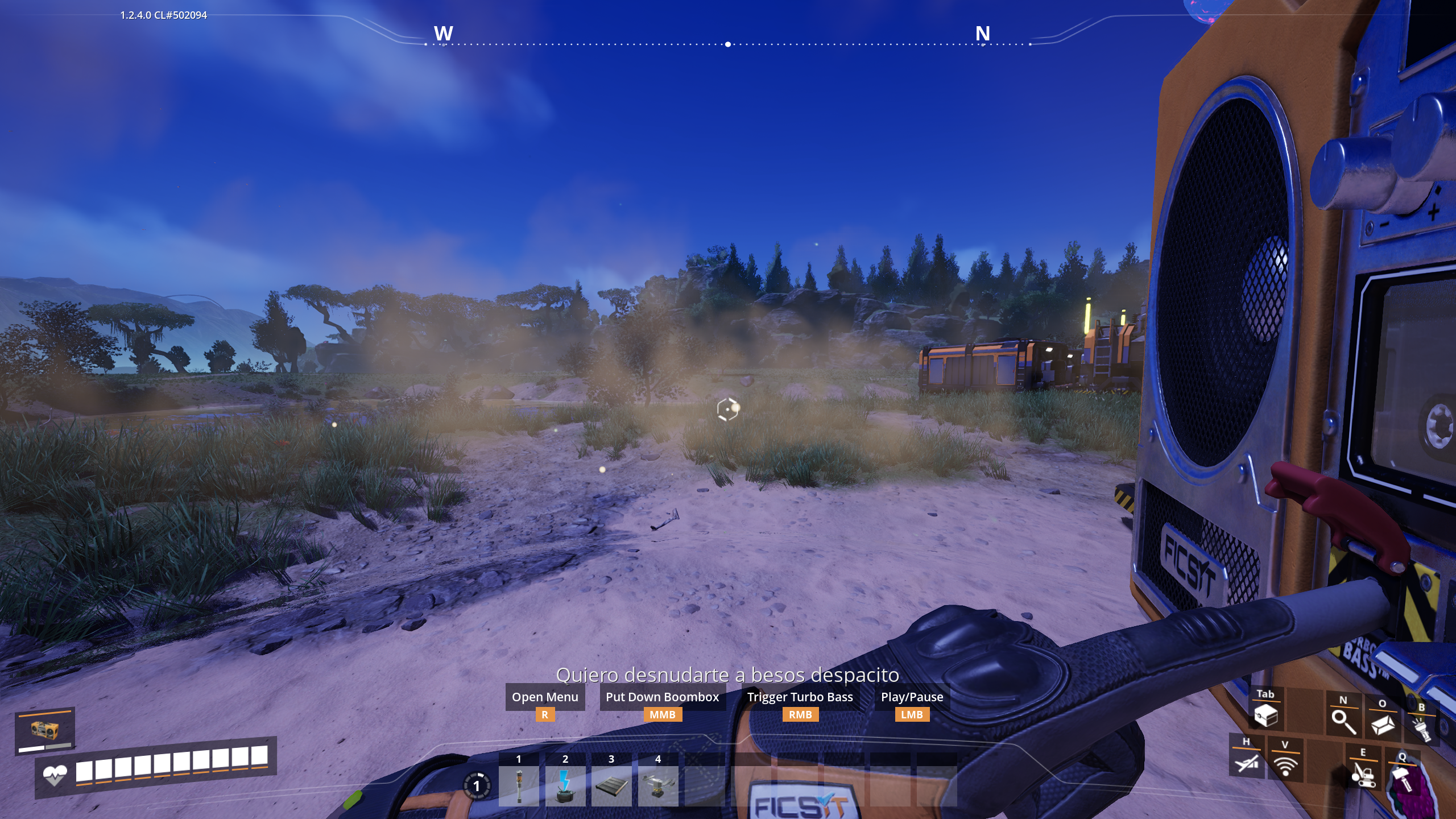
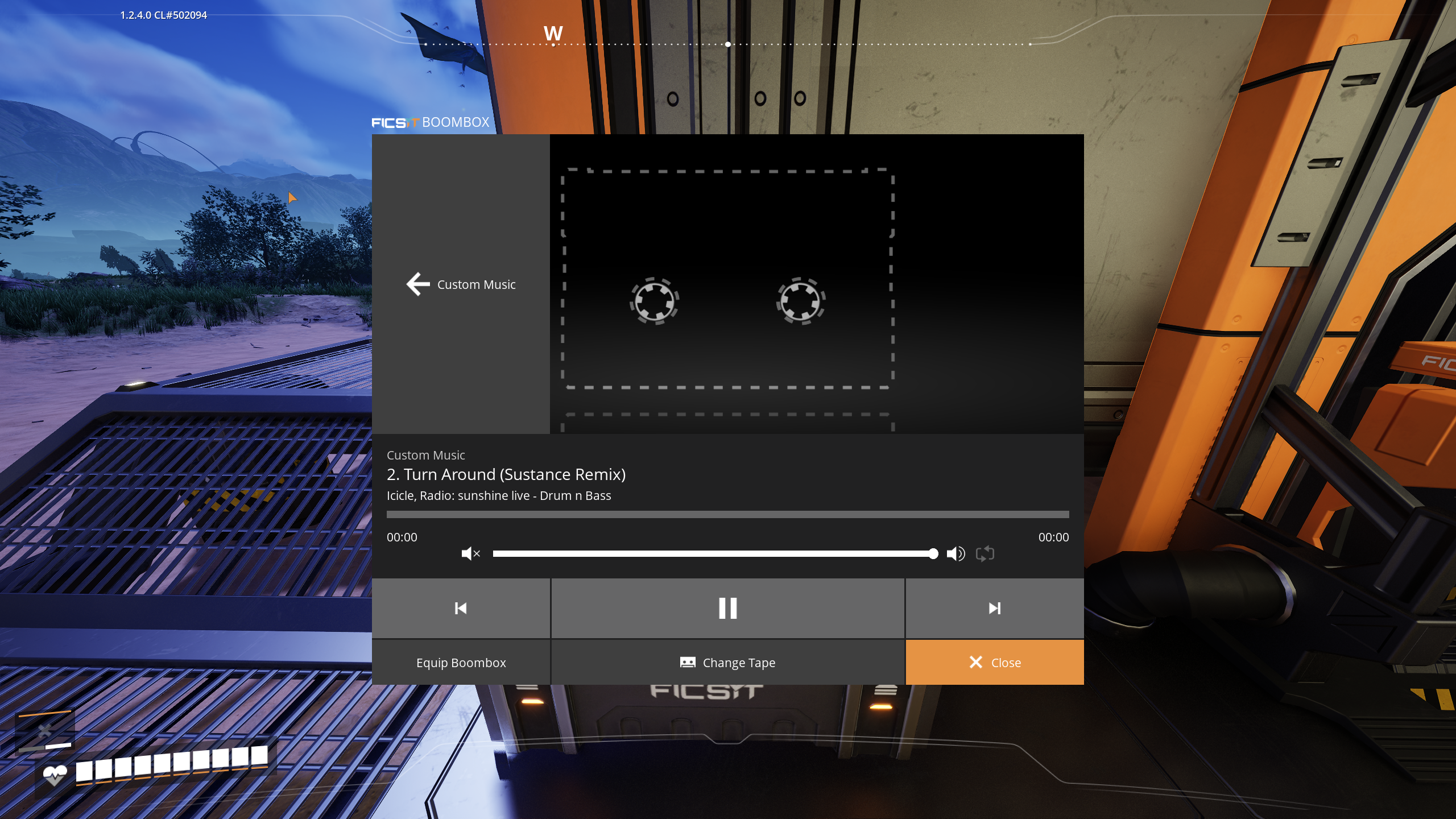
Features
- Your own music. Drop
.mp3,.oggor.wavfiles into a folder and search them in game. - YouTube and SoundCloud. Type a search and press Enter, or paste a video, track or playlist link.
- Spotify links. Paste a Spotify song and it searches for it. Paste a playlist or album and every song
is matched on YouTube. Songs start playing as soon as the first ones are found; you don't wait for the whole list.
- Internet radio. Paste a station's stream address into the search box and press Enter, same as any
other link. MP3, AAC, OGG and HLS streams work, and so do .pls/.m3u station links and YouTube live streams. The station's name is filled in automatically, the song the station announces becomes the title (and updates as the station moves on). The Radio button opens your station list: add a station by pasting its stream address, and play, rename or remove saved ones (up to 50, YouTube live streams included).
- A real queue. Play Now, Play Next, Add, reorder, remove, clear, shuffle and repeat (off, whole queue, or one
song). Drag the seek bar to jump anywhere in a song. The queue stops at the end unless repeat is on.
- Real 3D sound. Music comes from the Boom Box itself and fades with distance (about 250 m), whether you
carry it or place it. Drive or fly past one and its pitch bends like a passing car (the Doppler effect, with a deadzone so walking and running around don't change it; adjustable or off in the settings).
- Your own volume for each Boom Box. A "My Volume" slider sits next to the transport controls, from 0 to 200%
(default 100%, so you can boost Custom Music above the game's own mix); click the percentage to type an exact value. It's yours alone and set per Boom Box: two players with Boom Boxes side by side can each turn the other's down and listen to their own music. It's remembered between sessions, and every Boom Box you can hear is listed on the page with its own slider. You can also choose to hear only the nearest Boom Box of each linked group, or only the one you're carrying.
- Multiplayer sync. Everyone hears the same song at the same position. Players who join late start
mid-song, in sync.
- One queue per Boom Box, or share one. Every Boom Box has its own queue. To share a queue, enter the other
Boom Box's 4-digit link code; the other side gets Accept and Decline buttons (or can enter your code) and has 3 minutes to answer. Both queues are merged, alternating songs from each. Queues, the song that was playing and groups are kept in your save. A group stays paired across restarts — press Leave Group on any Boom Box to take just that one out again.
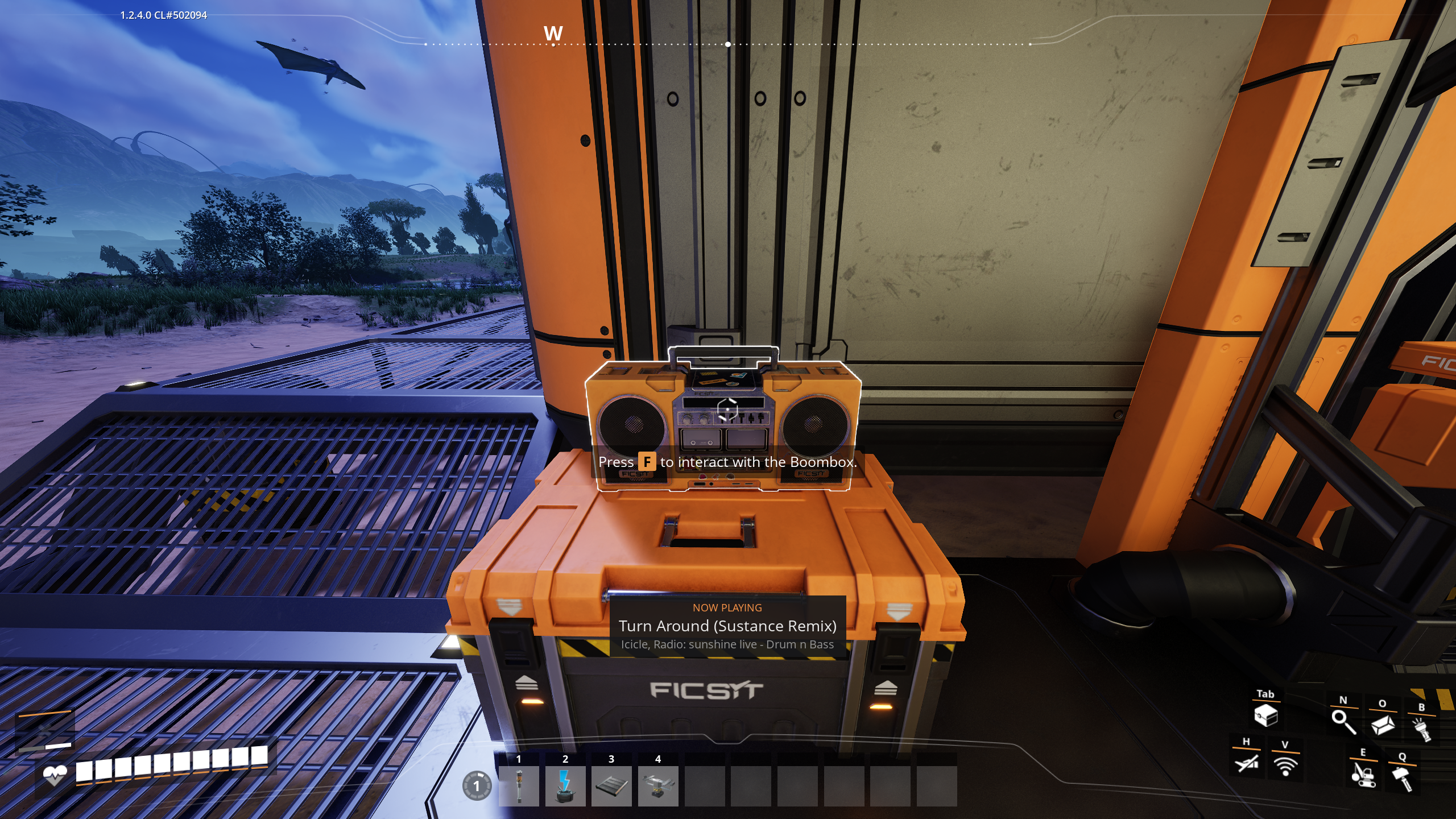
- Always know what's playing. The Custom Music page, the Boom Box's own screen and a short notification
at the bottom of the screen all show the song, and under it the artist and where it's from, e.g. "Koven, YouTube: Monstercat Uncaged". Copy Link copies the song's YouTube or SoundCloud page (or the station's stream address) to share it.
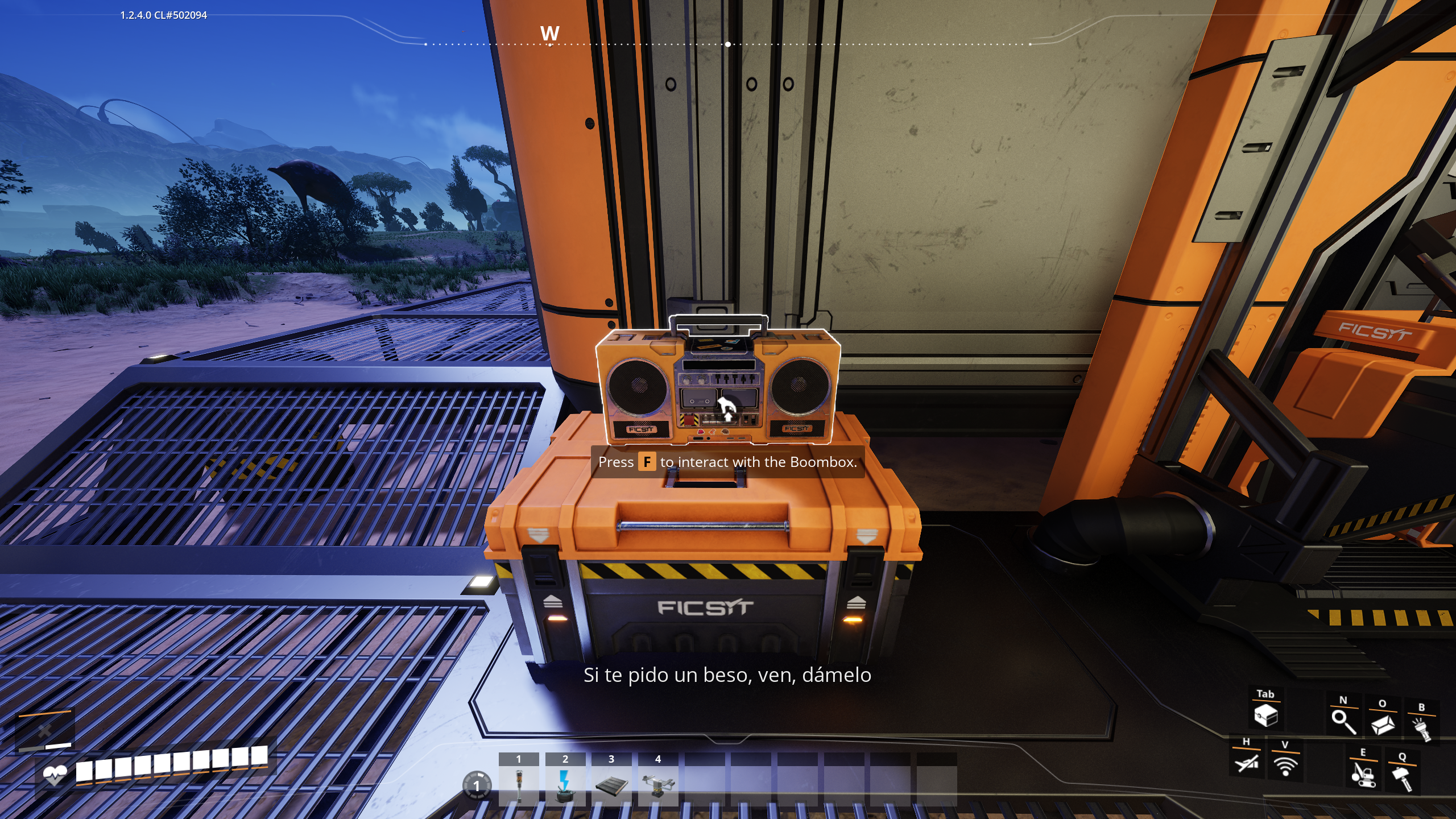
- Synced lyrics. The current line appears at the bottom of the screen while you can hear the music
(from LRCLIB, or a .lrc file next to your song).
- Game music steps aside. The game's soundtrack fades out while Custom Music plays and fades back in
when it stops.
- Looks like Satisfactory. Built from the game's own buttons, fonts and colours. The Boom Box's own
screen follows along too, with the song, its source and a working progress bar.
- ADA is listening. Now and then she has something to say about your music. Only you hear her, and she can
be turned off.
Getting started
- Install with Satisfactory Mod Manager. Everyone in a multiplayer session needs the mod.
- Pick up or open any Boom Box and press Custom Music.
- Search, then press Play Now, Play Next or Add. This also works for a stream address (for
example http://stream.sunshine-live.de/dnb/mp3-192) — press Enter to tune in, then treat the station like any other result. Songs queue normally whether or not a station is currently playing.
Finding stream addresses. Many stations list a "stream URL", "direct link" or a .pls/.m3u file on their website. Directories like radio-browser.info list thousands. A station's normal web page (with a player on it) usually won't work; it has to be the stream itself. For YouTube, paste the link of a video that is live right now.
Your own music goes in:
%LOCALAPPDATA%\FactoryGame\Saved\BoomBoxPlus\MusicHighlights
From source dataGame versions
Built for Satisfactory >=502094.
Footprint
Rated a light load on a server.
Last update
Its author last shipped an update today.
BoomBoxPlus on Nxeon
From our catalogue- One-click install
- Supported on Nxeon Satisfactory servers. We download it from ficsit.app, place it, and restart the server.
- Server side
- Required on the server
- Server load
- light
- Smallest plan we suggest
- Satisfactory — 8 GB (8 GB RAM). This follows our own load rating above, not a benchmark.
- Latest build
- 1.3.9, released 2026-10-15
Recent builds
| Build | Released | Game versions | Loaders |
|---|---|---|---|
| 1.3.9 | 2026-10-15 | >=502094 | n/a |
| 1.3.8 | 2026-10-13 | >=502094 | n/a |
| 1.3.7 | 2026-09-29 | >=502094 | n/a |
Run BoomBoxPlus on a Satisfactory server
Pick a server or deploy a new one above; it is installed in one click.
What kind of mod it is
From the catalogCosmetics, visuals & audio
Skins, textures, shaders, models and sound — how the game looks and sounds.
Runs on your server
From source side supportficsit.app lists BoomBoxPlus as required on the server. Check its ficsit.app page to see whether players need it too.
Compatibility
- Game
- Satisfactory
- Runs on
- Serverrequired on the server
- Game versions
- >=502094
Verified at the source
- ✓ficsit.appOfficial listing, checked 2026-10-15Open ↗
- ✓Authorbenvrakas, as published on ficsit.app
- ✓LicenseNot published by the sourceFree








