






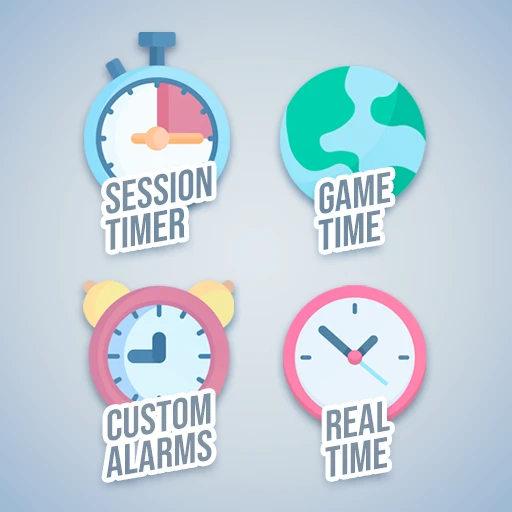
About GameTime
From ficsit.appHave the game time, system time and session time clock always on your screen.

<style> .multiplayer-banner { background-color: #4caf50; border-top: 4px solid #000; border-bottom: 4px solid #000; margin: 20px 0; padding: 10px 0; display: flex; align-items: center; justify-content: center; gap: 15px; width: 100%; } .multiplayer-text { color: #ffffff !important; font-weight: bold; text-transform: uppercase; letter-spacing: 2px; font-size: 1.1rem; text-shadow: 2px 2px 0px #000; } .multiplayer-sub { background: #000; color: #4caf50 !important; padding: 2px 10px; font-size: 0.8rem; font-weight: bold; text-transform: uppercase; border: 2px solid #fff; } .thumb-icon { font-size: 1.5rem; filter: drop-shadow(2px 2px 0px #000); } </style>
<style> .mod-container { --sf-gold: #fa9549; --sf-time: #ecc94b; --sf-bg: #2d2d2d; --sf-border: #000; max-width: 850px; margin: 20px auto; background-color: var(--sf-bg); color: #e0e0e0; padding: 30px; border: 4px solid var(--sf-border); box-shadow: 10px 10px 0px var(--sf-border); } .mod-container h1 { color: var(--sf-gold); text-transform: uppercase; text-align: center; border-bottom: 3px double var(--sf-gold); padding-bottom: 10px; margin-bottom: 25px; } .mod-container .feature-grid { display: grid; grid-template-columns: 1fr 1fr; gap: 15px; margin: 20px 0; } .mod-container .feature-card { background: #1a1a1a; border-left: 4px solid var(--sf-time); padding: 12px; font-size: 0.85rem; } .mod-container .info-box { background: #252525; border: 1px solid #444; padding: 15px; margin: 20px 0; font-size: 0.85rem; } .mod-container .command-box { background: #000; border: 2px solid var(--sf-time); padding: 15px; text-align: center; margin: 20px 0; } .mod-container code { color: #fff; background: #333; padding: 2px 6px; font-family: monospace; font-size: 1.1rem; } .mod-container .gallery img { width: 100%; display: block; border: 4px solid #000; margin-bottom: 15px; } </style>
GameTime
Never lose track of the hours again! Display in-game, system, and session time directly on your HUD and throughout your factory.

Click on the HUD icons to toggle info visibility.
Time Formats & Audio Alerts
12/24 Hour Toggle: Build any 3D Clock and press E to interact. This toggles the format for the entire game (HUD + Clocks). No UI confirmation will appear.
Set a Timer: /timer [minutes]
Example: /timer 15 will play an alert sound after 15 minutes.

Clock Variants
Shows current and session time. Look for the small arrow to interact or dismantle.
Large-scale timekeeping for factory exteriors and transit hubs.
Perfect for timing production cycles or racing laps.
A classic analog aesthetic for your office or HUB.



Honest note: Efficiency is measured in time. With these tools, you'll know exactly how much you're spending!
Highlights
From source dataGame versions
Built for Satisfactory >=491125.
Footprint
Rated a light load on a server.
Dependencies
Needs 1 other project installed alongside it.
GameTime on Nxeon
From our catalogue- One-click install
- Supported on Nxeon Satisfactory servers. We download it from ficsit.app, place it, and restart the server.
- Server side
- Required on the server
- Server load
- light
- Smallest plan we suggest
- Satisfactory — 8 GB (8 GB RAM). This follows our own load rating above, not a benchmark.
- Latest build
- 1.0.18, released 2026-06-07
Recent builds
| Build | Released | Game versions | Loaders |
|---|---|---|---|
| 1.0.18 | 2026-06-07 | >=491125 | n/a |
| 1.0.7 alpha | 2023-11-16 | >=264901 | n/a |
Run GameTime on a Satisfactory server
Pick a server or deploy a new one above; it is installed in one click.
What kind of mod it is
From the catalogGameplay & overhauls
New mechanics, content and overhauls that change how the game plays.
Runs on your server
From source side supportficsit.app lists GameTime as required on the server. Check its ficsit.app page to see whether players need it too.
Compatibility
- Game
- Satisfactory
- Runs on
- Serverrequired on the server
- Game versions
- >=491125
- Requires
- 1 other project installed alongside it.
Verified at the source
- ✓ficsit.appOfficial listing, checked 2026-10-15Open ↗
- ✓AuthorAndre Aquila, as published on ficsit.app
- ✓LicenseNot published by the sourceFree








