






About Keybind a CHAT COMMAND
From ficsit.appYou can keybind any chat command you want.

<style> .multiplayer-banner { background-color: #4caf50; border-top: 4px solid #000; border-bottom: 4px solid #000; margin: 20px 0; padding: 10px 0; display: flex; align-items: center; justify-content: center; gap: 15px; width: 100%; } .multiplayer-text { color: #ffffff !important; font-weight: bold; text-transform: uppercase; letter-spacing: 2px; font-size: 1.1rem; text-shadow: 2px 2px 0px #000; } .multiplayer-sub { background: #000; color: #4caf50 !important; padding: 2px 10px; font-size: 0.8rem; font-weight: bold; text-transform: uppercase; border: 2px solid #fff; } .thumb-icon { font-size: 1.5rem; filter: drop-shadow(2px 2px 0px #000); } </style>
<style> .mod-container { --sf-gold: #f6ad55; --sf-input: #ed8936; --sf-teal: #319795; --sf-bg: #2d2d2d; --sf-border: #000; max-width: 850px; margin: 20px auto; background-color: var(--sf-bg); color: #e0e0e0; padding: 30px; border: 4px solid var(--sf-border); box-shadow: 10px 10px 0px var(--sf-border); } .mod-container h1 { color: var(--sf-input); text-transform: uppercase; text-align: center; border-bottom: 3px double var(--sf-input); padding-bottom: 10px; margin-bottom: 25px; text-shadow: 2px 2px #000; } .macro-banner { background: linear-gradient(90deg, #9c4221 0%, #ed8936 100%); color: #fff; padding: 15px; text-align: center; border: 2px solid #000; margin: 20px 0; font-weight: bold; text-transform: uppercase; letter-spacing: 2px; }
.setup-grid { display: grid; grid-template-columns: 1fr 1fr; gap: 15px; margin: 25px 0; } .setup-card { background: #1a1a1a; padding: 20px; border-top: 4px solid var(--sf-teal); } .setup-card b { color: var(--sf-input); display: block; margin-bottom: 8px; text-transform: uppercase; }
.example-box { background: #2d3748; border: 2px dashed var(--sf-input); padding: 20px; margin: 25px 0; } .key-label { background: #4a5568; color: #fff; padding: 2px 8px; border-radius: 4px; font-family: monospace; font-weight: bold; border: 1px solid #000; }
.mod-container img { width: 100%; border: 4px solid #000; display: block; margin: 15px 0; }
.limitation-tag { background: #000; color: #cbd5e0; padding: 10px; border: 1px solid #4a5568; font-size: 0.8rem; text-align: center; margin-top: 20px; }
.aquila-footer { --sf-bg: #1a1a1a; --sf-border: #000; --sf-gold: #f2c94c; --discord: #3b4e8d; --patreon: #ff6058; --steam: #f2f2f2; --pix: #f2d600; --paypal: #249ce2; --youtube: #ff0000; max-width: 850px; margin: 40px auto; background-color: var(--sf-bg); padding: 30px; border: 4px solid var(--sf-border); border-top: 6px solid var(--sf-gold); box-shadow: 10px 10px 0px var(--sf-border); text-align: center; } .aquila-footer .btn-container { display: grid; grid-template-columns: 1fr 1fr; gap: 12px; margin-bottom: 20px; } .aquila-footer .full-btn { grid-column: span 2; } .aquila-footer .social-btn { display: flex; align-items: center; justify-content: center; padding: 12px; border: 3px solid #000; box-shadow: 4px 4px 0px #000; text-decoration: none; transition: transform 0.1s; } .aquila-footer .social-btn:hover { transform: translate(-2px, -2px); box-shadow: 6px 6px 0px #000; } .aquila-footer .btn-text { color: #ffffff !important; text-transform: uppercase; font-weight: bold; font-size: 0.9rem; line-height: 1.2; } .aquila-footer .discord { background: var(--discord); } .aquila-footer .patreon { background: var(--patreon); } .aquila-footer .youtube { background: var(--youtube); } .aquila-footer .steam { background: var(--steam); } .aquila-footer .steam .btn-text { color: #d35400 !important; } .aquila-footer .paypal { background: var(--paypal); } .aquila-footer .sub-text { display: block; font-size: 0.65rem; opacity: 0.9; font-weight: normal; margin-top: 4px; text-transform: none; } </style>
Keybind a CHAT COMMAND
Stop typing, start building. Bind any chat command to a single key for instant access to your favorite mod utilities and global commands.
Type /key in chat (Singleplayer) or use the specialized computer interface unlocked at HUB Tier 0.
Select a slot, press your desired key, and type the command. Once saved, one press executes the full text!

Common Macros
F → !fly (Instant Flight)
N → !nocost (Building mode)
R → /rm (Remote Factory Access)

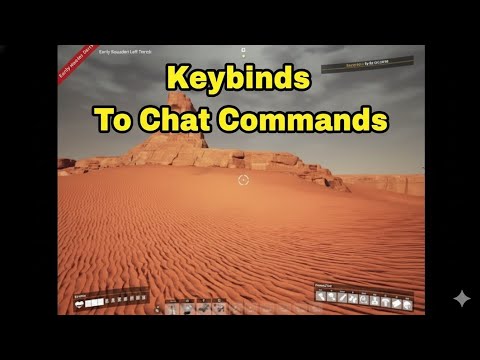

Highlights
From source dataGame versions
Built for Satisfactory >=491125.
Footprint
Rated a light load on a server.
Dependencies
Needs 1 other project installed alongside it.
Keybind a CHAT COMMAND on Nxeon
From our catalogue- One-click install
- Supported on Nxeon Satisfactory servers. We download it from ficsit.app, place it, and restart the server.
- Server side
- Required on the server
- Server load
- light
- Smallest plan we suggest
- Satisfactory — 8 GB (8 GB RAM). This follows our own load rating above, not a benchmark.
- Latest build
- 1.0.12, released 2026-06-21
Recent builds
| Build | Released | Game versions | Loaders |
|---|---|---|---|
| 1.0.12 | 2026-06-21 | >=491125 | n/a |
| 1.0.2 alpha | 2023-11-16 | >=264901 | n/a |
Run Keybind a CHAT COMMAND on a Satisfactory server
Pick a server or deploy a new one above; it is installed in one click.
What kind of mod it is
From the catalogChat & community
Chat, voice, Discord, clans and other community features.
Runs on your server
From source side supportficsit.app lists Keybind a CHAT COMMAND as required on the server. Check its ficsit.app page to see whether players need it too.
Compatibility
- Game
- Satisfactory
- Runs on
- Serverrequired on the server
- Game versions
- >=491125
- Requires
- 1 other project installed alongside it.
Verified at the source
- ✓ficsit.appOfficial listing, checked 2026-10-15Open ↗
- ✓AuthorAndre Aquila, as published on ficsit.app
- ✓LicenseNot published by the sourceFree
More like Keybind a CHAT COMMAND
Other Satisfactory mods, same category first, ranked by real downloads.

Refined Power
Technology & automation · ficsit.app
A Satisfactory Mod that adds 30+ hand made buildings to produce power!

Smart!
Weapons, items & crafting · ficsit.app
The Factory Builder's Multitool! Scale up your factory with a number of tools for fast, vanilla-friendly building!

Satisfactory Mod Loader
Libraries & compatibility · ficsit.app
Mod loading and compatibility API for Satisfactory

Infinite Zoop
Gameplay & overhauls · ficsit.app
Upgrade your max Zoop count and Zoop in two dimensions!

Additional 300 Inventory Slots
Quality of life & UI · ficsit.app
This mod adds an extra 300 inventory slots for FREE!

Structural Solutions
Gameplay & overhauls · ficsit.app
Structural Solutions adds 300+ new buildable objects to Satisfactory.

Pak Utility Mod
Quality of life & UI · ficsit.app
Utility Mod, but compatible with other mods

Ficsit Farming
Gameplay & overhauls · ficsit.app
Get your Fingers Dirty with the ficsit farming mod!
Keybind a CHAT COMMAND , answered
Generated from the mod’s own source data.
Do my players need to install Keybind a CHAT COMMAND ?
ficsit.app lists Keybind a CHAT COMMAND as required on the server. Check its ficsit.app page to see whether players need it too.
Is it free?
Yes. Keybind a CHAT COMMAND is free to download from ficsit.app.
How do I add it to my Nxeon server?
Use “Add to a server” on this page, or open NxLabs from your dashboard. We install it, restart your server and switch it on.

Run Keybind a CHAT COMMAND on a Satisfactory server.
Deploy in about a minute from $12.00 a month, then add Keybind a CHAT COMMAND in one click.