






About Pipeline Color
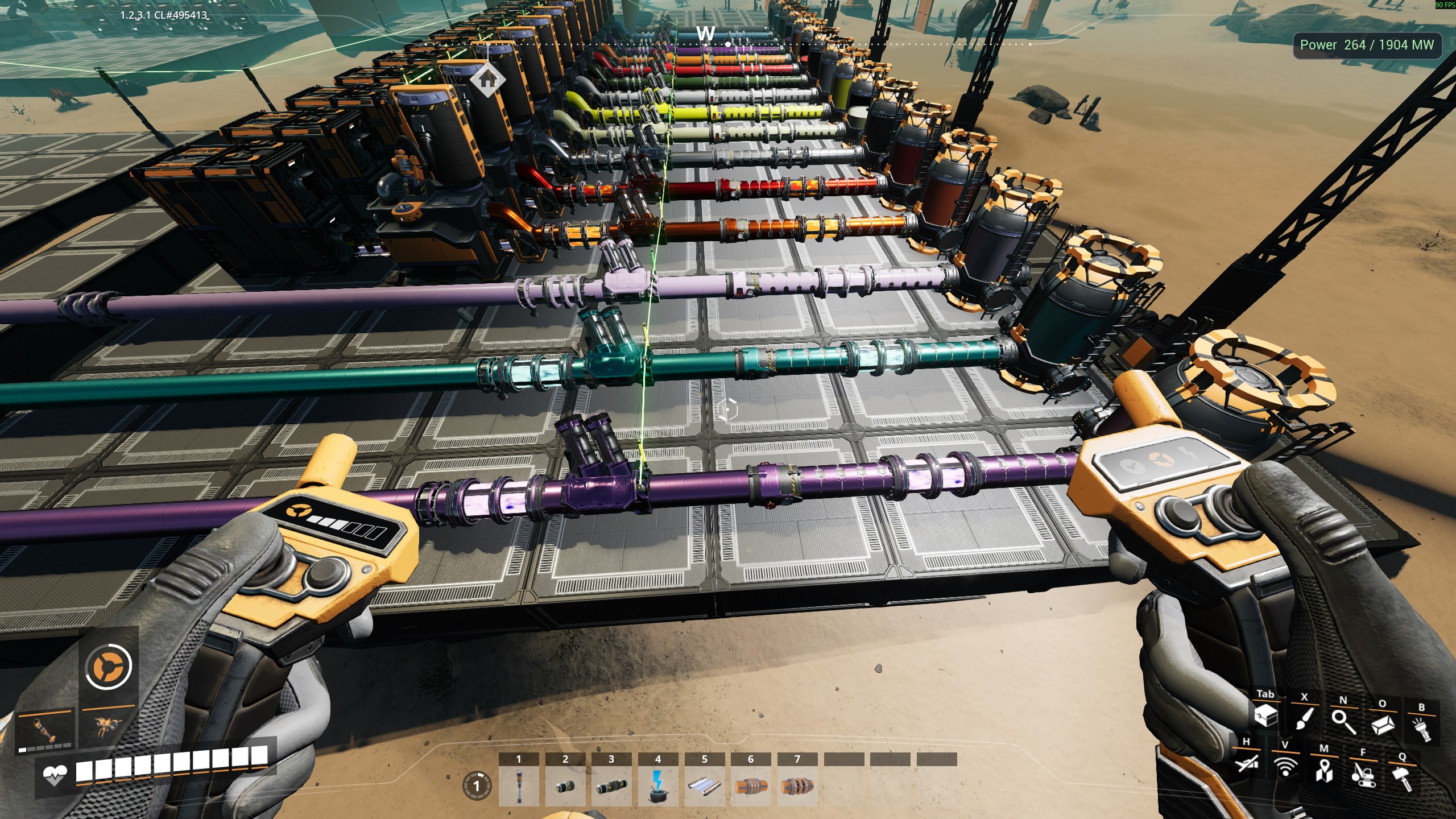
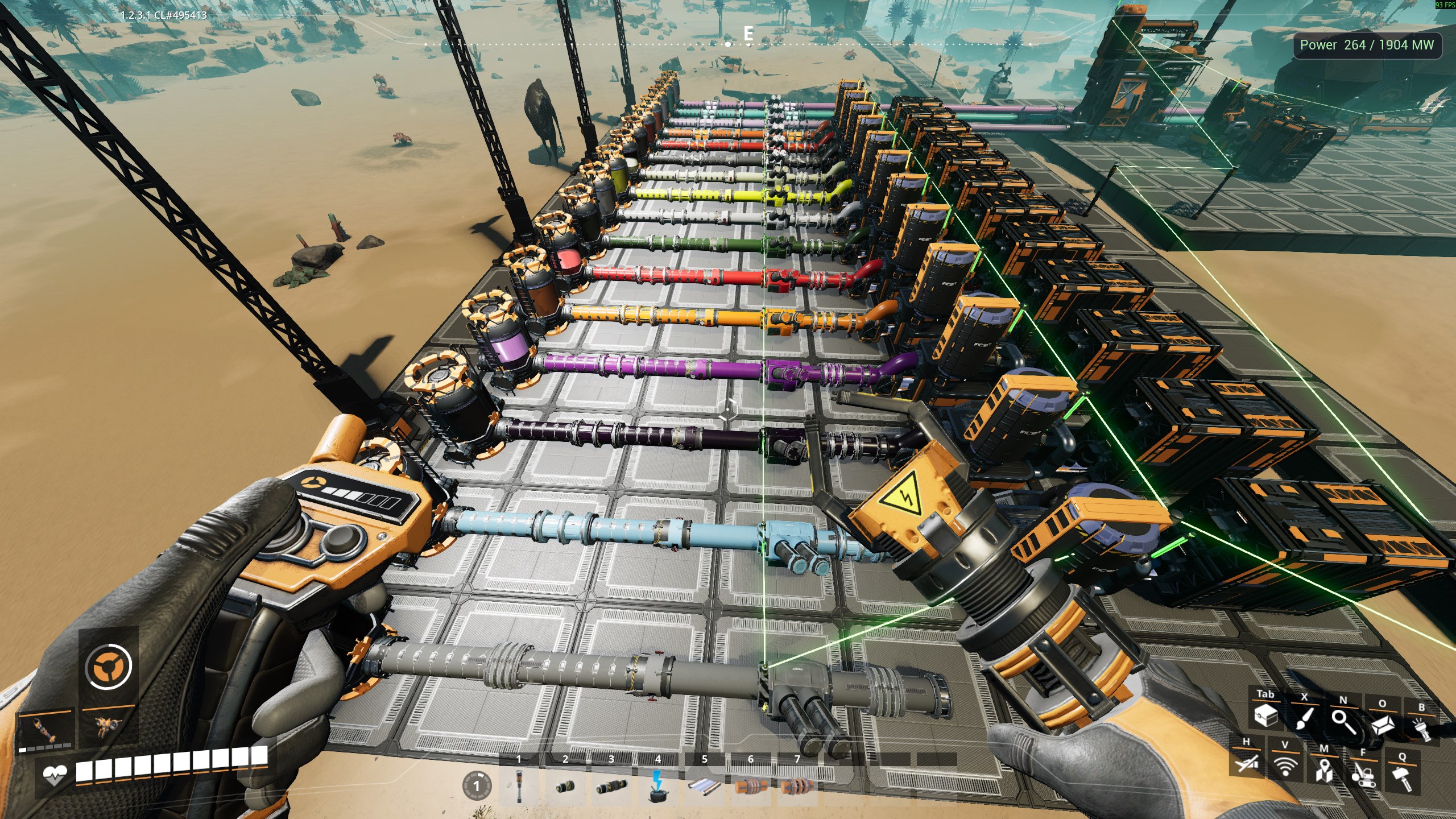
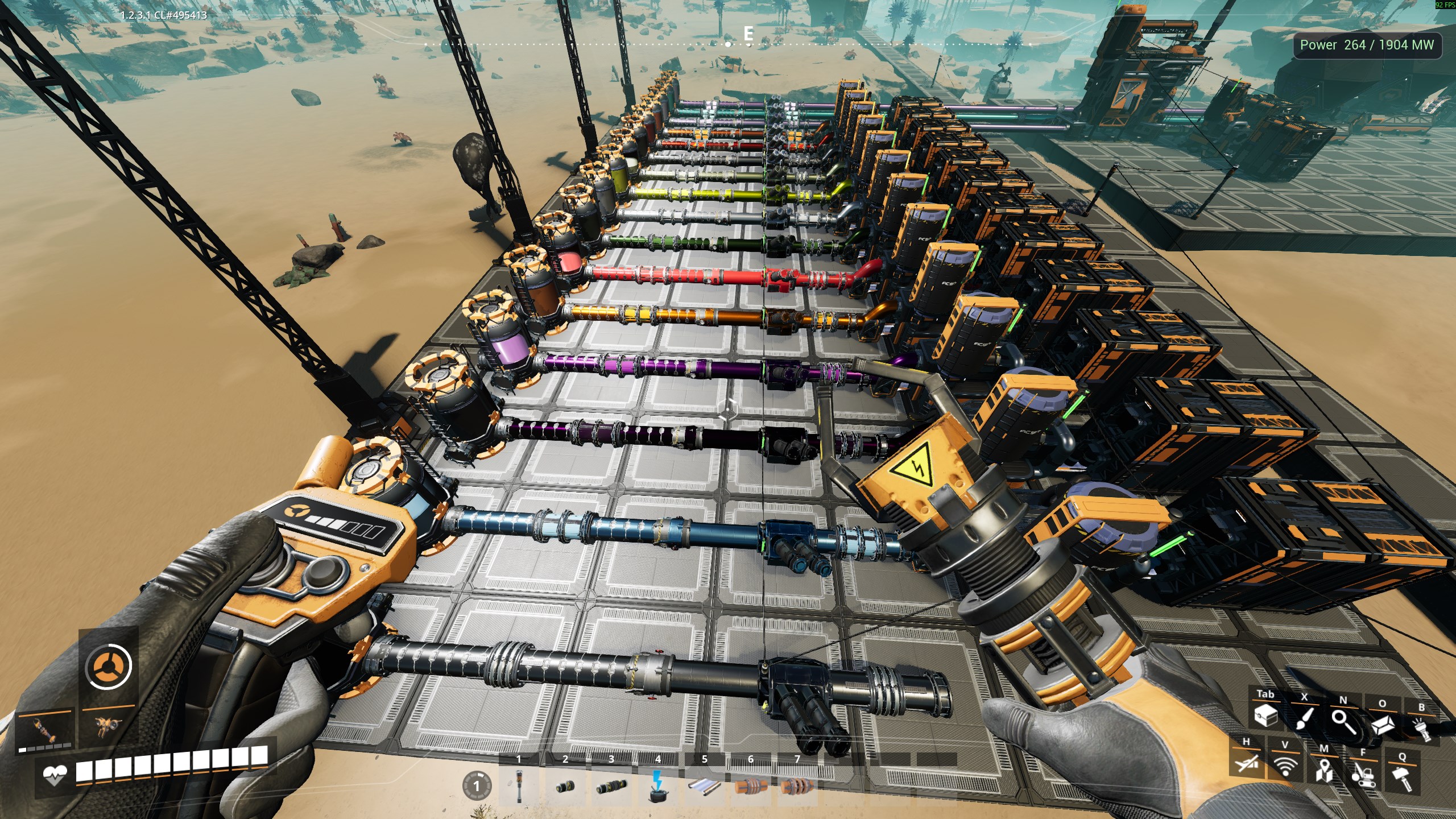
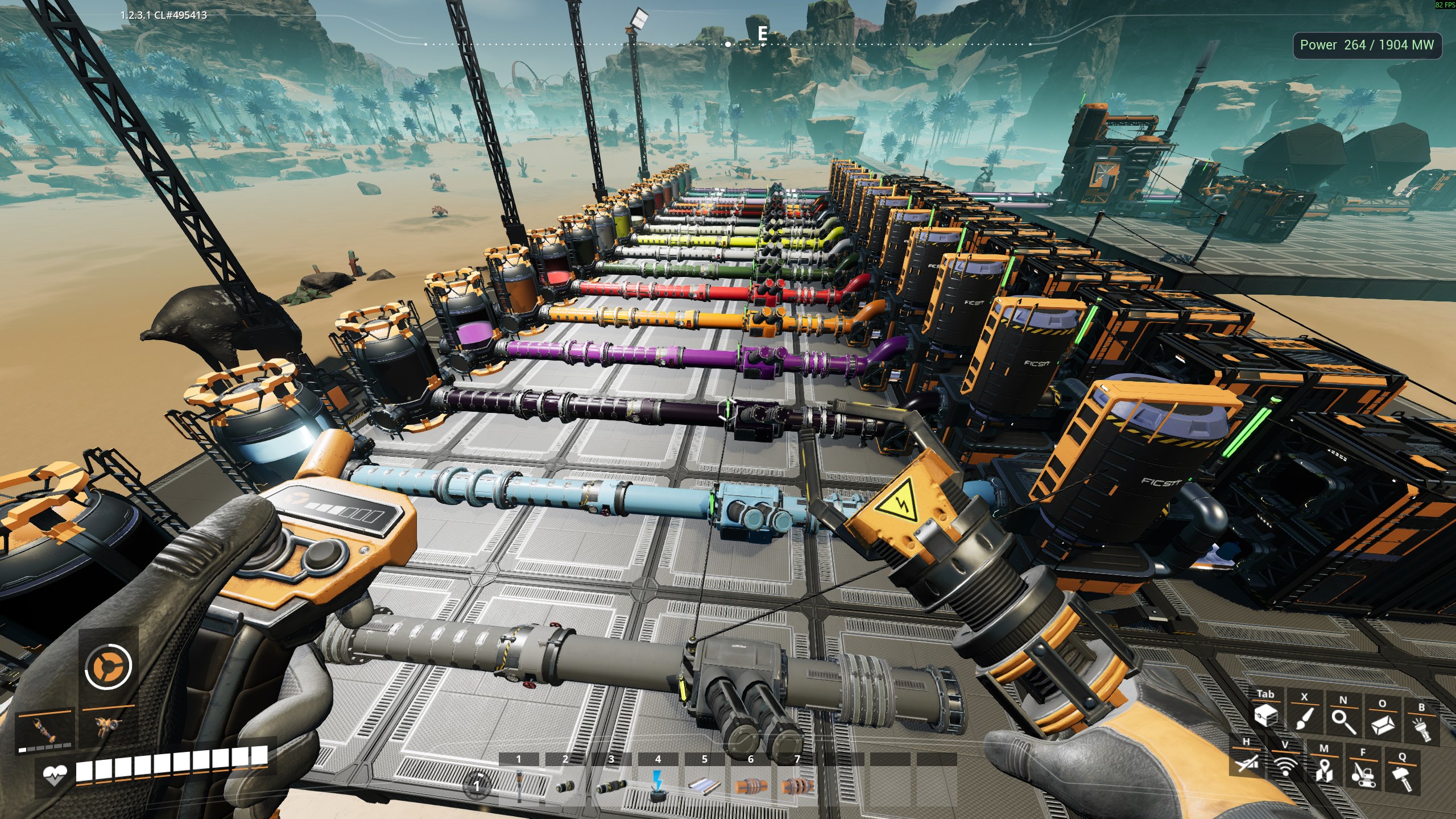
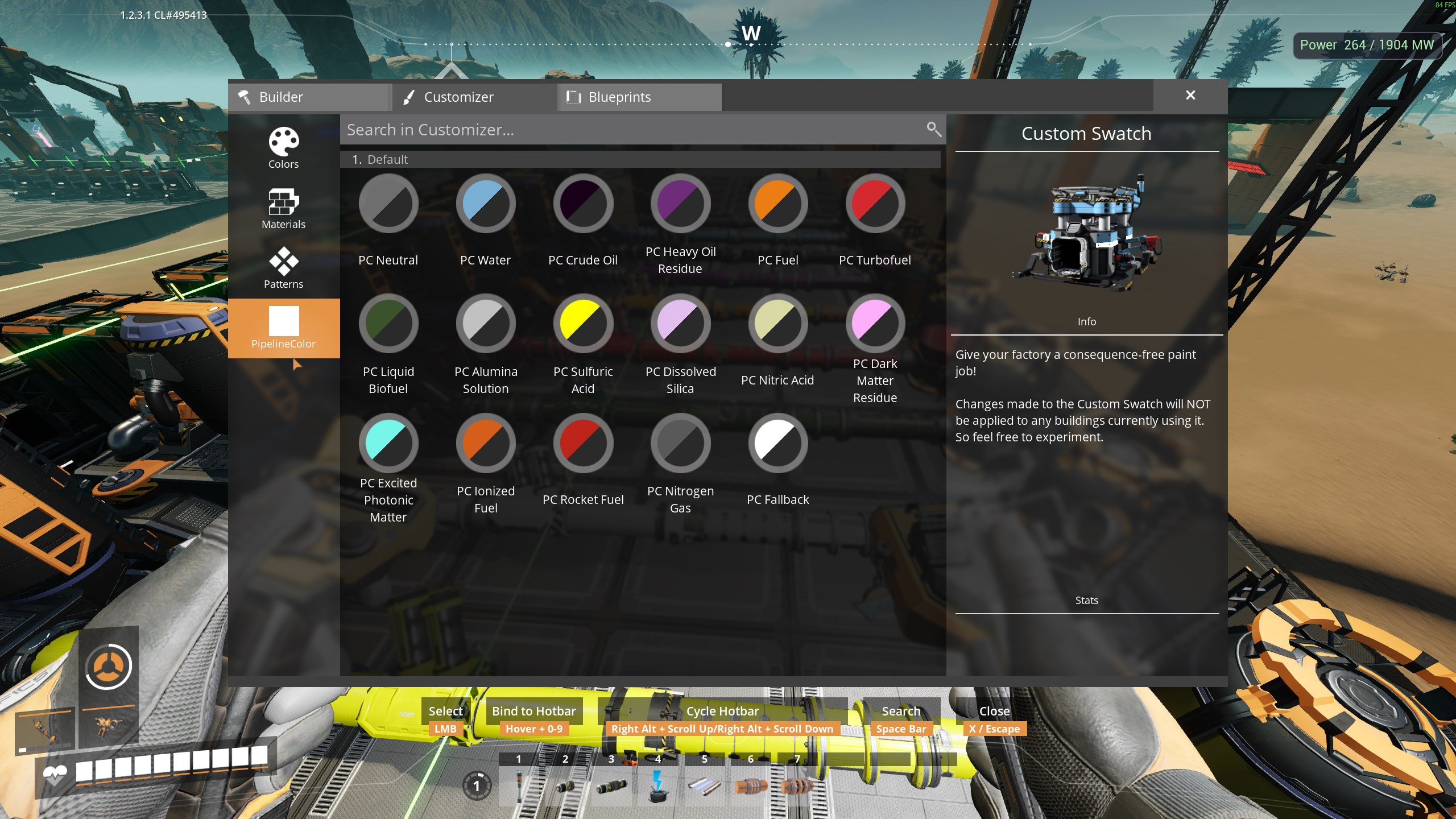
From ficsit.appAuto-colors pipelines from network fluid. Dynamic Customizer swatches, custom-only store, metallic gases by default.
PipelineColor
Version 1.3.1 · Satisfactory 1.2 (≥491125) · SML ^3.12.0
Auto-colors pipelines from network fluid. Dynamic Customizer swatches, custom-only store, metallic gases by default.
How it works
- Discovery: every loaded
RF_LIQUID/RF_GASitem descriptor (vanilla + mods) → ClassGen swatch + recipe; Customizer subcategory = mod FriendlyName (e.g. Default, Refined Power) - Catalog keys:
OwnerMod_Stem(e.g.FactoryGame_Water,RefinedPower_RP_…). UI labels use item display names - Liquids / gases: RGB from
mFluidColor/mGasColor(!pc <fluid> liquid|gas); gases metallic by default (!Metallic) - Empty: PC Empty Pipe (
Neutral) + Matte - Unknown: PC ERR0R (
Fallback) + magenta (#FF00FF) - Store: SaveGame keeps only Customizer-edited swatches; unedited fluids use live catalog defaults (Customizer icons still show catalog colors)
- Supports: floor / stackable / wall / wall-hole parents inherit the touched pipe’s fluid look
- Server/host applies paint; clients receive the result
Chat commands
Type on the server or listen host. Commands start with ! and do not appear in public chat. Responses show as Hal: system messages.
!Metallic <fluid>/all on/all off/default— metallic flags only (cfg)!pc <fluid> liquid|gas— RGB color source (metallic untouched)!pc default— clear custom SaveGame swatch edits (catalog defaults)!pchelp— short list
Same verbs register with SML for Chat Mk 2 expandable help. Full list: Documentation/chat-commands.md.
Config
No SML Mods menu. Edit Configs/PipelineColor.cfg on the host, use console PipelineColor.Set, or chat. See Documentation/console-commands.md.
| Key | Default | Notes | |-----|---------|-------| | CfgSchema | 2 | Prefixed catalog keys; older cfg full-reseeds on load | | DefaultGasMetallic | true | Gases metallic when no per-fluid override | | DefaultLiquidMetallic | false | Liquids metallic when no per-fluid override | | MetallicOverrides | {} | Per catalog key (FactoryGame_Water, …) | | ColorSourceOverrides | {} | Per catalog key (liquid / gas); default seed includes FactoryGame_NitrogenGas → gas |
Requirements
- Satisfactory 1.2 (≥491125)
- SML ^3.12.0
Multiplayer
Required on remote — all players need the same mod version (^1.3.0). Authority applies colors and config. See Documentation/multiplayer.md.
Screenshots
Source
GPL-3.0 — github.com/TheHaliax/SatisfactoryMods
Docs index: Documentation/README.md
Highlights
From source dataGame versions
Built for Satisfactory >=491125.
Footprint
Rated a light load on a server.
Dependencies
Needs 1 other project installed alongside it.
Pipeline Color on Nxeon
From our catalogue- One-click install
- Supported on Nxeon Satisfactory servers. We download it from ficsit.app, place it, and restart the server.
- Server side
- Required on the server
- Server load
- light
- Smallest plan we suggest
- Satisfactory — 8 GB (8 GB RAM). This follows our own load rating above, not a benchmark.
- Latest build
- 1.3.1, released 2026-08-14
Run Pipeline Color on a Satisfactory server
Pick a server or deploy a new one above; it is installed in one click.
What kind of mod it is
From the catalogQuality of life & UI
Small conveniences, tweaks and interface improvements players notice straight away.
Runs on your server
From source side supportficsit.app lists Pipeline Color as required on the server. Check its ficsit.app page to see whether players need it too.
Compatibility
- Game
- Satisfactory
- Runs on
- Serverrequired on the server
- Game versions
- >=491125
- Requires
- 1 other project installed alongside it.
Verified at the source
- ✓ficsit.appOfficial listing, checked 2026-10-15Open ↗
- ✓AuthorHal, as published on ficsit.app
- ✓LicenseNot published by the sourceFree








