






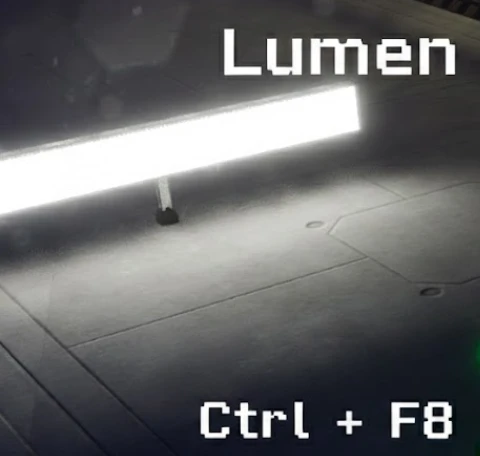
About Lumen/Global Illumination Toggle
From ficsit.appGPU struggling? Use Ctrl+F8 to toggle Lumen only when you need that perfect screenshot.

<style> .multiplayer-banner { background-color: #4caf50; border-top: 4px solid #000; border-bottom: 4px solid #000; margin: 20px 0; padding: 10px 0; display: flex; align-items: center; justify-content: center; gap: 15px; width: 100%; } .multiplayer-text { color: #ffffff !important; font-weight: bold; text-transform: uppercase; letter-spacing: 2px; font-size: 1.1rem; text-shadow: 2px 2px 0px #000; } .multiplayer-sub { background: #000; color: #4caf50 !important; padding: 2px 10px; font-size: 0.8rem; font-weight: bold; text-transform: uppercase; border: 2px solid #fff; } .thumb-icon { font-size: 1.5rem; filter: drop-shadow(2px 2px 0px #000); } </style>
<style> .mod-container { --sf-gold: #ecc94b; --sf-gray: #a0aec0; --sf-bg: #2d2d2d; --sf-border: #000; max-width: 850px; margin: 20px auto; background-color: var(--sf-bg); color: #e0e0e0; padding: 30px; border: 4px solid var(--sf-border); box-shadow: 10px 10px 0px var(--sf-border); } .mod-container h1 { color: var(--sf-gold); text-transform: uppercase; text-align: center; border-bottom: 3px double var(--sf-gray); padding-bottom: 10px; margin-bottom: 25px; text-shadow: 2px 2px #000; } .lumen-banner { background: linear-gradient(90deg, #744210 0%, #2d3748 100%); color: #fff; padding: 15px; text-align: center; border: 2px solid #000; margin: 20px 0; font-weight: bold; text-transform: uppercase; letter-spacing: 2px; }
.toggle-grid { display: grid; grid-template-columns: 1fr 1fr; gap: 15px; margin: 25px 0; } .toggle-card { background: #1a1a1a; padding: 15px; border-top: 4px solid var(--sf-gray); } .toggle-card.on { border-color: var(--sf-gold); } .toggle-card b { display: block; margin-bottom: 5px; text-transform: uppercase; font-size: 0.85rem; }
.tech-box { background: #000; border: 1px dashed var(--sf-gold); padding: 20px; margin: 20px 0; font-family: 'Courier New', Courier, monospace; font-size: 0.9rem; } .tech-box b { color: var(--sf-gold); }
.mod-container img { width: 100%; border: 4px solid #000; display: block; margin: 15px 0; } </style>
Lumen / GI Quick Toggle
Beautiful lighting shouldn't melt your GPU. Instantly switch between cinematic realism and performance-friendly building modes with a single hotkey.

[ENABLE]: r.Lumen.Reflections.Allow 0 (Configurable)
r.Lumen.Reflections.Temporal 0
sg.GlobalIlluminationQuality 2 (Configurable)
r.DynamicGlobalIlluminationMethod 1
r.ReflectionMethod 1
sg.ShadowQuality 4
sg.PostProcessQuality 4
r.Lumen.Diffuse.Quality 2
sg.ReflectionQuality 3
r.ScreenPercentage 100 (configurable)
r.Lumen.Reflections.SmoothBias 0.4 (configurable)
r.AOGlobalDistanceField.MinMeshSDFRadius 1
r.Lumen.HardwareRayTracing 1 (DISABLED)
[DISABLE]: r.Lumen.Reflections.Allow 0
r.Lumen.Reflections.Temporal 1
sg.GlobalIlluminationQuality 0
r.DynamicGlobalIlluminationMethod 0
r.ReflectionMethod 0
sg.ShadowQuality [player]
sg.PostProcessQuality [player]
r.Lumen.Diffuse.Quality 0
sg.ReflectionQuality [player]
r.ScreenPercentage 100 (configurable)
r.Lumen.HardwareRayTracing 0 (DISABLED)
r.Lumen.SceneLightingQuality 1 (DISABLED)
r.Lumen.ScreenProbeGather.FullRes 0 (DISABLED)
Use these chat commands to customize the mod settings:
/LT LumenReflectionsSmoothBias [choose from 0.00 to ∞] (default 0.4)
/LT LONScreenPercentage [choose from 10 to 400] (default 100)
/LT LOFFScreenPercentage [choose from 10 to 400] (default 100)
/LT GQuality [choose 0,1,2,3,4] (default 2)
/LT ReflAllow [choose 0 or 1] (default 0)
Highlights
From source dataGame versions
Built for Satisfactory >=491125.
Footprint
Rated a light load on a server.
Dependencies
Needs 1 other project installed alongside it.
Lumen/Global Illumination Toggle on Nxeon
From our catalogue- One-click install
- Supported on Nxeon Satisfactory servers. We download it from ficsit.app, place it, and restart the server.
- Server side
- Required on the server
- Server load
- light
- Smallest plan we suggest
- Satisfactory — 8 GB (8 GB RAM). This follows our own load rating above, not a benchmark.
- Latest build
- 1.0.3, released 2026-06-07
Run Lumen/Global Illumination Toggle on a Satisfactory server
Pick a server or deploy a new one above; it is installed in one click.
What kind of mod it is
From the catalogGameplay & overhauls
New mechanics, content and overhauls that change how the game plays.
Runs on your server
From source side supportficsit.app lists Lumen/Global Illumination Toggle as required on the server. Check its ficsit.app page to see whether players need it too.
Compatibility
- Game
- Satisfactory
- Runs on
- Serverrequired on the server
- Game versions
- >=491125
- Requires
- 1 other project installed alongside it.
Verified at the source
- ✓ficsit.appOfficial listing, checked 2026-10-15Open ↗
- ✓AuthorAndre Aquila, as published on ficsit.app
- ✓LicenseNot published by the sourceFree








