







About Resource Node Marker
From ficsit.appAutomatically marks resource nodes on your map as you explore, with configurable purity filters and proximity radius.
Resource Node Marker
> 🐙 GitHub · 🐛 Issues & Suggestions · ☕ Buy Me a Coffee — if you find it useful and are able to, it is always appreciated!
V1:
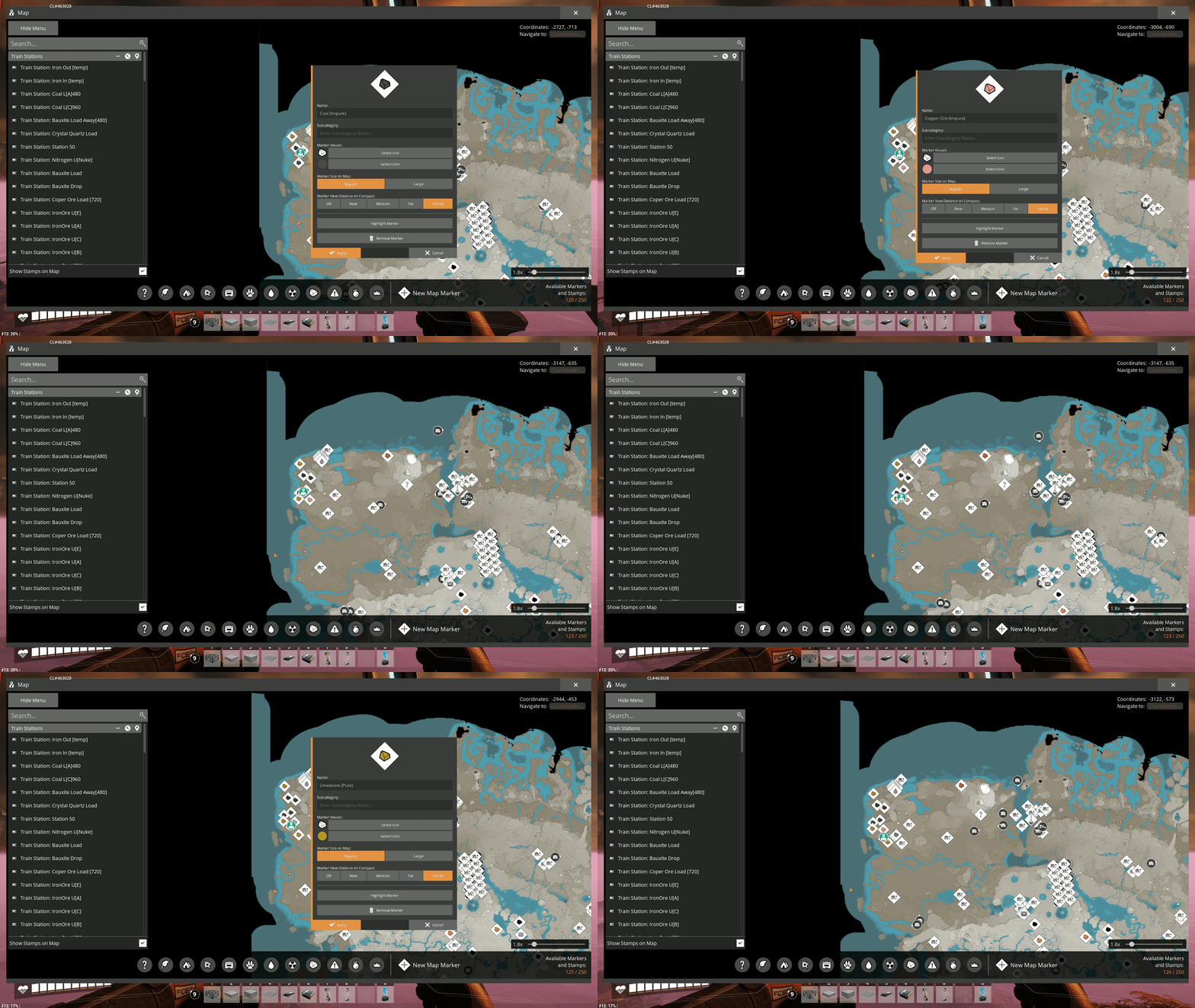
V2:
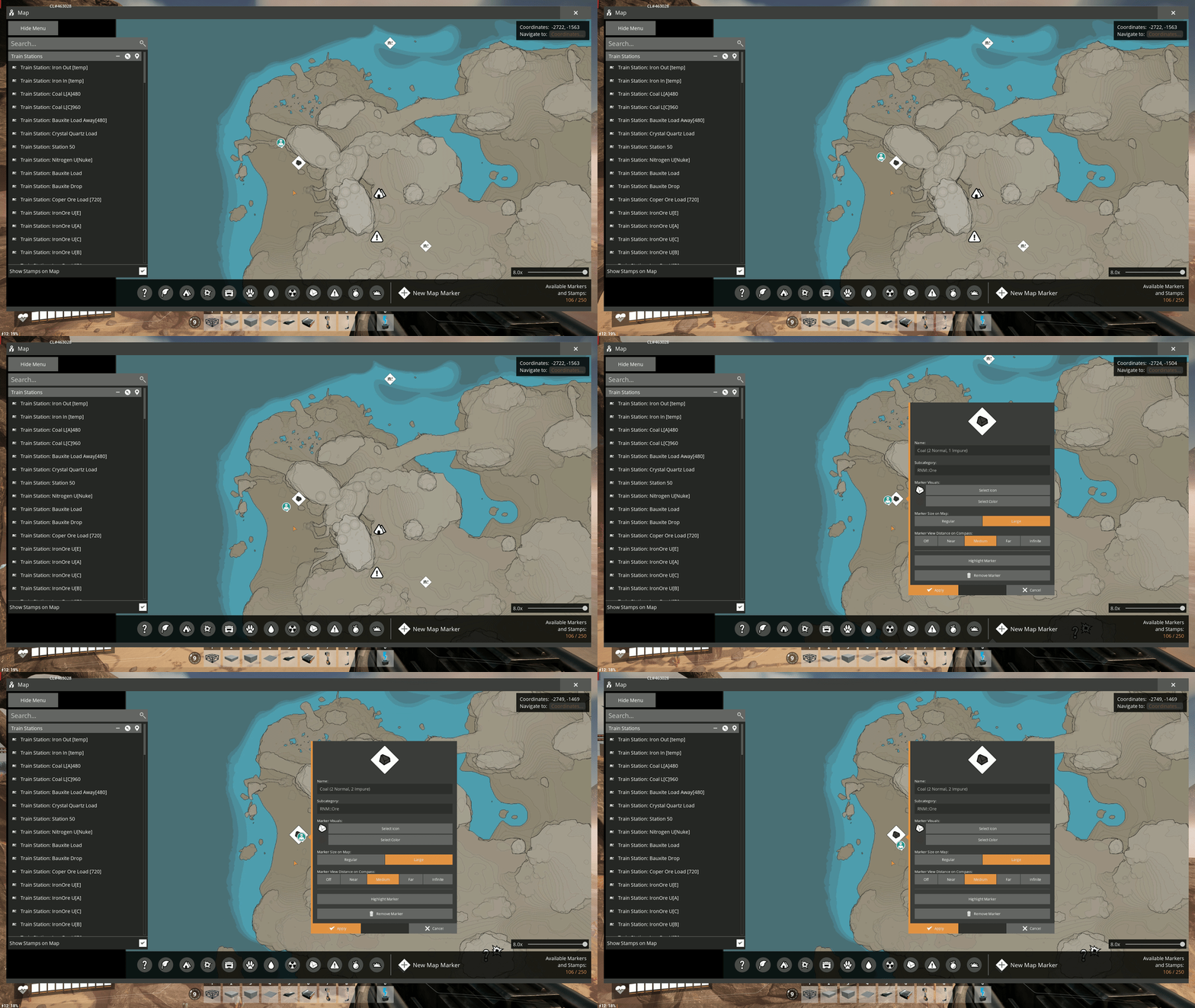
Index
How It Works
As you move through the world, any resource node within your configured proximity radius gets automatically marked on your map. Nearby nodes of the same resource type are intelligently grouped into a single cluster marker, keeping your map clean and readable as you explore. No manual input required — just play the game and your map fills itself in.
Features
🗺️ Automatic Map Markers
Marks all resource node types as you explore:
- Solids: Copper Ore, Iron Ore, Limestone, Caterium Ore, Coal, Sulfur, Bauxite, Raw Quartz, Uranium, SAM Ore
- Fluids: Water, Crude Oil, Nitrogen Gas
🔵 Dynamic Cluster Markers
Nearby nodes of the same resource type are automatically grouped into a single cluster marker as you discover them. Cluster markers show a full breakdown of the deposit, for example Iron Ore (1 Pure, 2 Normal), and scale in size based on how many nodes are in the cluster. If a new node is discovered near an existing cluster, the marker is updated automatically.
🎨 Color Coded Markers
Each resource type has a unique color with distinct shades per purity level, making it easy to identify both the resource and its quality at a glance.
🪨 In-Game Icons for Ore Nodes
Optionally use the actual in-game ore icons for ore resource markers instead of the default generic rock stamp.
- This disables purity color gradient.
- Fluids use a consistent legacy stamp since not all fluid resources have a discernible in-game icon.
⚙️ Configurable Purity Filter
Only interested in Pure nodes? Toggle off Normal and Impure nodes in the config menu and only the best nodes will be marked.
📏 Configurable Proximity Radius
Control how close you need to get to a node before it gets marked. Default is 160m.
🔗 Configurable Cluster Radius
Control how close two nodes of the same resource type need to be to form a cluster. Default is 250m with a vertical tolerance of 100m to correctly separate surface and underground nodes.
🧭 Configurable Compass View Distance
Control at what distance resource node markers appear on the compass. Choose between Off, Near, Mid, Far or Always. Default is Mid.
⛏️ Auto-Remove Marker on Extractor Placement
Optionally remove the map marker for a resource node automatically when a miner or pump is placed on it. If the node was part of a cluster, the cluster marker is updated to reflect the remaining nodes, keeping your map clean as your factory grows.
💾 Save Compatible
Markers are placed as standard Satisfactory map markers, meaning they are fully compatible with the base game map and persist in your save file like any marker you place manually.
Configuration
All settings are available in the Mod Configuration menu on the main menu screen and take effect on your next session load.
| Setting | Description | Default | |---|---|---| | Mark Pure Nodes | Toggle marking of Pure resource nodes | Enabled | | Mark Normal Nodes | Toggle marking of Normal resource nodes | Enabled | | Mark Impure Nodes | Toggle marking of Impure resource nodes | Enabled | | Proximity Radius | Distance in meters at which nodes get marked | 160m | | Cluster Radius | Maximum horizontal distance in meters between two nodes to form a cluster | 250m | | Cluster Height Tolerance | Maximum vertical distance in meters between two nodes to form a cluster | 100m | | Compass View Distance | Distance at which markers appear on the compass | Mid | | Use In-Game Ore Icons | Use actual in-game item icons for ore resource markers | Disabled | | Remove Marker on Extractor Placed | Removes or updates the cluster marker when a miner or pump is placed on a node | Disabled |
Compatibility
- Requires Satisfactory Mod Loader (SML)
- Compatible with existing save files — install at any time
- Upgrading from v1.1.2 (After "RNM::" categorization): Existing markers will be automatically rebuilt into clusters on first load
About This Mod
I created this mod because I needed a quick way to mark resource nodes to help validate the best locations and routes while planning and building big bases.
To be brutally honest, I didn't search the existing mod catalogue before building this because I wanted to try my hand at modding myself.
This is my first mod ever in any game. I'm not a skilled C++ programmer, though I have some prior experience, and I had never touched Unreal Engine before this project. I used a combination of the SML documentation, Discord threads and AI assistance to guide me through the development process.
The repository is open — if you want to review the code, suggest ideas or extend it, be my guest.
What I Originally Planned
I originally intended for nodes to also be marked through the in-game scanner, which would have been very useful and faster. I was unable to get that working, but if there is enough interest in this mod or if I can eventually spare the time, I'll invest more into it and engage with the community to see if someone can point me in the right direction.
Highlights
From source dataGame versions
Built for Satisfactory >=416835.
Footprint
Rated a light load on a server.
Last update
Its author last shipped an update 7 mo ago.
Resource Node Marker on Nxeon
From our catalogue- One-click install
- Supported on Nxeon Satisfactory servers. We download it from ficsit.app, place it, and restart the server.
- Server side
- Required on the server
- Server load
- light
- Smallest plan we suggest
- Satisfactory — 8 GB (8 GB RAM). This follows our own load rating above, not a benchmark.
- Latest build
- 2.0.0, released 2026-03-28
Run Resource Node Marker on a Satisfactory server
Pick a server or deploy a new one above; it is installed in one click.
What kind of mod it is
From the catalogMaps & scenarios
Custom maps, arenas and scenarios to play on.
Runs on your server
From source side supportficsit.app lists Resource Node Marker as required on the server. Check its ficsit.app page to see whether players need it too.
Compatibility
- Game
- Satisfactory
- Runs on
- Serverrequired on the server
- Game versions
- >=416835
Verified at the source
- ✓ficsit.appOfficial listing, checked 2026-10-15Open ↗
- ✓AuthorASCsk, as published on ficsit.app
- ✓LicenseNot published by the sourceFree








