






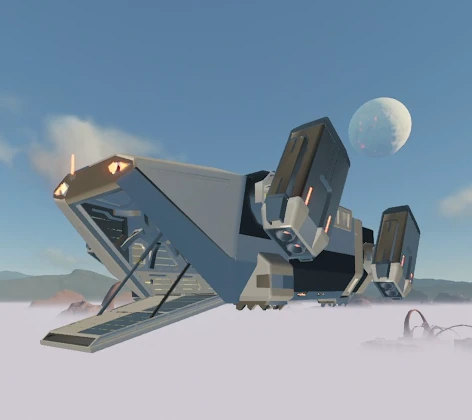
About Map Marker Air Drop
From ficsit.appHighlight a Map Marker and select to use the Air Drop

<style> .multiplayer-banner { background-color: #4caf50; border-top: 4px solid #000; border-bottom: 4px solid #000; margin: 20px 0; padding: 10px 0; display: flex; align-items: center; justify-content: center; gap: 15px; width: 100%; } .multiplayer-text { color: #ffffff !important; font-weight: bold; text-transform: uppercase; letter-spacing: 2px; font-size: 1.1rem; text-shadow: 2px 2px 0px #000; } .multiplayer-sub { background: #000; color: #4caf50 !important; padding: 2px 10px; font-size: 0.8rem; font-weight: bold; text-transform: uppercase; border: 2px solid #fff; } .thumb-icon { font-size: 1.5rem; filter: drop-shadow(2px 2px 0px #000); } </style>
<style> .mod-container { --sf-lime: #68d391; --sf-blue: #2b6cb0; --sf-warn: #fc8181; --sf-bg: #2d2d2d; --sf-border: #000; max-width: 850px; margin: 20px auto; background-color: var(--sf-bg); color: #e0e0e0; padding: 30px; border: 4px solid var(--sf-border); box-shadow: 10px 10px 0px var(--sf-border); } .mod-container h1 { color: var(--sf-lime); text-transform: uppercase; text-align: center; border-bottom: 3px double var(--sf-blue); padding-bottom: 10px; margin-bottom: 25px; text-shadow: 2px 2px #000; } .deployment-banner { background: linear-gradient(90deg, #22543d 0%, #2c5282 100%); color: #fff; padding: 15px; text-align: center; border: 2px solid #000; margin: 20px 0; font-weight: bold; text-transform: uppercase; letter-spacing: 2px; }
.feature-grid { display: grid; grid-template-columns: 1fr 1fr; gap: 15px; margin: 25px 0; } .feature-card { background: #1a1a1a; padding: 15px; border-right: 4px solid var(--sf-lime); } .feature-card b { color: var(--sf-lime); display: block; margin-bottom: 5px; text-transform: uppercase; font-size: 0.85rem; }
.usage-step { background: #000; border: 1px dashed var(--sf-blue); padding: 15px; margin: 10px 0; font-size: 0.9rem; } .usage-step b { color: var(--sf-lime); }
.warning-box { background: rgba(252, 129, 129, 0.1); border: 1px solid var(--sf-warn); padding: 15px; margin: 20px 0; color: var(--sf-warn); font-size: 0.85rem; text-align: center; }
.mod-container img { width: 100%; border: 4px solid #000; display: block; margin: 15px 0; } </style>
Map Marker Air Drop
Why walk when you can fly? Navigate the world of Satisfactory with a cinematic high-altitude deployment system that turns your Map Markers into tactical landing zones.

🛠️ How to Deploy


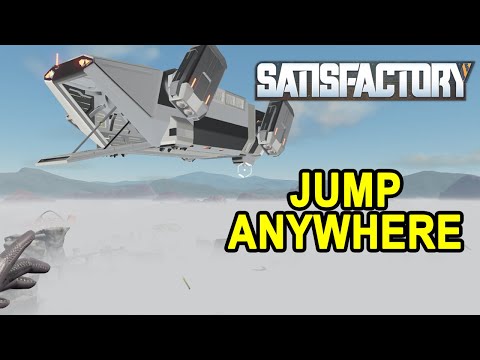

Reach any corner of the map in seconds!
Highlights
From source dataGame versions
Built for Satisfactory >=491125.
Footprint
Rated a light load on a server.
Dependencies
Needs 1 other project installed alongside it.
Map Marker Air Drop on Nxeon
From our catalogue- One-click install
- Supported on Nxeon Satisfactory servers. We download it from ficsit.app, place it, and restart the server.
- Server side
- Required on the server
- Server load
- light
- Smallest plan we suggest
- Satisfactory — 8 GB (8 GB RAM). This follows our own load rating above, not a benchmark.
- Latest build
- 1.0.7, released 2026-06-11
Recent builds
| Build | Released | Game versions | Loaders |
|---|---|---|---|
| 1.0.7 | 2026-06-11 | >=491125 | n/a |
| 1.0.5 alpha | 2023-11-16 | >=264901 | n/a |
Run Map Marker Air Drop on a Satisfactory server
Pick a server or deploy a new one above; it is installed in one click.
What kind of mod it is
From the catalogMaps & scenarios
Custom maps, arenas and scenarios to play on.
Runs on your server
From source side supportficsit.app lists Map Marker Air Drop as required on the server. Check its ficsit.app page to see whether players need it too.
Compatibility
- Game
- Satisfactory
- Runs on
- Serverrequired on the server
- Game versions
- >=491125
- Requires
- 1 other project installed alongside it.
Verified at the source
- ✓ficsit.appOfficial listing, checked 2026-10-15Open ↗
- ✓AuthorAndre Aquila, as published on ficsit.app
- ✓LicenseNot published by the sourceFree








