






About GuideArrows
From Thunderstore3D arrows under the compass to the nearest deal, buyer, dealer, stash, quest, potential customer and home base, each in its own color; the targets glow through walls. Configurable, movable. IL2CPP build.
Guide Arrows
> IL2CPP build for the default Steam branch. Playing on the alternate (Mono) branch? Install GuideArrows_Mono instead.

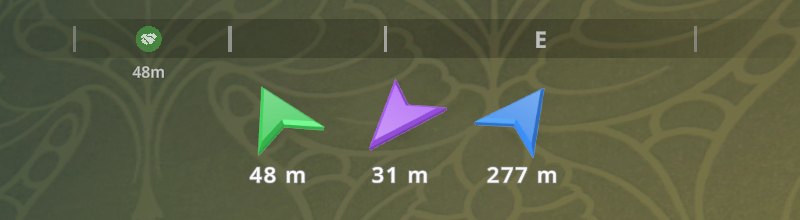
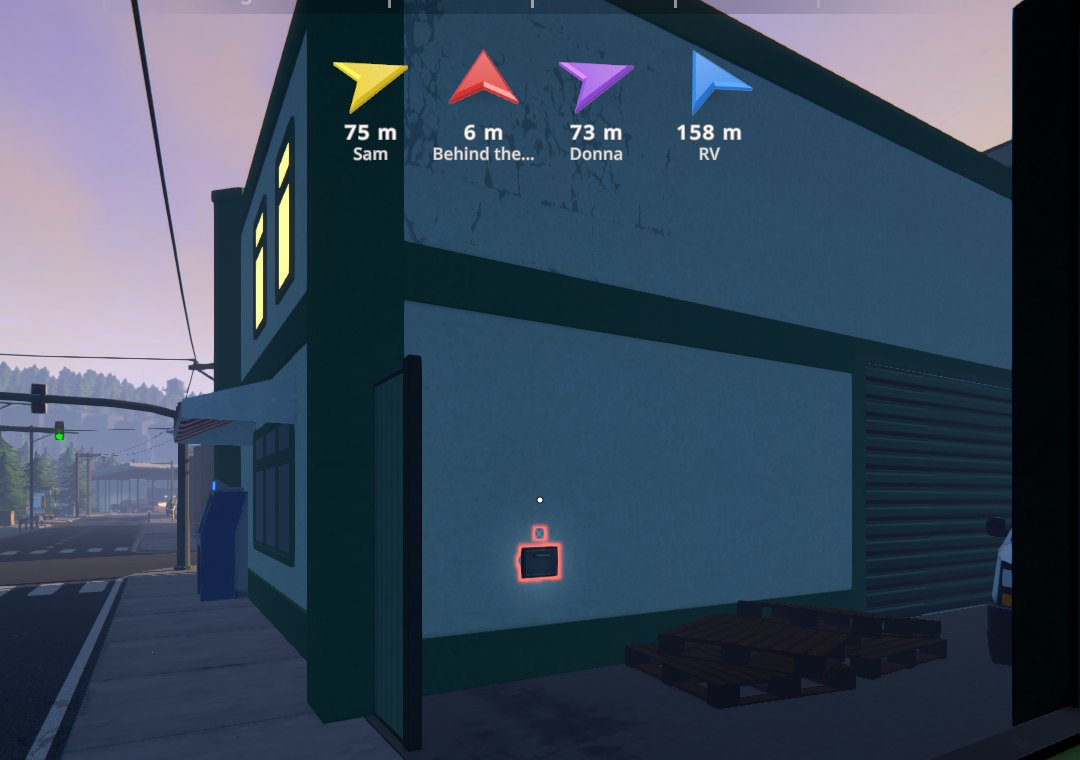
3D arrows under the compass that always point at the nearest thing that needs you — colored by what it is. No more opening the map to find your next deal.
Features
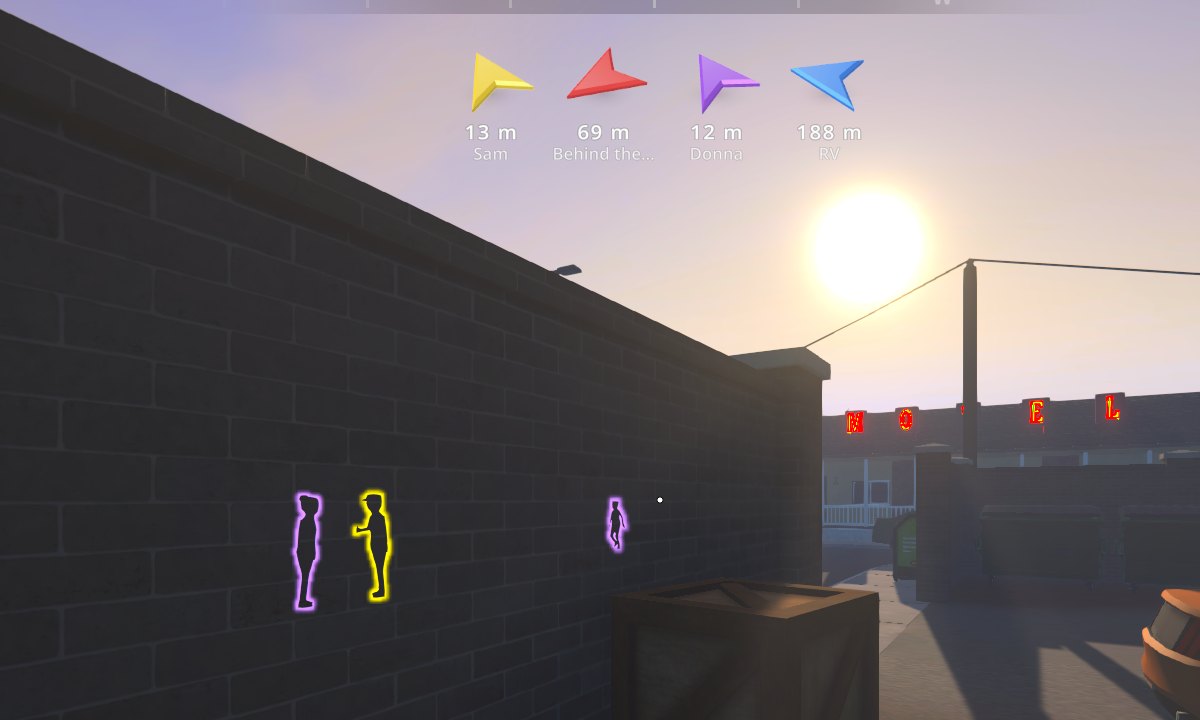
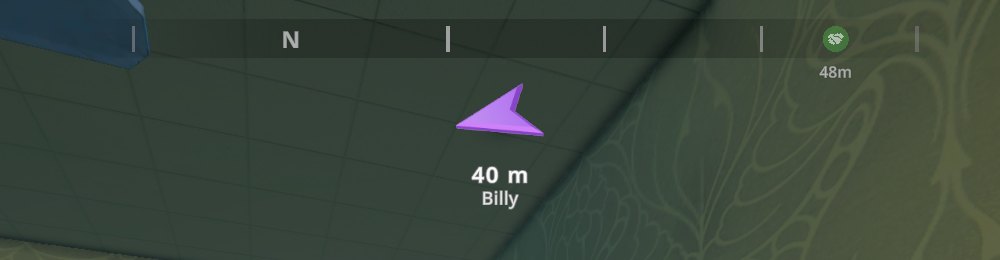
| Color (default) | Points at | |---|---| | 🟢 Green | Deals — customers waiting for a delivery you accepted | | 🟡 Yellow | Buyers — your customers who would buy from you right now (no deal pending, not served by your dealers, no purchase in the last few hours) | | 💠 Cyan | Dealers — your recruited dealers you can go and talk to now; the label shows the cash they hold for you | | 🔴 Red | Stashes — dead drops with items in them (e.g. a supplier's order) | | 🟠 Orange | Quests — the current objectives of your tracked quests | | 🟣 Purple | Potential customers — people you can offer a free sample to right now (not those who turned you down today) | | 🔵 Blue | Home base — the property you last slept in, or the one with the most valuable equipment |
- The arrows are real 3D, glassy and lit the same day and night. They turn smoothly relative to
where you look and tilt up or down for targets above or below you. The distance is shown underneath (meters or feet, following the game's unit setting).
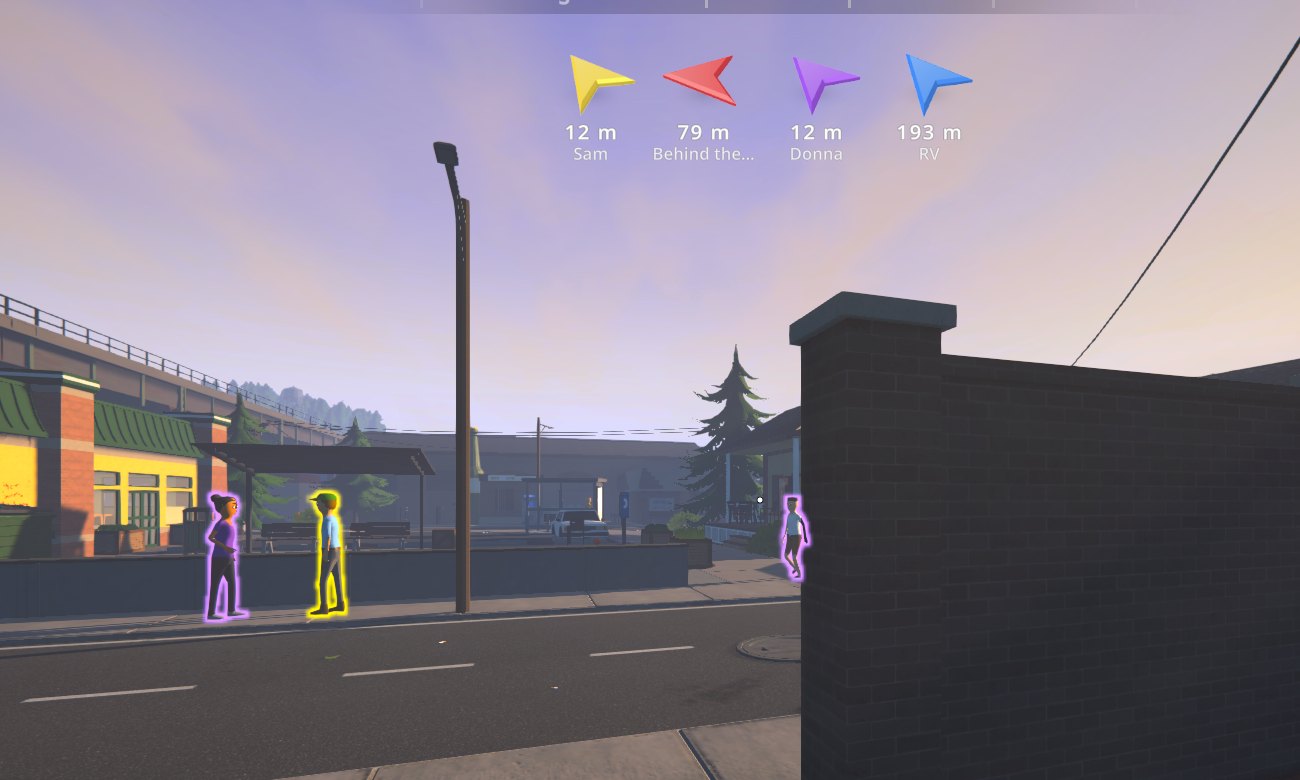
- Outlines: the people and stashes the arrows point at glow in the arrow's color, visible through
walls and buildings, and keep glowing as you walk up to them. All buyers and potential customers nearby glow too (yellow / purple), not only the ones with an arrow.
- One arrow per kind (the nearest of each), a single arrow to the nearest target of any kind,
or arrows to the nearest few targets.
- Labels show who or what each arrow points at (the customer's name, the quest step...). Arrows
can hide when you get close and ignore far targets.
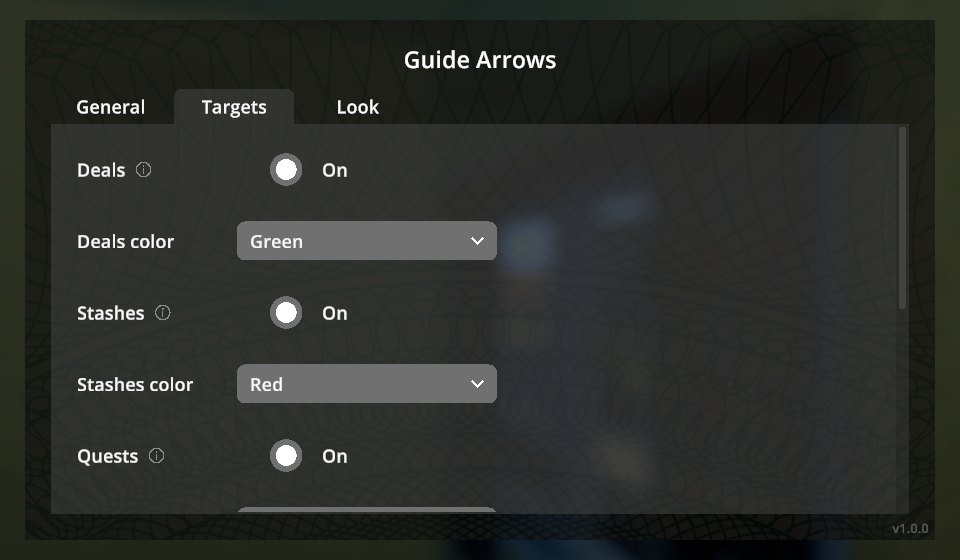
- Everything is configurable in a native in-game screen (pause menu → Guide Arrows): kinds,
colors, size, spacing, view angle, turn speed, opacity... Drag the row anywhere and resize it with the mouse. F7 shows/hides the arrows.
- Translated into all Polyglot languages.
Installation
With a mod manager (r2modman, Thunderstore App): install GuideArrows for the default Steam branch or GuideArrows_Mono for the alternate branch. Also on Nexus Mods.
Manually:
- Install MelonLoader 0.7.3 (0.7.1 is not supported).
- Download
GuideArrows-<version>-IL2CPP.zip(default Steam branch) orGuideArrows-<version>-Mono.zip
(alternate branch) from Releases.
- Extract it into the game folder so that
Mods/GuideArrows_Il2Cpp.dll(or_Mono.dll) is in place.
Only install the build matching your game branch.
Usage
The arrows appear under the compass whenever the compass is shown. Settings: Pause menu → Guide Arrows. Move and resize the arrows shows sample arrows: drag them, mouse wheel to resize, right-click to reset, Done (or Enter) to finish.
The home base remembers where you last slept per world (UserData/GuideArrows/worlds/); until you sleep somewhere, the property with the most valuable equipment is used.
Configuration
Everything in the in-game screen is also in UserData/MelonPreferences.cfg under [GuideArrows], e.g. ToggleKey = "F7" ("None" disables it), Mode (0 per kind, 1 nearest, 2 nearest few), Show<Kind> / Color<Kind>, ArrowSize, ViewAngle, TurnSpeed, HideWithin, MaxDistance, Outline (false turns the outlines off), OutlineAll and OutlineRange (outlines on every buyer and potential customer within this many meters).
Changelog
See CHANGELOG.md.
Credits
Developed with AI assistance (Claude by Anthropic) and tested in game on both branches with automated in-game tests.
License
MIT.
Highlights
From source dataLoaders
Runs on BepInEx.
Footprint
Rated a light load on a server.
Last update
Its author last shipped an update 23d ago.
GuideArrows on Nxeon
From our catalogue- One-click install
- Not available. One-click install isn't available for this game's mods yet. Download it and upload it to your server in Files.
- Server type needed
- BepInEx
- Server load
- light
- Latest build
- 1.3.1, released 2026-10-12
Game versions by loader
| Loader | Game versions | Newest |
|---|---|---|
| BepInEx |
From 7 recorded builds of GuideArrows.
Recent builds
| Build | Released | Game versions | Loaders |
|---|---|---|---|
| 1.3.1 | 2026-10-12 | n/a | BepInEx |
| 1.3.0 | 2026-10-12 | n/a | BepInEx |
| 1.2.1 | 2026-10-03 | n/a | BepInEx |
| 1.2.0 | 2026-10-03 | n/a | BepInEx |
| 1.1.0 | 2026-10-03 | n/a | BepInEx |
| 1.0.1 | 2026-10-01 | n/a | BepInEx |
Dependencies
- Required: MelonLoader
Declared by the newest build that lists any. Required ones are installed with it on one-click installs.
What kind of mod it is
From the catalogBuilding & decoration
Blocks, furniture, decorations and building tools.
Compatibility
- Game
- Schedule I
- Loaders
- BepInEx
- Requires
- One-click install needs a BepInEx server.
Verified at the source
- ✓ThunderstoreOfficial listing, checked 2026-10-12Open ↗
- ✓AuthorBbIJABNPOBATEJb, as published on Thunderstore
- ✓LicenseNot published by the sourceFree












