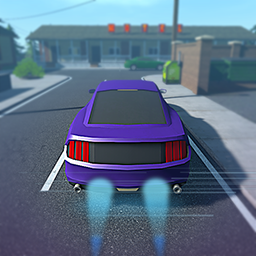
About VNitro
From ThunderstoreVNitro Mod for Schedule I game on Steam created by Arian
VNitro — Car Nitro Boost Mod for Schedule I


Give your ride a burst of speed with a configurable nitrous boost. Lightweight, safe, and easy to install.
https://github.com/ArianV/VNitro
✨ Features
- Hold-to-boost nitro with smooth FOV kick
- Configurable boost power, duration, cooldown
- Clean, minimal codebase for easy modding
🎮 Controls (default)
- Boost:
Left Shift(hold)
> You can change the keybind and values in the config file (generated on first run).
✅ Requirements
- Game: Schedule I (tested on Windows)
- MelonLoader: v0.7+ (Il2Cpp)
📦 Install
MelonLoader
- Install MelonLoader to your game (see MelonLoader docs).
- Download the latest
VNitro.dllfrom Releases. - Drop
VNitro.dllinto your game folder’sMods/directory:
.../Steam/steamapps/common/Schedule I/Mods/
- Launch the game. A config file will be created on first run.
⚙️ Config
After first launch, a config file like VNitro.cfg (or JSON) is generated. Common options:
BoostPower— how strong the nitro isBoostDuration— seconds the boost lasts while heldCooldown— seconds before boost can be used againFovKick— camera FOV increase during boostMotionBlur— enable/disable (if supported)
🛠 Build from source
Prereqs: .NET 6 SDK, Visual Studio 2022 or Rider
- Clone repo:
git clone https://github.com/ArianV/VNitro - Open the solution.
- Ensure references to the game assemblies and loader libs are set (Il2Cpp/Unity).
- Build
Release. The DLL will appear underbin/Release/....
> The included GitHub Action builds on windows-latest with .NET 6.
🧪 Tested On
- OS: Windows 11
- Game Build: 0.4.0
- Loader: MelonLoader 0.7.x (Il2Cpp)
❓ Troubleshooting
- Game doesn’t detect the mod: Confirm the DLL is in
Mods/(MelonLoader) orBepInEx/plugins/(BepInEx IL2CPP). - Keybind conflict: Change the boost key in the config.
- Stutter or artifacts: Lower
BoostPower/FovKickor disable motion blur.
🤝 Contributing
PRs and suggestions welcome! Please run in Release and keep changes scoped.
📄 License
License
Highlights
From source dataLoaders
Runs on BepInEx.
Footprint
Rated a light load on a server.
Last update
Its author last shipped an update 15 mo ago.
VNitro on Nxeon
From our catalogue- One-click install
- Not available. One-click install isn't available for this game's mods yet. Download it and upload it to your server in Files.
- Server type needed
- BepInEx
- Server load
- light
- Latest build
- 1.0.1, released 2025-08-21
Game versions by loader
| Loader | Game versions | Newest |
|---|---|---|
| BepInEx |
From 2 recorded builds of VNitro.
Recent builds
| Build | Released | Game versions | Loaders |
|---|---|---|---|
| 1.0.1 | 2025-08-21 | n/a | BepInEx |
| 1.0.0 | 2025-08-21 | n/a | BepInEx |
What kind of mod it is
From the catalogLibraries & compatibility
Foundations and fixes other mods build on. Usually installed because something else needs it.
Compatibility
- Game
- Schedule I
- Loaders
- BepInEx
- Requires
- One-click install needs a BepInEx server.
Verified at the source
- ✓ThunderstoreOfficial listing, checked 2026-10-02Open ↗
- ✓AuthorFoaf0, as published on Thunderstore
- ✓LicenseNot published by the sourceFree