






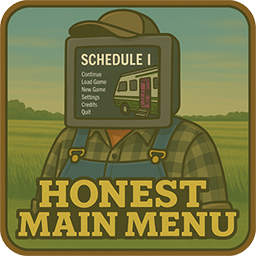
About HonestMainMenu
From ThunderstoreFixes Schedule I's main menu! Get a true "Continue" button (loads last session), a clear "Load Game" button, corrected UI, and smoother loading. No more deceptive "Continue" or redundant scene loads. Just a straightforward menu.


Ever felt like the main menu in Schedule I was... well, not entirely straight with you? Like it was holding back, maybe even telling a few white lies? You're not alone.
Introducing Honest Main Menu, a mod forged in the fires of mild annoyance and a desire for a menu that just tells it like it is. The main culprits for this mod's existence:
- That "Continue" button? More like "Continue to a screen where you pick a save, which is basically Load Game, isn't it?". Deceptive.
- The back button prompt whispering sweet nothings about using your Right Mouse Button (RMB), when only the trusty Escape key actually did the job in the main menu. Misleading.
- And the grand finale: watching the main menu scene load itself not once, not twice, but thrice when you just wanted to quit to menu. Inefficient. (Seriously, the "Menu" scene would load twice on startup and then again three times when exiting a game session. What gives?)
This mod slaps some honesty into the main menu, offering a true "Continue" experience, clarifying the "Load Game" process, and attempting to curb the menu's enthusiasm for redundant self-loading.
Features
- True "Continue" Functionality: Adds a new, dedicated "Continue" button that actually loads your most recently played game session. Revolutionary, I know.
- Repurposed "Load Game" Button: The original "Continue" button (the one that masqueraded as a "Load Game" button) is now properly labeled "Load Game". It still opens the save selection screen, but at least it's honest about it.
- Updated Load Screen Title: The title of the screen you get when you click "Load Game" now says "Load Game" instead of "Continue". Because clarity is kindness.
- Corrected UI Prompts: The misleading "RMB" indicator from the main menu's back button prompt has been banished. Escape key is your only friend here.
- Scene Load Optimization (
Patches.SceneManagerLoadScenePatch): Includes a Harmony patch forSceneManager.LoadScene. This bad boy acts as a bouncer, preventing the game from loading the same scene multiple times consecutively. While the real party crasher seems to be how the game handles network disconnections and related events, fixing that is a whole other can of worms. This patch just mitigates the symptom of your menu UI getting rebuilt more times than a LEGO castle in a hurricane. - Dual Build Support: Comes in both Il2Cpp and Mono flavors, because options are nice.
How It Works
Honest Main Menu gets to work in two main stages:
On Mod Initialization (Taming the Scene Loader)
- Streamlined Menu Loading: Right off the bat, the mod applies the
Patches.SceneManagerLoadScenePatch. This helps prevent the main menu scene from reloading unnecessarily, aiming for a smoother startup and a less jarring transition when you bail from a game session back to the menu.
On Main Menu Scene Load (The Honesty Makeover)
Once you actually see the main menu, the mod rolls up its sleeves:
- Finds Menu Parts: It scans the existing menu, locating the buttons and text elements.
- Creates and Updates Buttons:
- A shiny new "Continue" button is conjured. Clicking this loads your latest save. No fuss, no muss.
- The game's original "Continue" button gets a new name and label: "Load Game". It still takes you to the save list, but now it's upfront about it.
- Rearranges Buttons: The new "Continue" button takes the prime spot of the old one. The "Load Game" button (formerly "Continue") is nudged down a bit, and other menu items shuffle politely to make space.
- Clarifies Load Screen: If you click the "Load Game" button, the title of the screen that pops up is changed from "Continue" to "Load Game". Consistency!
- Fixes Back Button Info: The on-screen tip for the back button is corrected, removing the phantom RMB functionality.
- Smart Button Activation: The new "Continue" and "Load Game" buttons will only be active if you actually have saved games. No saves? They'll be greyed out, because teasing is mean.
- Applies Saved Outfits Reliably: Seeds
ClothingUtilitywith embedded or saved palettes, resolves clothing definitions from the registry, and applies your last save’s clothing layers/accessories on both Mono and IL2CPP.
Installation
- Ensure you have MelonLoader installed for Schedule I.
- Download the appropriate mod flavor from the latest Releases page.
- If your game is the IL2CPP (default) version, download
HonestMainMenu.Il2Cpp.dll. - If your game is the Mono (alternate) version, download
HonestMainMenu.Mono.dll.
- Place the downloaded
.dllfile into theModsfolder within your Schedule I game directory. - Launch the game. Cross your fingers. Maybe.
Configuration
This mod is a simple creature. It has no external configuration options. What you see is what you get.
What's Next?
- [x] Rehydrate the main menu avatar with saved clothing layers/accessories so wardrobe colors match the latest playthrough.
Highlights
From source dataLoaders
Runs on BepInEx.
Footprint
Rated a light load on a server.
Dependencies
Needs 1 other project installed alongside it.
HonestMainMenu on Nxeon
From our catalogue- One-click install
- Not available. One-click install isn't available for this game's mods yet. Download it and upload it to your server in Files.
- Server type needed
- BepInEx
- Server load
- light
- Latest build
- 1.1.0, released 2026-01-10
Game versions by loader
| Loader | Game versions | Newest |
|---|---|---|
| BepInEx |
From 3 recorded builds of HonestMainMenu.
Recent builds
| Build | Released | Game versions | Loaders |
|---|---|---|---|
| 1.1.0 | 2026-01-10 | n/a | BepInEx |
| 1.0.1 | 2025-11-15 | n/a | BepInEx |
| 1.0.0 | 2025-06-14 | n/a | BepInEx |
Dependencies
- Required: MelonLoader
Declared by the newest build that lists any. Required ones are installed with it on one-click installs.
What kind of mod it is
From the catalogQuality of life & UI
Small conveniences, tweaks and interface improvements players notice straight away.
Compatibility
- Game
- Schedule I
- Loaders
- BepInEx
- Requires
- One-click install needs a BepInEx server. 1 other project installed alongside it.
Verified at the source
- ✓ThunderstoreOfficial listing, checked 2026-10-02Open ↗
- ✓AuthorRoachified, as published on Thunderstore
- ✓LicenseNot published by the sourceFree












