






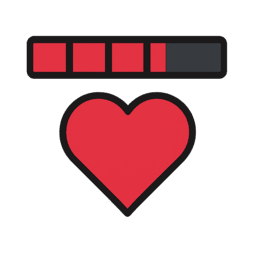
About SimpleHealthBarMono
From ThunderstoreGives you a health bar above your inventory.
Simple Health Bar - V1.5.2

A lightweight mod that adds a clean, easy-to-read health bar above your inventory in Schedule I. Keep track of health at a glance with world-space bars for NPCs and other players.
Version 1.5.2 supports the current beta and alternate-beta branches, adds world-space multiplayer health bars, and supports both Il2Cpp and Mono versions of the game!

Key Features
- On-Screen Health Display
A subtle health bar appears just above your inventory UI, showing current and maximum health in real time.
- Auto-Hide & Persistent Modes
Choose to have the bar fade out after a few seconds of full health, or keep it visible at all times.
- World-Space NPC Healthbars
Healthbars now appear directly above each NPC's head in the game world! See health information for all NPCs within a configurable radius (default 50m). Healthbars automatically fade out when NPCs are dead, knocked out, or inside buildings. Fully configurable scale, position, and display radius.
- World-Space Multiplayer Health Bars
In multiplayer sessions, health bars for other players appear above their heads and always face your camera. Each bar shows the synchronized player name and current health, automatically updating as players join or leave.
- Easy Configuration
Bar display duration, time, and speed via a simple config file. More coming in a future update.
- Future Enhancements (WIP)
- Customizable thresholds and warnings
- User-suggested features – drop your ideas in the discussion!
In-Game Configuration
Mod Manager – Phone App Integration
If you install the Mod Manager – Phone App (Nexus #397), you can browse and tweak all settings directly through your phone’s Settings app.
Manual CFG Config
Settings are stored in your MelonLoader preferences file. To customize without the phone app, open:
<GameFolder>/Schedule I/UserData/MelonPreferences.cfgLocate (or add) the following sections and adjust these values:
[SimpleHealthBar_HealthBar]
# Fades the health bar after a few seconds
FadeOutBar = true
# Fades out the text display showing your health
FadeOutHealthText = true
# Shows player and NPC bars only while they are damaged
ShowOnDamage = true
# Configures the font size of the text label HUD element
FontSize = 12.0

[SimpleHealthBar_Animation]
# The amount of time in seconds it takes for the bar and text to disappear
FadeDelay = 10.0
# Manages the speed of the fade transition
FadeSpeed = 5.0

[SimpleHealthBar_NPCHealthBar]
# Enables the health bar for NPCs
NPCBarEnabled = true
# Enables fading out the health bar for NPCs
FadeOutNPCBar = false
# Maximum distance from player to display NPC health bars (in meters)
NPCWorldSpaceRadius = 50.0
# Vertical offset above NPC transform for health bar position (in meters)
NPCHeadOffset = 2.0
# Multiplier for NPC health bar size (base scale: 0.005). Use simple values like 0.5, 1.0, 1.5, etc.
NPCHealthBarScale = 1.0
After editing, save the file and restart Schedule I for changes to take effect.
Requirements
- Current beta branch of Schedule I for the Il2Cpp build, or alternate-beta for the Mono build
- MelonLoader
Installation
- Ensure MelonLoader is installed and working for Schedule I.
- Choose the DLL that matches your game branch:
- Current beta (Il2Cpp):
SimpleHealthBar-IL2CPP.dll - Alternate-beta (Mono):
SimpleHealthBar-Mono.dll
- Copy the matching DLL into your Schedule I
Mods/folder. Do not install both runtime DLLs together. - Launch Schedule I and enjoy instant health feedback!
Got feedback or feature requests? Feel free to open an issue or join the discussion; this mod is a work in progress, and your ideas help shape future updates!

Highlights
From source dataLoaders
Runs on BepInEx.
Footprint
Rated a light load on a server.
Dependencies
Needs 1 other project installed alongside it.
SimpleHealthBarMono on Nxeon
From our catalogue- One-click install
- Not available. One-click install isn't available for this game's mods yet. Download it and upload it to your server in Files.
- Server type needed
- BepInEx
- Server load
- light
- Latest build
- 1.5.2, released 2026-08-22
Game versions by loader
| Loader | Game versions | Newest |
|---|---|---|
| BepInEx |
From 3 recorded builds of SimpleHealthBarMono.
Recent builds
| Build | Released | Game versions | Loaders |
|---|---|---|---|
| 1.5.2 | 2026-08-22 | n/a | BepInEx |
| 1.5.1 | 2026-03-20 | n/a | BepInEx |
| 1.4.0 | 2025-12-21 | n/a | BepInEx |
Dependencies
- Required: MelonLoader
Declared by the newest build that lists any. Required ones are installed with it on one-click installs.
What kind of mod it is
From the catalogQuality of life & UI
Small conveniences, tweaks and interface improvements players notice straight away.
Compatibility
- Game
- Schedule I
- Loaders
- BepInEx
- Requires
- One-click install needs a BepInEx server. 1 other project installed alongside it.
Verified at the source
- ✓ThunderstoreOfficial listing, checked 2026-10-02Open ↗
- ✓AuthorSirTidez, as published on Thunderstore
- ✓LicenseNot published by the sourceFree












