






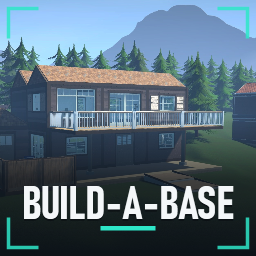
About Build A Base
From ThunderstoreBuild, paint and furnish your own base, solo or co-op. Basements, blueprints, piers, 210+ furnishings, working lights and seats, YouTube on TVs and up to 20 workers per base. For Schedule I 0.4.7 (IL2CPP, stable branch).
Build-A-Base 0.5.0 - Freedom & Design Update
Build, paint and furnish your own base in Schedule I, alone or with friends. Buy building supplies and furniture from Big John's Junk, a shop on the street-front plot near Handy Hank's (it's on your map, and the host can move it), then connect your base to the game's own deliveries, workers, storage and equipment.
New in 0.5.0: basements, blueprints you can share, piers over the sea, a road up into the east hills, a settings page, new looks for every building piece, 18 new wallpapers and a much smaller YouTube helper. The full list is on the Changelog tab.
Requirements
- Schedule I 0.4.7 on Steam's normal (stable) branch, tested on 0.4.7f12. Build-A-Base is an IL2CPP mod, so it won't work on the Mono ("alternate") branches.
- MelonLoader 0.7.3, installed automatically by your mod manager.
- Windows 64-bit. YouTube on TVs needs an internet connection and Microsoft Edge WebView2, which comes with Windows 11 and up-to-date Windows 10.
Installing
Install with r2modman or the Thunderstore Mod Manager and start the game with Start modded. Everything comes in this one package, including the YouTube TV companion (about 3 MB).
If a PC doesn't have WebView2, the TV says so: install the WebView2 Runtime from Microsoft, then restart the game.
Prefer installing by hand? Use the Nexus Mods download, which is laid out for the game folder.
Back up your whole save folder before updating. Your bases are saved next to the game's own saves, so they're the same whether you play through a mod manager or a manual install. Saves from earlier versions are converted automatically.
Safety switch: if a game update ever removes something Build-A-Base needs, it switches itself off and a red message at the top of the screen says to look for an update. Don't save until you've updated it.
Playing together: everyone needs Build-A-Base 0.5.0 and the same set of other mods. Prices, workers per base and the other game settings follow the host's settings automatically.
Building
Press F7, aim at clear ground and start with a foundation. After a save loads, and whenever you hold a building kit, F7 Build-A-Base shows with the game's own key prompts at the bottom left. A teal preview can be placed; a red one tells you what's in the way. Each piece uses a building kit from your inventory, and removing a piece gives the kit back. Materials: wood, brick, concrete and sheet metal.
| Key | What it does | |---|---| | F7 | Enter / leave building mode | | Tab (while building) or F9 | Build and Paint menu | | F10 | Your bases: names, access, lights, worker settings, blueprints, and SETTINGS | | H (while building) | Show every key | | 1–0, mouse wheel, [ and ] | Choose a piece | | Left click | Place / paint | | Right click twice | Remove the piece you're aiming at | | Q / E | Rotate | | G | Switch between snapping and free placement | | T | Lock the preview; then arrow keys move it (Shift for fine steps) | | Page Up / Down | Height or storey (Shift for fine steps); Home resets | | F8 | Change material | | M | Move the piece you're aiming at | | U | Change the aimed piece to the selected material | | Ctrl+Z | Undo your last edit | | Middle click | Pick the aimed piece's type and material | | Hold Alt | Start a separate base nearby | | F2 | Rename the base you're aiming at | | F11 | Screenshot mode: hide all on-screen UI | | Ctrl+F7 | Save a diagnostics report (for bug reports) |
Pieces include floors, foundations, walls, windows, doors, double and garage doors, stairs, ramps, driveways, railings and stair railings, fences, columns, flat, sloped and hip roofs, gable and slope walls to close roof gaps, light switches and delivery bays. Bases use a 4 m grid and can have up to 512 pieces. Foundation supports reach down up to 8 m, so you can build out over slopes and drops, and out over shallow sea on piles. Trees, bushes, hedges, rocks and grass in the way are cleared while a piece stands there and come back when it's removed. Roads stay protected.
Each base has its own name. Your first floor or foundation, or one more than 8 m from your other bases' floors, starts a new base and asks for a name. Each base needs a different name. Within 60 m of a base you can add to it instead.
Basements
Pick Basement in the build menu (Structure) and aim at a floor on your ground floor. A see-through outline shows the room that will be dug: green if it fits, red with the reason if not. Click to dig it; each room uses one floor kit.
To get down there, dig two rooms side by side, then pick Basement stairs (Stairs) and aim at a floor tile over the basement. The stairs replace that tile and lead down into the room beside it. With ordinary stairs picked, green tiles show where stairs down fit, and Page Down works as a shortcut for both.
Walls, doors, railings, columns, lamps and light switches work down there, and workers walk down to their stations. Basements dig their own ground, and they go under floors, not foundations.
Painting
Open the Paint tab: 33 finishes on three pages, including 21 illustrated wallpapers, plus twelve named colours and a colour wheel. Painting changes only the face you click, so a wall can have a different inside and outside. SURFACE switches to the trim.
Furniture
Big John sells over 210 furnishings. They include seating, tables, storage, lamps and ceiling lights, rugs, artwork, kitchen and bathroom sets, curtains and blinds, a wall save button, outdoor furniture, and a Garage & workshop section (crates, pallets, racking, drums, a generator, motorbikes, ladders). Place them with the game's normal furniture placement on your floors, walls and ceilings.
Highlights
From source dataLoaders
Runs on BepInEx.
Footprint
Rated a light load on a server.
Last update
Its author last shipped an update 10d ago.
Build A Base on Nxeon
From our catalogue- One-click install
- Not available. One-click install isn't available for this game's mods yet. Download it and upload it to your server in Files.
- Server type needed
- BepInEx
- Server load
- light
- Latest build
- 0.5.0, released 2026-10-24
Game versions by loader
| Loader | Game versions | Newest |
|---|---|---|
| BepInEx |
From 1 recorded build of Build A Base.
Dependencies
- Required: MelonLoader
Declared by the newest build that lists any. Required ones are installed with it on one-click installs.
What kind of mod it is
From the catalogBuilding & decoration
Blocks, furniture, decorations and building tools.
Compatibility
- Game
- Schedule I
- Loaders
- BepInEx
- Requires
- One-click install needs a BepInEx server.
Verified at the source
- ✓ThunderstoreOfficial listing, checked 2026-10-25Open ↗
- ✓AuthorxIlusionzMods, as published on Thunderstore
- ✓LicenseNot published by the sourceFree












