About Projectile Cam
From ThunderstoreA camera follows your arrows, bolts, stones and spears in a small window, or full screen.
Projectile Cam
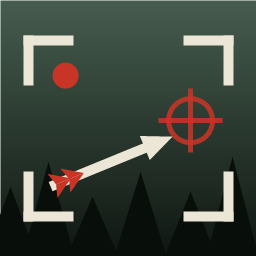
A camera follows your shot. When you shoot the bow, crossbow, slingshot or flare gun, or throw your spear, a small window in a corner of the screen rides behind the projectile until it lands, stays on the impact for a moment, then fades out. Your own view and controls never change.
If you prefer, the camera can also take your whole view along with the projectile, for every shot or only for shots aimed at an animal or enemy. Your view comes back at once if you lose health, aim again or open a menu, so you are never left blind in a fight.
The camera is smart about it: it never sees through trees or walls, can turn toward what you hit at the end of the flight, and does not start for a shot that hits nothing or lands right at your feet.
While you aim, the same window can show where your shot will land, seen from where the projectile will come, so you can check the landing area before you shoot.
Nothing to press: aiming and shooting start the camera.
Multiplayer
The camera is on your own screen only and nothing is sent over the network. It works the same alone, as host or as a guest, and only follows your own shots. Install it only if you want it yourself.
Settings
Change them in the Mods menu of Mod Config Menu or in your mod manager's config editor (aznan.sotf.projectilecam.cfg):
[General]Enabled: on or off for the whole mod;FollowEveryShot: one switch that lifts every condition, so every shot of every weapon is followed;PreviewWhen: when the aim preview shows the landing area (never, only on a creature, whenever a landing is predicted; on by default);FullScreenWhen,WindowWhen: which shots open the window and which take the whole view (never, shots aimed at a creature, all shots). By default every shot opens the window and the whole view is never taken.[Weapons]: one box per weapon. Bow, crossbow, slingshot, spear and flare gun are on. Firearms (bullets cross the screen in an instant) and grenades are off.[Window]: corner, size, distance from the screen edges, frame thickness and colour.[Camera]: framing (behind and turning toward the target, from the side, or straight behind), field of view, how far behind, above and beside the projectile the camera rides, smoothing, staying clear of walls, how long it stays on the impact and how long it takes to fade.[Preview]: where the aim preview camera stands (distance back along the incoming path, height), its field of view, and how often it checks your aim.[Skip]: no camera for shots that hit nothing, or that land closer than a distance you choose.[Performance]: sharpness of the window and of the full-screen view, how often the aim preview draws, and an optional lighter rendering for the projectile camera. By default the camera looks as good as your own view; while a projectile is followed your game draws the scene a second time, and between shots the mod does nothing at all.[Debug]FullLogging: the game's log gets every step (each shot, why it was followed or not, what each view cost). Off by default.
Credits
Idea from ArrowCam for Valheim by oathorse; full-screen view inspired by the kill cam of ICARUS. The way the game's path simulation is fed comes from BowTrajectory by willis81808 (MIT).
Highlights
From source dataLoaders
Runs on BepInEx.
Footprint
Rated a light load on a server.
Last update
Its author last shipped an update today.
Projectile Cam on Nxeon
From our catalogue- One-click install
- Not available. One-click install isn't available for this game's mods yet. Download it and upload it to your server in Files.
- Server type needed
- BepInEx
- Server load
- light
- Smallest plan we suggest
- Sons of the Forest — 4 GB (4 GB RAM). This follows our own load rating above, not a benchmark.
- Latest build
- 0.1.11, released 2026-11-04
Game versions by loader
| Loader | Game versions | Newest |
|---|---|---|
| BepInEx |
From 12 recorded builds of Projectile Cam.
Recent builds
| Build | Released | Game versions | Loaders |
|---|---|---|---|
| 0.1.11 | 2026-11-04 | n/a | BepInEx |
| 0.1.10 | 2026-11-04 | n/a | BepInEx |
| 0.1.9 | 2026-11-04 | n/a | BepInEx |
| 0.1.8 | 2026-11-04 | n/a | BepInEx |
| 0.1.7 | 2026-11-04 | n/a | BepInEx |
| 0.1.6 | 2026-11-04 | n/a | BepInEx |
Dependencies
- Required: BepInExPack IL2CPP
Declared by the newest build that lists any. Required ones are installed with it on one-click installs.
Run Projectile Cam on a Sons of the Forest server
Deploy a server above, then upload the file in Files.
What kind of mod it is
From the catalogGameplay & overhauls
New mechanics, content and overhauls that change how the game plays.
Compatibility
- Game
- Sons of the Forest
- Loaders
- BepInEx
- Requires
- One-click install needs a BepInEx server.
Verified at the source
- ✓ThunderstoreOfficial listing, checked 2026-11-04Open ↗
- ✓AuthorAzNean, as published on Thunderstore
- ✓LicenseNot published by the sourceFree