About InventoryFilterUI - UPDATED to v1.0.2
From Steam WorkshopInventoryFilterUI - Quick Inventory Filters Ever get tired of opening the inventory dropdown every time you want to find a specific type of item? InventoryFilterUI adds quick-access category buttons…
InventoryFilterUI - Quick Inventory Filters
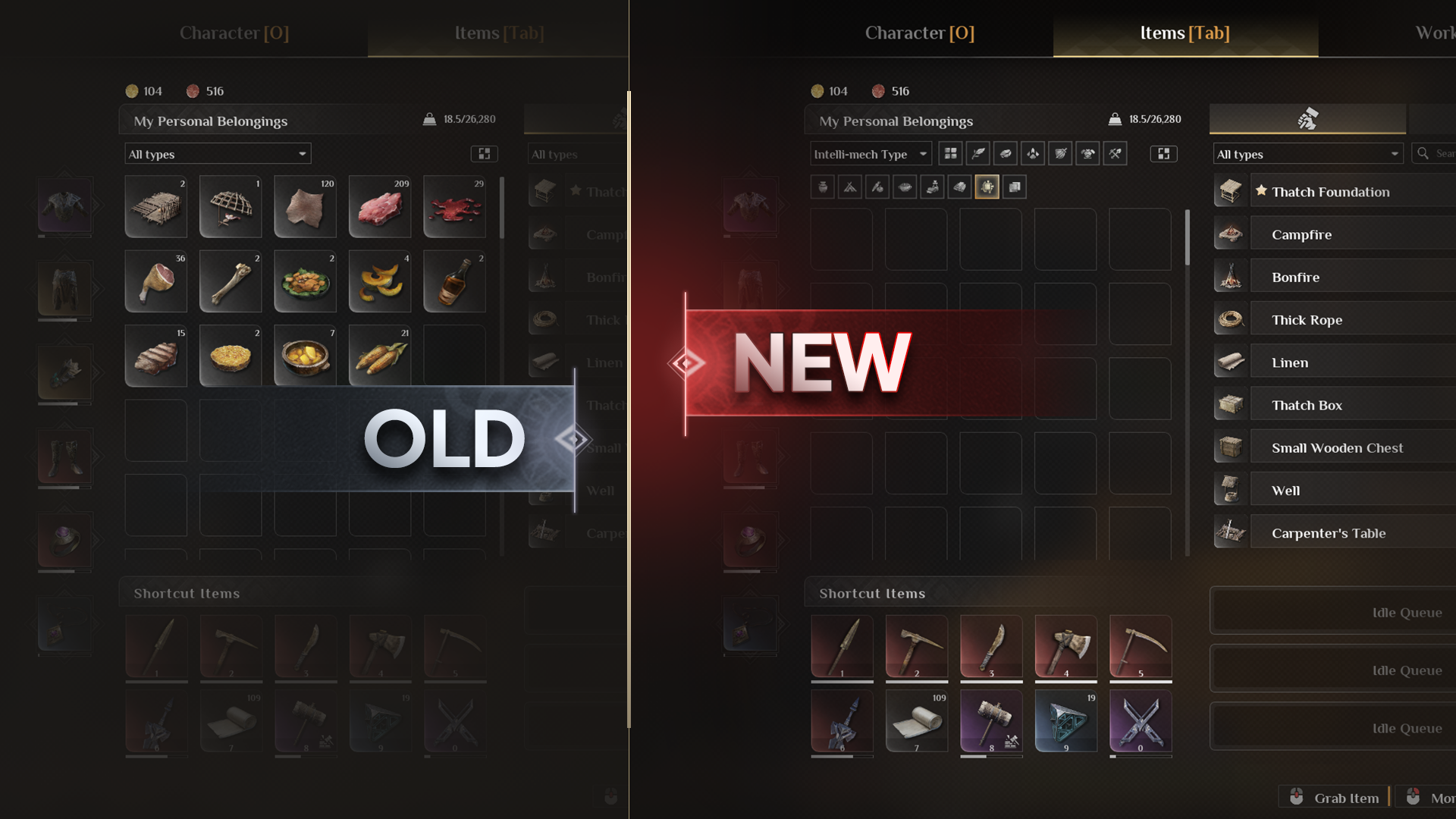
Ever get tired of opening the inventory dropdown every time you want to find a specific type of item?
InventoryFilterUI adds quick-access category buttons directly to the Soulmask inventory interface, allowing you to filter your items instantly with a single click.
The mod works alongside Soulmask's original inventory system and does not remove the existing dropdown filter.
Features
- 15 inventory categories - quickly filter Plants, Minerals, Animals, Weapons, Armor, Tools, Food, Materials and more
- Quick-access icons - no need to repeatedly open the original dropdown menu
- Active filter indicator - easily see which category is currently selected
- Two-way synchronization - filter buttons and the original Soulmask dropdown stay synchronized
- Container support - automatically works with compatible inventories and containers
- Runtime UI injection - the mod adds its interface dynamically instead of replacing the original inventory UI
- Update-friendly design - designed to reduce compatibility issues after Soulmask UI updates
How It Works
InventoryFilterUI uses a runtime UI injection system.
Instead of replacing Soulmask's complete inventory interface, the filter bar is dynamically added when a compatible inventory or container is opened.
This allows the original game interface to remain intact while providing the additional quick-filter controls.
Important Note
Because the filter interface is dynamically injected at runtime, the filter buttons may take a brief moment to appear after opening an inventory or container.
This is completely normal behavior.
Compatibility
- Works with the original Soulmask inventory filtering system
- Does not remove or replace the original dropdown filter
- Automatically supports compatible inventory and container interfaces
- Designed for improved compatibility with future Soulmask UI updates
Feedback & Bug Reports
If a Soulmask update causes any problems with the mod, please report it in the Workshop comments.
I'll try to keep the mod compatible with future game updates.
Have fun! <3
Highlights
From source dataFootprint
Rated a light load on a server.
Last update
Its author last shipped an update 2 mo ago.
InventoryFilterUI - UPDATED to v1.0.2 on Nxeon
From our catalogue- One-click install
- Supported on Nxeon Soulmask servers. We download it from Steam Workshop, place it, and restart the server.
- Server load
- light
- Smallest plan we suggest
- Soulmask — 6 GB (6 GB RAM). This follows our own load rating above, not a benchmark.
- Latest build
- 2026-08-31, released 2026-08-31
Game versions by loader
| Loader | Game versions | Newest |
|---|---|---|
| Workshop |
From 1 recorded build of InventoryFilterUI - UPDATED to v1.0.2.
Run InventoryFilterUI - UPDATED to v1.0.2 on a Soulmask server
Pick a server or deploy a new one above; it is installed in one click.
What kind of mod it is
From the catalogWeapons, items & crafting
New weapons, gear, items and the recipes to make them.
Compatibility
- Game
- Soulmask
Verified at the source
- ✓Steam WorkshopOfficial listing, checked 2026-11-04Open ↗
- ✓AuthorGTX1080ti, as published on Steam Workshop
- ✓LicenseNot published by the sourceFree