About Task Editor - [2.8 MB] v10.4
From Steam WorkshopAdminCreateDeployable /TaskEditor/BP_Manager.BP_Manager_C In events, a common question comes up: “What’s the objective and what should the team do?” Task Editor solves this problem — it allows you to…
 AdminCreateDeployable /TaskEditor/BP_Manager.BP_Manager_C [/code]

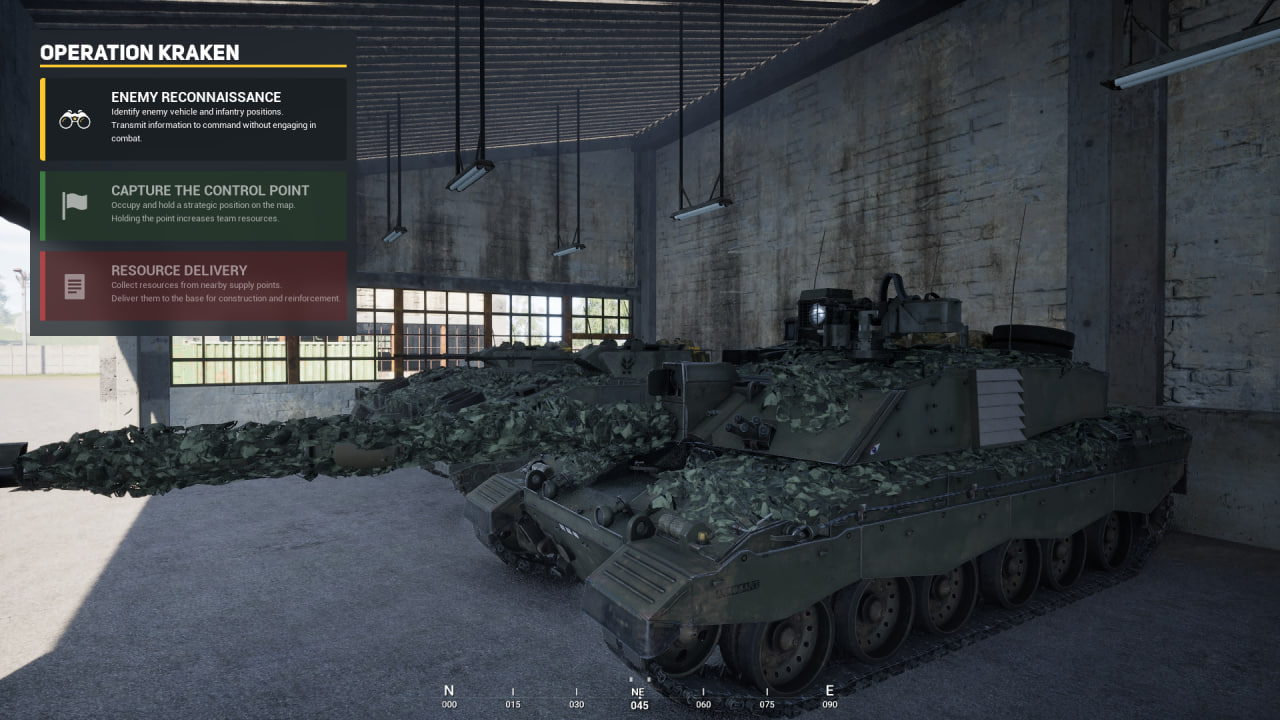
In events, a common question comes up: “What’s the objective and what should the team do?”
Task Editor solves this problem — it allows you to create tasks, run briefings, and manage the scenario in real time during the game.
[hr][/hr]
With Task Editor you can:
- Create a single task or a full chain of objectives
- Mark tasks as completed or failed
- Hide and update tasks in real time
- Add icons
- Configure scenarios separately for each team
[hr][/hr]
🚀 Getting Started
1. Spawn as infantry
2. Open the console (~ key) and spawn the menu with:
AdminCreateDeployable /TaskEditor/BP_Manager.BP_Manager_C
3. Open admin camera: Shift + P
4. Press F2 twice to enable the cursor
[hr][/hr]
🧭 Main Interface
Team 1 / Team 2 — select a team (must be selected manually)
- Accept — apply changes
- Add — create a task
- Planet icon — sync with server
[hr][/hr]
✍️ Creating a Task
1. Enter operation name → click Accept
2. Open the map (press M twice) and check display
3. Click Add
4. Fill in:
- Title
- Description
- Choose an icon
[hr][/hr]
⚙️ Task Management
➡️ Arrow — initialize (start task)
👁 Eye — hide/show
🗑 Trash — delete
[hr][/hr]
After starting:
✔ Checkmark — completed
✖ Cross — failed
👉 Buttons must be held (protection against accidental clicks)
[hr][/hr]
⏱ Important
Updates may have a delay (client ↔ server)
Setup for the second team is identical
To update the title — change the text and press Accept
[hr][/hr]
🔄 If Tasks Disappear
If you reconnect to the server and tasks are missing:
- Enter camera mode
- Press the planet icon (sync with server)
[hr][/hr]
⚠️ Note
Multiple admins can use the system,
but do not edit tasks simultaneously — this may cause conflicts.

[b]💛Support the Development[/b]
If you enjoy this mod and would like to support its further development, you can do so via Boosty.

Your support helps to:
- expand the task system
- add new features
- improve the interface and mechanics
- release updates faster
[url=https://boosty.to/organizatorishe/single-payment/donation/785676/target?from=1]Support the development on Boosty[/url]

Platform where events with Task Editor are hosted
[url=https://discord.gg/SYeNGegP7P]PoligonProject[/url]Highlights
From source dataFootprint
Rated a light load on a server.
Last update
Its author last shipped an update 6 mo ago.
Task Editor - [2.8 MB] v10.4 on Nxeon
From our catalogue- One-click install
- Supported on Nxeon Squad servers. We download it from Steam Workshop, place it, and restart the server.
- Server load
- light
- Smallest plan we suggest
- Squad — 16 GB (16 GB RAM). This follows our own load rating above, not a benchmark.
- Latest build
- 2026-05-05, released 2026-05-05
Game versions by loader
| Loader | Game versions | Newest |
|---|---|---|
| Workshop |
From 1 recorded build of Task Editor - [2.8 MB] v10.4.
Run Task Editor - [2.8 MB] v10.4 on a Squad server
Pick a server or deploy a new one above; it is installed in one click.
What kind of mod it is
From the catalogListed on Steam Workshop as “Workshop”
Gameplay & overhauls
New mechanics, content and overhauls that change how the game plays.
Compatibility
- Game
- Squad
Verified at the source
- ✓Steam WorkshopOfficial listing, checked 2026-11-04Open ↗
- ✓AuthorВожатый, as published on Steam Workshop
- ✓LicenseNot published by the sourceFree