






About AutoLight with OccupacySensor
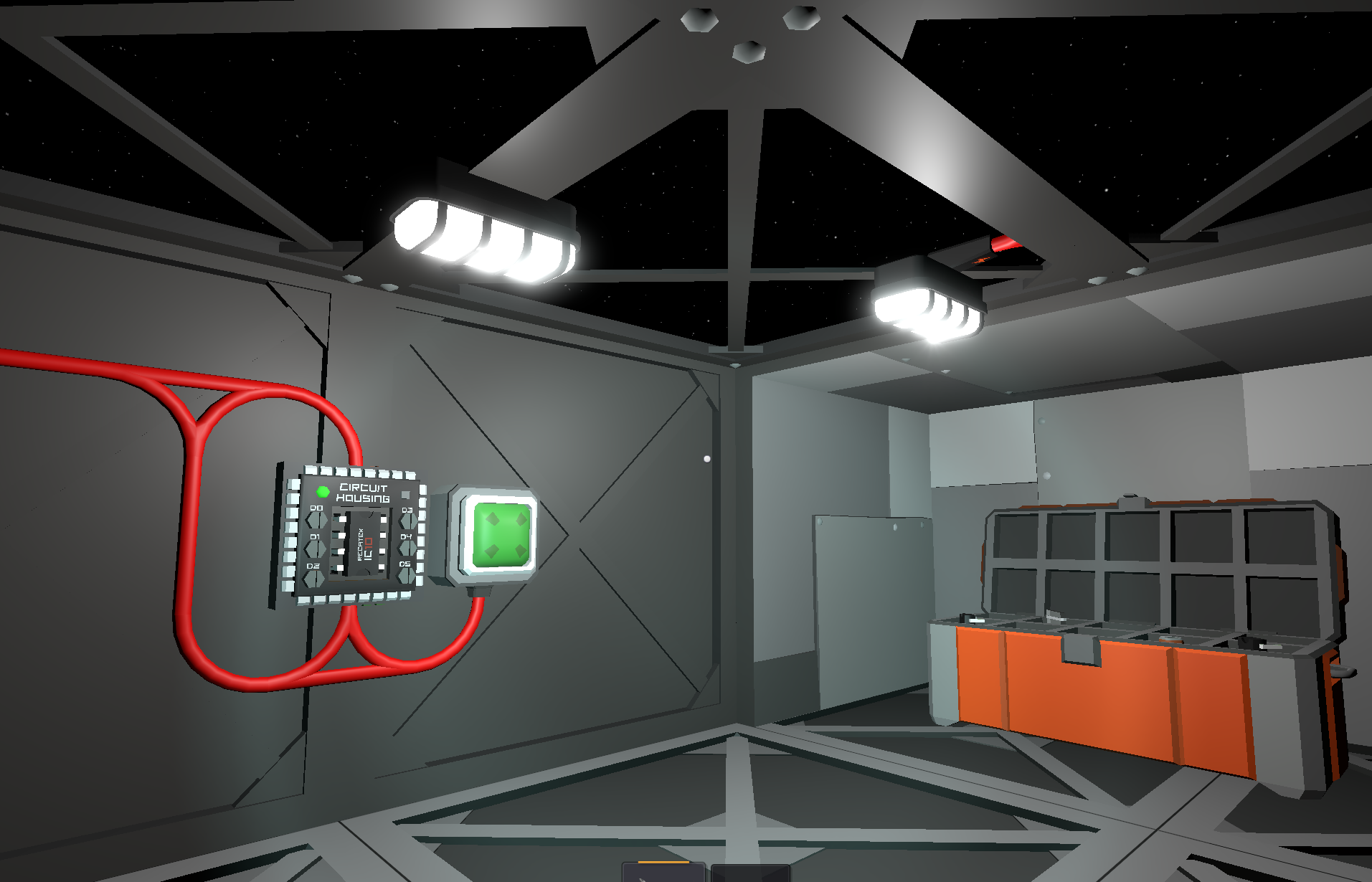
From Steam Workshop Tutorial: Simple IC10 Script for Lamps with a Sensor What you need: 1x Circuit Housing 1x Occupancy Sensor (or Daylight Sensor if you want lights for a greenhouse) 1x to 5 Lamps Setup: In the slot…
Tutorial: Simple IC10 Script for Lamps with a Sensor What you need:
1x Circuit Housing
1x Occupancy Sensor (or Daylight Sensor if you want lights for a greenhouse)
1x to 5 Lamps
Setup:
In the slot d0, assign your Occupancy Sensor (or Daylight Sensor).
In the slots d1, d2, d3…, assign your lamps.
Example:
d1 = Lamp 1
d2 = Lamp 2
d3 = Lamp 3
If you add more lamps (up to 5), just continue with d4, d5.
Each lamp is controlled by an alias. For example:
"s light On r0" → lamp on d1 (lamp 1)
"s light2 On r0" → lamp on d2 (lamp 2)
"s light3 On r0" → lamp on d3 (lamp 3)
The script reads the sensor state (Activate) and sends it to the lamps:
If the sensor is active (1) → lamps turn ON.
If the sensor is inactive (0) → lamps turn OFF.
*If you use a Daylight Sensor, it will only activate during the day.
This is useful for controlling a Hydroponic Station or greenhouse lighting, so your lamps only turn on when there is daylight.
AutoLight with OccupacySensor on Nxeon
From our catalogue- One-click install
- Not available. One-click install isn't available for this game's mods yet. Download it and upload it to your server in Files.
- Server load
- light
- Smallest plan we suggest
- Stationeers — 4 GB (4 GB RAM). This follows our own load rating above, not a benchmark.
Run AutoLight with OccupacySensor on a Stationeers server
Deploy a server above, then upload the file in Files.
What kind of mod it is
From the catalogTechnology & automation
Machines, power, logistics and automation.
Compatibility
- Game
- Stationeers
- File size
- 164 KB
Verified at the source
- ✓Steam WorkshopOfficial listing, checked 2026-09-24Open ↗
- ✓AuthorGringoManchego, as published on Steam Workshop
- ✓LicenseNot published by the sourceFree









