






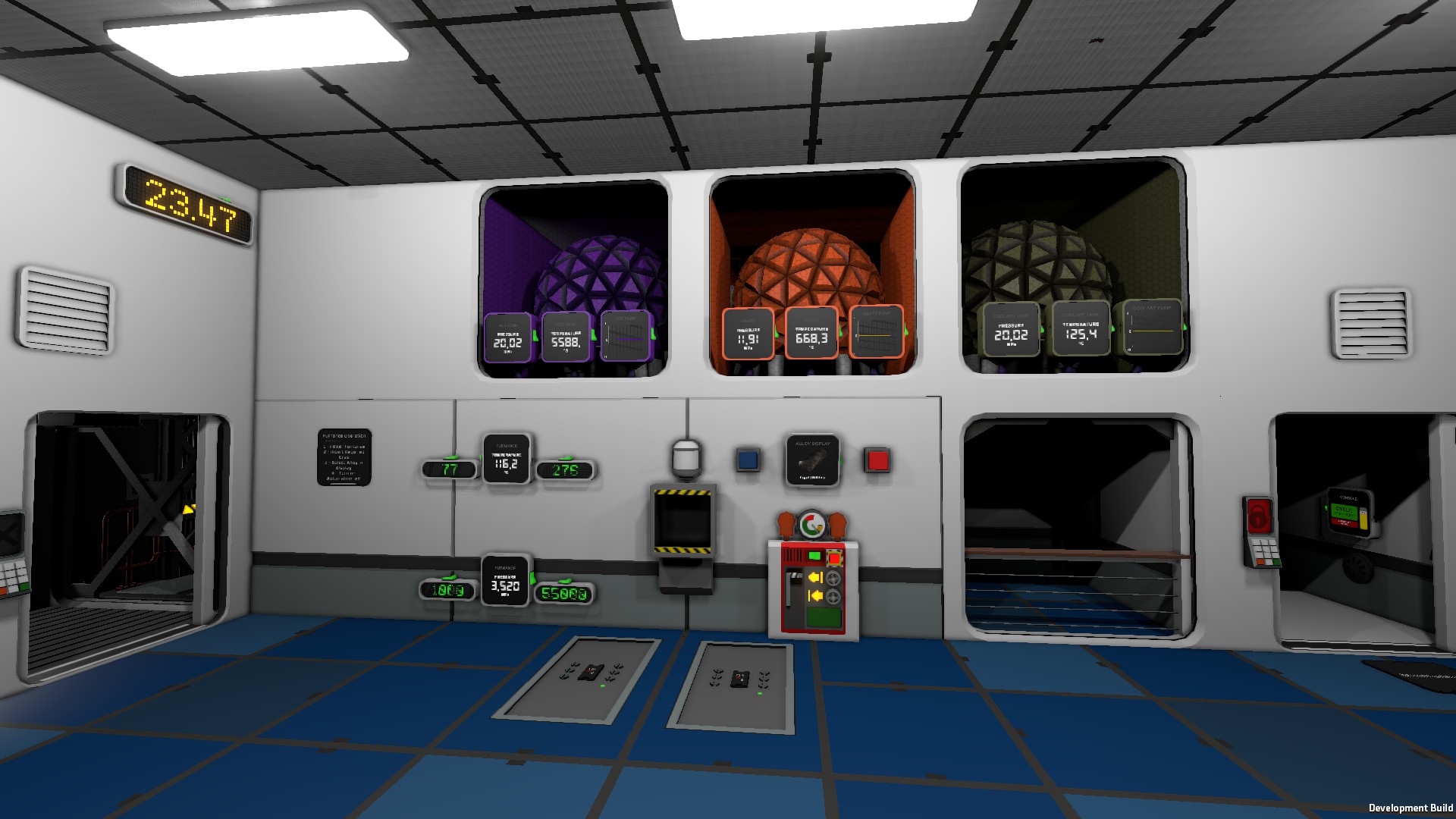

About Automated Advanced Furnace
From Steam WorkshopFast and Efficient Automated Advanced Furnace When the ic 'Setting' variable is greater than zero, controls the temperature and pressure inside the furnace to fit within a certain range by pumping…
Fast and Efficient Automated Advanced Furnace
When the ic 'Setting' variable is greater than zero, controls the temperature and pressure inside the furnace to fit within a certain range by pumping hot gas, cold gas or reusing waste Optimized for speed (reach the desired range fast) and efficient use of the gases.
Pin configuration:
d0 Waste Tank (or Pipe Analyzer) d1 Turbo Volume Pump (Gas) for Coolant d2 Turbo Volume Pump (Gas) for Hot Gas d3 Turbo Volume Pump (Gas) for Waste Tank (preferred gas to use waste from the furnace itself or other sources) d4 Memory Temperature Range (or any other logic device with 'Setting' variable) d5 Memory Pressure Range (or any other logic device with 'Setting' variable)
Temperature Range is defined as following 000600.100000 = 600 Kelvin to 100000 Kelvin the integer part of the number is the minimum temperature in Kelvin and decimal part is the maximum temperature in Kelvin as 6 digits number (Obviously leading zeros and ending zeros could be omitted (and will not show in the memory setting after setting it) 000600.100000 = 600.1 Pressure Range is defined as following 000800.002400 = 800 KPa to 2400 KPa the integer part of the number is the minimum pressure in KPa and decimal part is the maximum pressure in KPa as 6 digits number
For example: Electrum Pressure 800KPa to 2,4Mpa=2400KPa Temperature 600K To 100000 Pressure Range Memory Value 000800.002400 Temperature Range Memory Value 000600.100000
Invar would be Pressure Range Memory Value 018000.020000 Temperature Range Memory Value 001200.001500
Set the ranges using other ic logic with the for the desired alloy
(See this alloy range selector ic that is part of the collection)
The furnace pressure will never aim for anything over the limit pressure of 55000Kpa (for safety reasons)
Basic Setup: Required Parts -> 1 Ic Housing, 1 Ic Chip, 3 Tanks, 2 Logic Readers, 2 Logic Select (Kit Logic Processor), 3 Turbo Volume Pump (Gas), 1 Logic Switch, Pipes, Cables
3 Buffer Tanks 1 Tank with hot gas (tested with 5000C 20Mpa but anything will work as long as is enough to heat the furnace for your setting) 1 Tank with cool gas (tested with 125C 20Mpa, yea it's not that cool, but will work as long as its bellow your max range setting) 1 Tank with waste gasses (not empty tank anything) connected to the output of the furnace
The gases type doesn't matter but avoid having both h2 and o2 for obvious reasons. The cool gas temperature must be below the hot tank temperature the pressure of all tanks should be above 5Mpa (10Mpa-20Mpa it's even better) try to keep the same pressure in the hot tank and cold tank for better performance.
1 Logic Select with the cold tank temperature (use a Logic Reader to read the cold tank temperature) 1 Logic Select Unit with the hot tank temperature (use a Logic Reader to read the hot tank temperature)
there must be no others Logic Select on this data network (they are just a value holder for batch reading from the ic controller)
Add one pipe segment (cross junction shape) to the furnace input then the 3 volume pumps to it, (important! Only one pipe segment between the pumps and the furnace) Set all the pumps direction to inward towards the furnace Connect the pumps with the tanks wire everything.
Load the ic code in the chip and put it in the ic housing, Set the ic pins Power on the ic housing
Add a logic switch to the network (or some other logic) to write 1 to the ‘Setting’ of the furnace controller ic housing the turn on the automation Set the desired ranges values Turn on the furnace Activate the logic switch the furnace will now reach the desired temperature and pressure
see it in action in a survival world save Vulcan - Self Sufficient Base
Automated Advanced Furnace on Nxeon
From our catalogue- One-click install
- Not available. One-click install isn't available for this game's mods yet. Download it and upload it to your server in Files.
- Server load
- light
- Smallest plan we suggest
- Stationeers — 4 GB (4 GB RAM). This follows our own load rating above, not a benchmark.
Run Automated Advanced Furnace on a Stationeers server
Deploy a server above, then upload the file in Files.
What kind of mod it is
From the catalogWorkshop
Its source category doesn’t say more about what it does, so NxLabs lists it under Other.
Compatibility
- Game
- Stationeers
- File size
- 139 KB
Verified at the source
- ✓Steam WorkshopOfficial listing, checked 2026-09-24Open ↗
- ✓AuthorHydrO, as published on Steam Workshop
- ✓LicenseNot published by the sourceFree









