






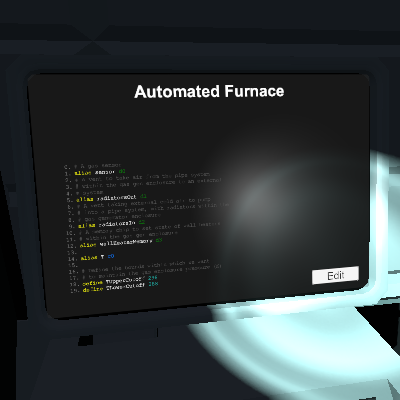
About Automated Furnace
From Steam WorkshopIC control to prime furnace ready to smelt alloys. Connect the IC up to: Pin 0: the furnace Pin 1: a gas mixer, with an oxygen supply feeding input 1 and a hydrogen supply feeding input 2 Pin 2: a…
IC control to prime furnace ready to smelt alloys.
Connect the IC up to: Pin 0: the furnace Pin 1: a gas mixer, with an oxygen supply feeding input 1 and a hydrogen supply feeding input 2 Pin 2: a volume pump. Play around with the best volume for your system. I use 50L Pin 3: a dial Pin 4: a lever
The dial should be able to set values in the range 0-5.
The gas mixer is connected to the furnace input (ideally, leave as few pipes between it and the furnace as you can. less explodey that way)
The volume pump is connected to the furnace output. It's there to empty gases from the furnace
-- Optionally, but I think for the better -- Set the furnace up in an enclosed vacuum, but place the front of the furnace so it just pokes through a window so you can access the lever and the temp/pressure readout on the furnace. This way, very little heat will bleed into the pressurised side of the window. But you do need access to the front panel though you won't use the activate button
Set up chutes to fill the furnace and drop it's output to the pressurised side. -- end of optional bit --
When this is set up, use as follows:
1) Set the dial: 0 - flush gases from the furnace 1 - prime for steel 2 - prime for solder 3 - prime for invar 4- prime for electrum 5 - prime for constantan
2) Pull the lever and wait for it to return to its original position. When it has, it's ready for use
3) If you've primed for alloy production, you can now add the ores in the appropriate ratios. Sometimes, depending on the temperature of H2/O2 entering the system, there can be a short wait for the furnace temp/pressure to fall within the range for the alloy you're producing.
You still need to pull the lever on the furnace to export its contents to the furnace output
4) I usually flush the furnace (set the dial to zero and pull the lever) when I'm done smelting each alloy type
Automated Furnace on Nxeon
From our catalogue- One-click install
- Not available. One-click install isn't available for this game's mods yet. Download it and upload it to your server in Files.
- Server load
- light
- Smallest plan we suggest
- Stationeers — 4 GB (4 GB RAM). This follows our own load rating above, not a benchmark.
Run Automated Furnace on a Stationeers server
Deploy a server above, then upload the file in Files.
What kind of mod it is
From the catalogWorkshop
Its source category doesn’t say more about what it does, so NxLabs lists it under Other.
Compatibility
- Game
- Stationeers
- File size
- 128 KB
Verified at the source
- ✓Steam WorkshopOfficial listing, checked 2026-09-24Open ↗
- ✓AuthorTom, as published on Steam Workshop
- ✓LicenseNot published by the sourceFree









