About Construction Drones
From Steam WorkshopConstruction Drones ⚠️ Requires BepInEx and StationeersLaunchPad to run ⚠️ In multiplayer, the host and every player must be on the same version of the mod ⚠️ First release: please report any issues…
Construction Drones
⚠️ Requires BepInEx and StationeersLaunchPad to run ⚠️ In multiplayer, the host and every player must be on the same version of the mod ⚠️ First release: please report any issues
Plan it, press BUILD, and watch the drones put it up.
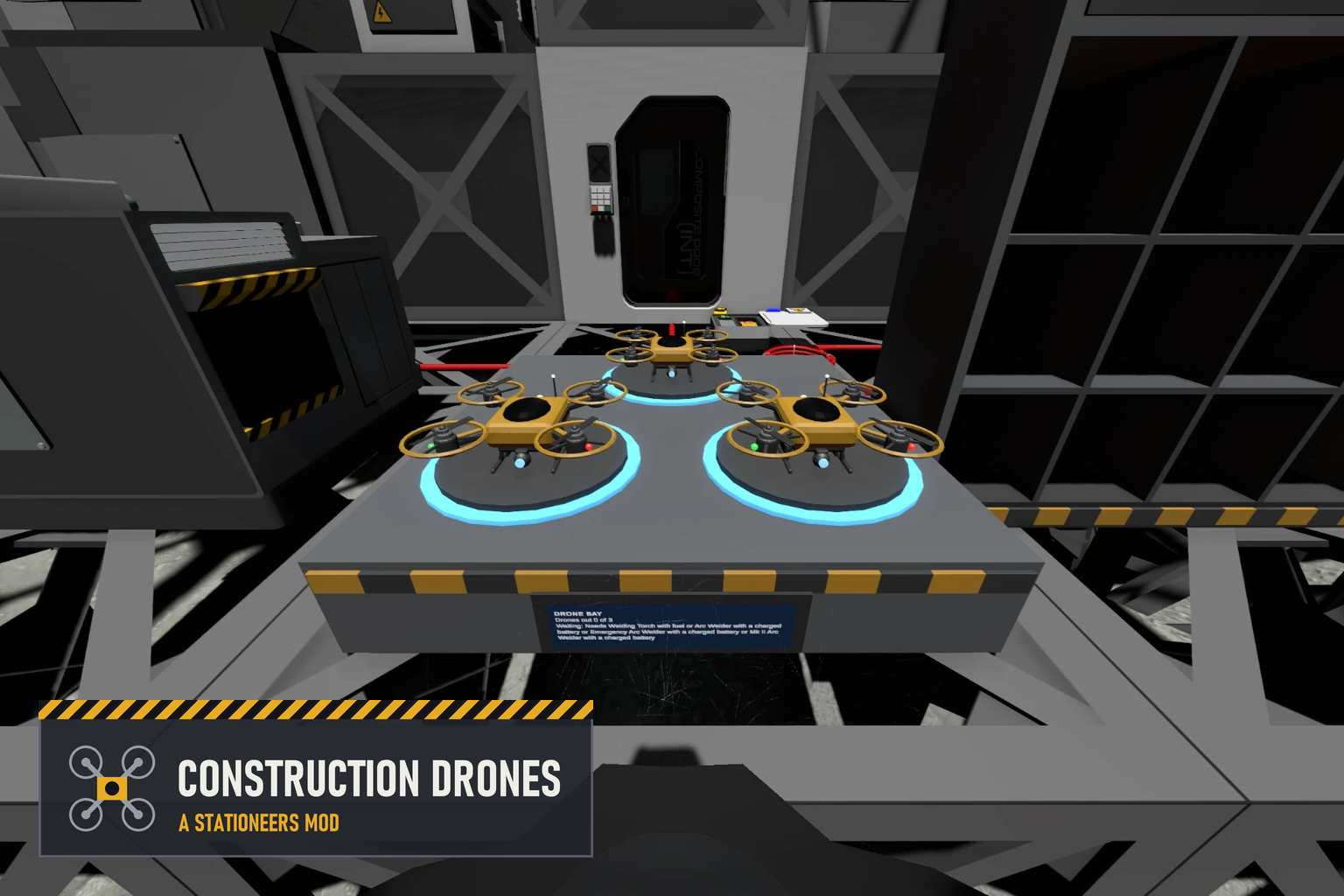
This mod adds construction drones to Stationeers. At a Planning Terminal you fly a camera round your base and lay out structures as ghosts, with the game's own placement cursor. Drones from a Drone Bay then fetch the kits, materials and tools from a Construction Storage and build every ghost, step by step, the same way a player would. They can also take things apart, repair damage, and paste whole blueprints, including ones from the Steam Workshop.
[hr][/hr]
Features
Three new structures
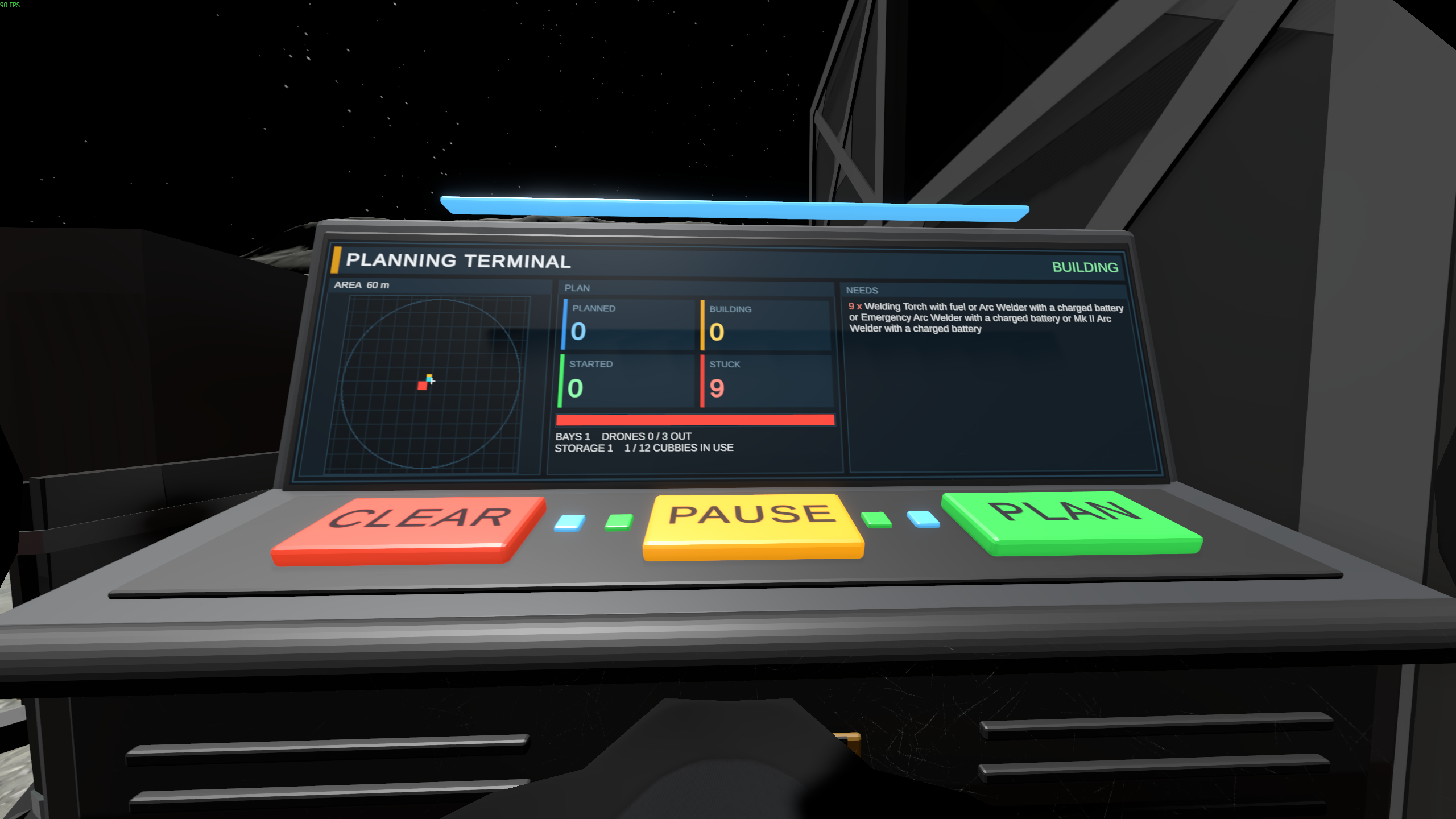
- Planning Terminal: a desk console with a big screen and three keys, PLAN, BUILD and CLEAR
- Drone Bay: three landing pads and three drones
- Construction Storage: twelve open cubbies for kits, sheets, cables, pipes, ingots, circuit boards and tools
- Each takes one power-and-data port at the back, and they find each other on the data network
- Turn them as you place them with the rotation keys, or hold C and scroll, like the game's own machines
Planning
- Press PLAN on the terminal and the camera lifts away and flies freely, up to 60 m from the terminal. Your character stays where it is
- Move keys fly, Space and Ctrl go up and down, Shift is faster, the mouse looks round
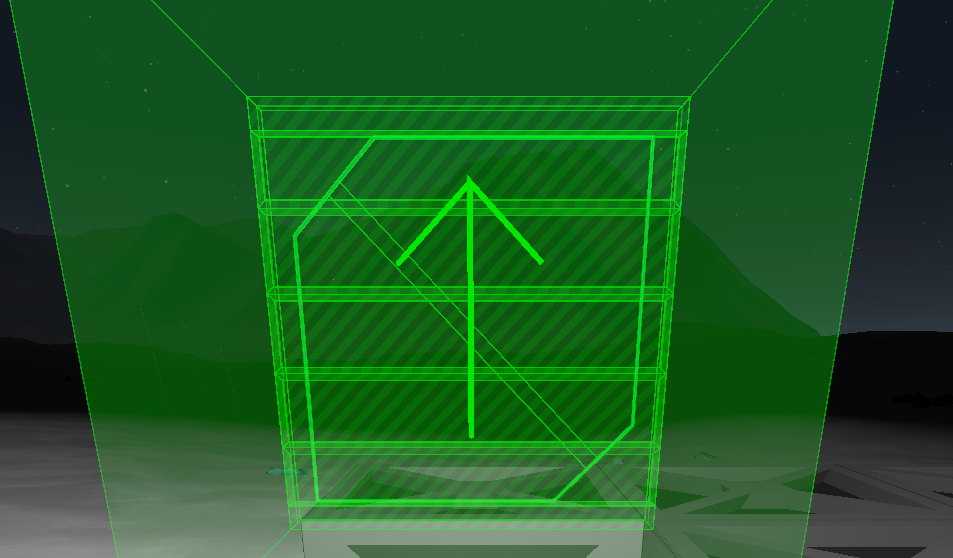
- Press K to choose a kit from the game's own list. The game's own placement cursor appears, with its grid, rotation keys and checks, and a click lays down a ghost instead of building
- Ghosts cost nothing. You can stack frames on ghosts, and a click on a ghost with no kit chosen removes it
- Right-click to put the kit down, right-click again to stop planning
- Planning ends if you walk away from the terminal, get hurt, or the terminal loses power
Planning tools
Press Z to step through them:
- Build: lay ghosts, as above
- Remove: click a built structure to mark it for the drones to take apart (purple). Click again to unmark it
- Copy: click two corners, and everything built between them is saved as a blueprint
- Paste: K picks a blueprint (Shift+K goes back), the mouse wheel turns it, and a click plans the whole thing as ghosts
Blueprints
- Blueprints use the format of JacksonTheMaster's BlueprintMod, in the same folder, so one library serves both mods
- Every blueprint you subscribe to on the Steam Workshop shows up in the Paste list. BlueprintMod does not need to be installed
- Drones build structures only: loose items in a blueprint (a battery, a circuit board, ore on the floor) are left out, and the message names them
- Logic settings, names and paint in a blueprint are not applied
The drones
- Press BUILD and every Drone Bay on the terminal's network goes to work on the ghosts in range. The key turns to PAUSE: press it and every drone flies home
- Each drone flies to the storage, picks up what the next step needs, flies to the ghost, works, and comes home
- They build with the kit's own placement and then each build state in turn, using the same tool clicks a player makes
- Order of work: repairs first, then removals, then building, frames first and from the ground up
- Drones fly round walls, windows and shut doors, and through open doors
- A ghost the drones cannot build turns red and says why: a missing item, a flat battery, something in the way
Tools cost what they cost you
- The tools must be in storage. Power tools need a charged battery and use it up; welding torches need fuel and burn it
- Anything the game accepts in a tool's place works too: an Arc Welder on its battery does for a welding torch
Taking apart
- Marked structures are taken apart one build state at a time with the right tool
- Everything that comes back goes into storage, onto stacks of the same kind first, then into a free cubby
- A drone waits while the storage has no room. Anything that still does not fit is set down on the floor beside the storage
- Walls, windows and doors are taken apart like anything else, so the room will vent
Repair
- Damaged structures in range of a terminal set to BUILD are repaired on their own (teal ghosts)
- A drone brings the tool and material that structure's repair needs, and nothing is healed for free
- Broken structures cannot be repaired: take them apart and build them again
The terminal's screen
- A map of everything in range: ghosts in their colours, bays, storage, drones in flight and the planning camera
- How many ghosts are planned, being built, started and stuck
- The bays, drones and storage on its network
- NEEDS: what the drones are missing, most wanted first
- CLEAR, pressed twice, removes every ghost in range
Making them
- All three kits are made in the Autolathe
- Kit (Planning Terminal): 10 Iron, 5 Copper, 2 Gold. 50 W
- Kit (Drone Bay): 20 Iron, 10 Copper, 4 Gold, 4 Silicon. 50 W, plus 150 W for each drone that is out
- Kit (Construction Storage): 15 Iron, 2 Copper. 10 W
- Taken down with the Hand Drill
[hr][/hr]
Settings
- Planning.PlanRange (60): how far in metres from the terminal the camera may fly and ghosts may be laid
- Planning.CameraSpeed (8): the planning camera's speed in m/s
- Planning.ShowGhostsAlways (on): off shows ghosts only while planning
Highlights
From source dataFootprint
Rated a light load on a server.
Last update
Its author last shipped an update 4d ago.
Construction Drones on Nxeon
From our catalogue- One-click install
- Not available. One-click install isn't available for this game's mods yet. Download it and upload it to your server in Files.
- Server load
- light
- Smallest plan we suggest
- Stationeers — 4 GB (4 GB RAM). This follows our own load rating above, not a benchmark.
- Latest build
- 2026-10-31, released 2026-10-31
Game versions by loader
| Loader | Game versions | Newest |
|---|---|---|
| Workshop |
From 5 recorded builds of Construction Drones.
Recent builds
| Build | Released | Game versions | Loaders |
|---|---|---|---|
| 2026-10-31 | 2026-10-31 | n/a | Workshop |
| 2026-10-29 | 2026-10-29 | n/a | Workshop |
| 2026-10-28 | 2026-10-28 | n/a | Workshop |
| 2026-10-25 | 2026-10-25 | n/a | Workshop |
| 2026-10-24 | 2026-10-24 | n/a | Workshop |
Run Construction Drones on a Stationeers server
Deploy a server above, then upload the file in Files.
What kind of mod it is
From the catalogVehicles & ships
Cars, boats, aircraft, ships and other things to drive or fly.
Compatibility
- Game
- Stationeers
Verified at the source
- ✓Steam WorkshopOfficial listing, checked 2026-11-04Open ↗
- ✓Authordizzy, as published on Steam Workshop
- ✓LicenseNot published by the sourceFree