






About Crafting Quantity Module with manual input
From Steam WorkshopA line is missing from the code and since I cant update the mod for reasons you will have to manually add it next to the other defines. define Switch HASH("ModularDeviceSwitch") --- Based on the…
A line is missing from the code and since I cant update the mod for reasons you will have to manually add it next to the other defines.
define Switch HASH("ModularDeviceSwitch")
---
Based on the original idea and code of boris_fps Crafting Quantity Module
Requires Modular Consoles mod
I made these modification because I'm playing with larger stacks and sometimes one stack was too much, and 10 items was too little.
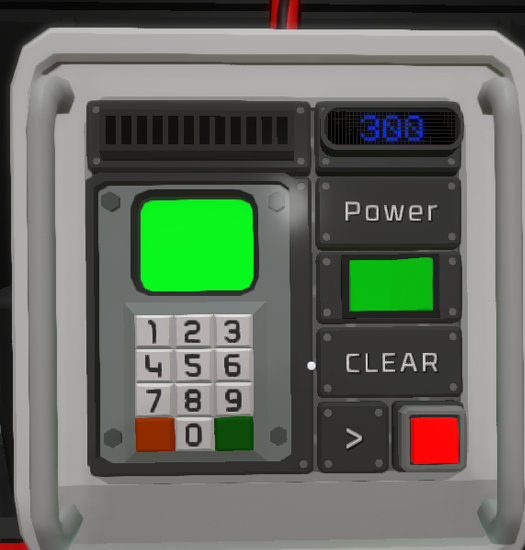
New: - Supports manual input for up to 999 items via the numpad - Includes a button to clear the input between builds or if you mess up - Removed stack switch as it was redundant (at least for me)
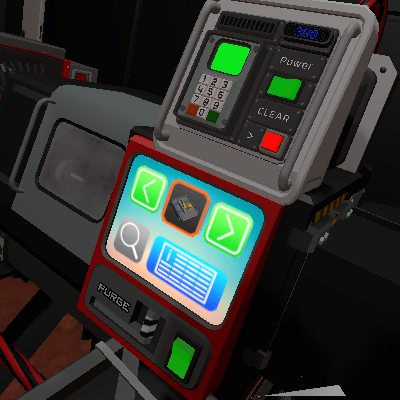
What you need: - 1 modular console - 1 Modular LED Display 2 - 1 Logic Numpad - 1 Slider Diode 2 - Label plates to cover holes if desired - A machine (lathe, electronics, etc) - 1x Integrated Circuit and 1x IC Housing
Once you build everything, you can turn on and off the IC for a second so it gets the pin requirments. Set d0 pin to the machine and d1 to the stacker. Make sure theyre both in the same network with the IC and connected to power.
Name everything on the console. By default they are named: - Top left progress: Progress - The led showing amount: Amount - The powerswitch: Powerswitch - The clear button: Clear - The numpad: SelectAmount
If you intend to use this on more than on machine, in the same network, you can simply use a different name for each of the 5 things that need distinct names. They are commented in the code so you know where and what to edit.
You can name these whatever you want as long as you have the same names in the code as on the things themselves.
When you're done building and naming, start the machine with the power switch. Input how much you want, make sure the machine has the required materials, then press the icon of the thing on the actual machine. It will build as many as you requested, or until materials run out. The stacker will spit it out once everything is done.
Crafting Quantity Module with manual input on Nxeon
From our catalogue- One-click install
- Not available. One-click install isn't available for this game's mods yet. Download it and upload it to your server in Files.
- Server load
- light
- Smallest plan we suggest
- Stationeers — 4 GB (4 GB RAM). This follows our own load rating above, not a benchmark.
Run Crafting Quantity Module with manual input on a Stationeers server
Deploy a server above, then upload the file in Files.
What kind of mod it is
From the catalogWeapons, items & crafting
New weapons, gear, items and the recipes to make them.
Compatibility
- Game
- Stationeers
- File size
- 262 KB
Verified at the source
- ✓Steam WorkshopOfficial listing, checked 2026-09-24Open ↗
- ✓AuthorKozonak, as published on Steam Workshop
- ✓LicenseNot published by the sourceFree









