






About Custom Decals
From Steam WorkshopCustom Decals - Placeable Signs and Images Add customizable decals (constructed with a Kit Sign) to your base in Stationeers. Using both built-in game assets (including modded ones) and user-provided…
Custom Decals - Placeable Signs and Images
Add customizable decals (constructed with a Kit Sign) to your base in Stationeers. Using both built-in game assets (including modded ones) and user-provided images.
[hr]
Features
- Support for custom PNG images
- Independent front and back decals
- Adjustable width and height per side
- In-game reload command to reload user provided images (reloaddecals)
[hr]
Custom Decals
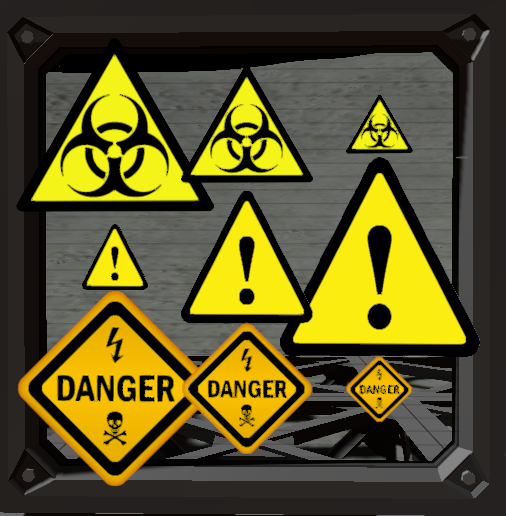
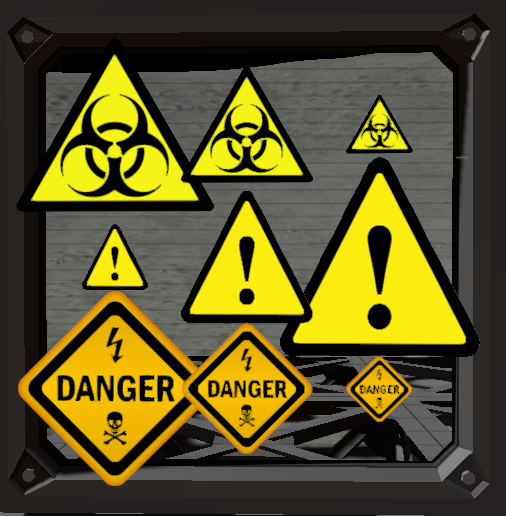
built-in decals:
- Warning
- Hazard
- Danger_Eletricity
- All game sprites (e.g. inventory/UI icons, vanilla/modded items thumbnails etc.). Use command: "listgamesprites [searchString]" to get the list of all available sprites. searchString is optional, if provided it will filter the sprites that contain the searchString in their name.
How to add your own images: [olist] [*] Launch the game with the mod installed at least once to generate the config files [*] Navigate to "Stationeers/BepInEx/config/CustomDecals/Decals/" in your file explorer [*] Add your .PNG files [*] Run the following command to reload the decals, no need to restart the game: "reloaddecals" [/olist]
[hr]
How to Use
Configuration Format
Decals are configured using the item's name (changed using a labeller, case insensitive): "decal;width;height" or "front decal;back decal;widthFront;heightFront;widthBack;heightBack" or "decal;width;height;OffsetX;OffsetY;OffsetZ;RotationX;RotationY;RotationZ
Example: "icon-oxygen;1.5;1.5" or "danger_eletricity;hazard;1;1;3;3" or "warning;1;1;0;0;20;0;0;0"
Notes
- Only PNG images are supported for custom decals
- Image size is recommended to be 1024x1024 or smaller, but larger images will also work
[hr]
Requirements
Links
- Support: Stationeers Modding Discord
- Source Code: Github
Highlights
From source dataFootprint
A 2 MB download, rated a light load on a server.
Last update
Its author last shipped an update 59d ago.
Custom Decals on Nxeon
From our catalogue- One-click install
- Not available. One-click install isn't available for this game's mods yet. Download it and upload it to your server in Files.
- Server load
- light
- Smallest plan we suggest
- Stationeers — 4 GB (4 GB RAM). This follows our own load rating above, not a benchmark.
- Latest build
- 2026-08-17, released 2026-08-17, 2 MB
Game versions by loader
| Loader | Game versions | Newest |
|---|---|---|
| Workshop |
From 1 recorded build of Custom Decals.
Run Custom Decals on a Stationeers server
Deploy a server above, then upload the file in Files.
What kind of mod it is
From the catalogWorkshop
Its source category doesn’t say more about what it does, so NxLabs lists it under Other.
Compatibility
- Game
- Stationeers
- File size
- 2 MB
Verified at the source
- ✓Steam WorkshopOfficial listing, checked 2026-10-16Open ↗
- ✓AuthorKingBR, as published on Steam Workshop
- ✓LicenseNot published by the sourceFree









