






About Dual-Axis Solar Tracking with Rest-At-Night and Maintenance Mode
From Steam WorkshopProvides horizontal and vertical tracking for ALL solar panels on the network capable of dual-axis tracking. Optionally: use a switch to place the panels in maintenance mode, allowing you to safely…
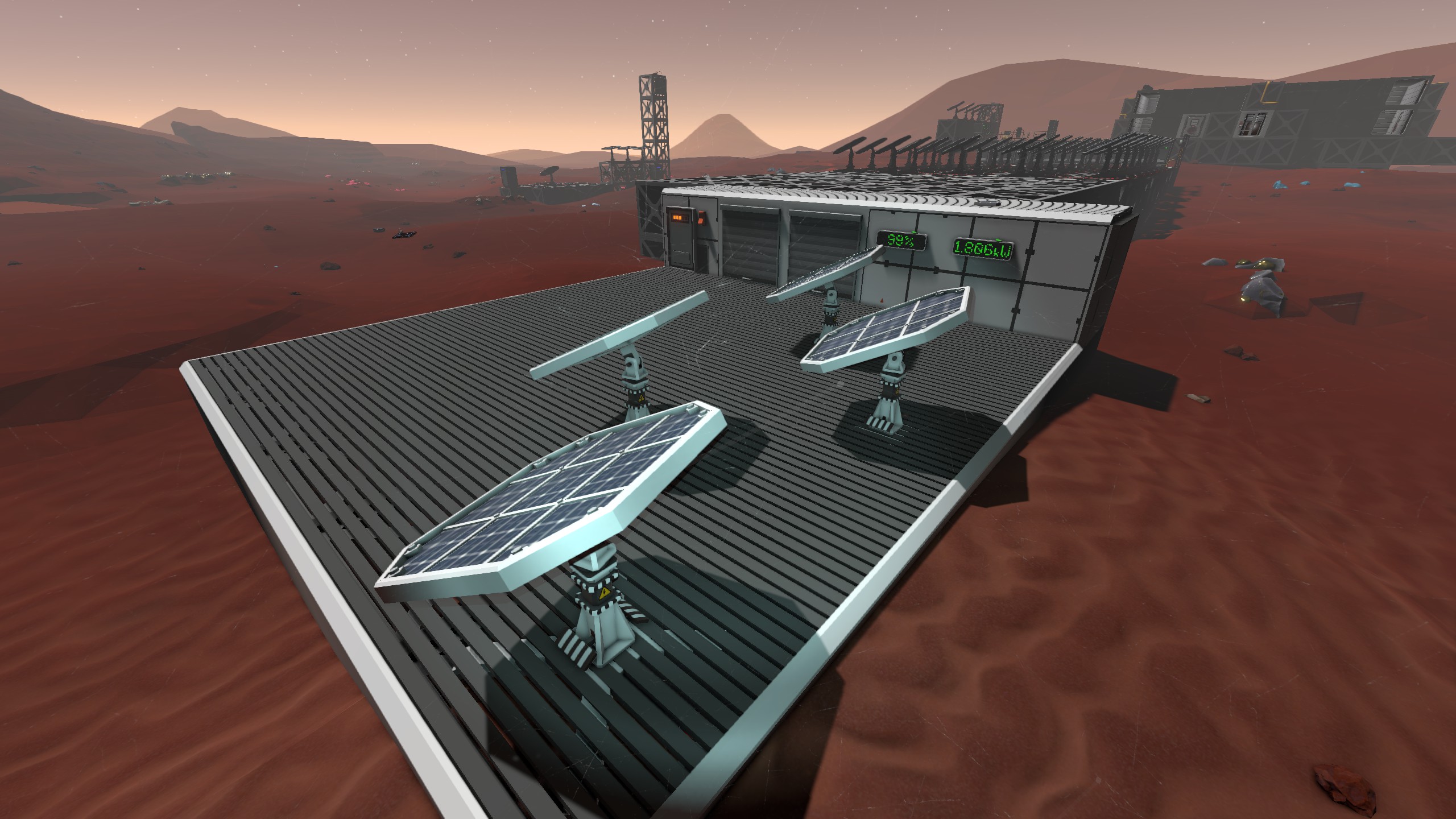
Provides horizontal and vertical tracking for ALL solar panels on the network capable of dual-axis tracking. Optionally: use a switch to place the panels in maintenance mode, allowing you to safely maneuver around them; display color coded output for average panel efficiency as well as total power output.
Features: ========================= * Dual-Axis tracking! * Scans network for all tracking capable solar panels! * Fully compatible with mirrored solar panels! * Plug-n-play configure-less operation! * Rest-at-night so your panels are always ready to generate power in the morning! * Maintenance mode! * Color coded power and efficiency display outputs! * Readable state for expandable automation!
Required: ========================= * Solar Panel Array, heavy and/or standard, dual and/or single port * 1x Daylight Sensor * 1x IC Housing * 1x IC Chip
Optional: ========================= * 1x Switch * 1-2x LED Display
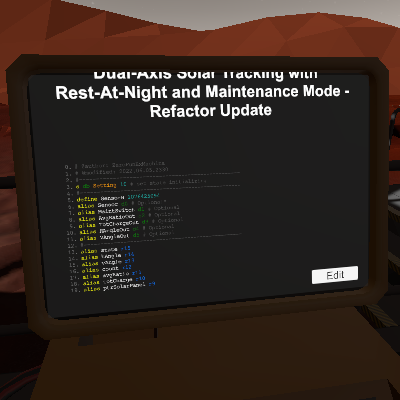
Details: ========================= This script updates dual-axis tracking to work with the game after the "Reboot/Refactor" Update (6/3/2022)*. During initialization the script will query the network for each of the 4 types of dual-axis tracking capable solar panels and for any logic mirrors. When the sun sets the panels will automatically position into a resting state so that they are ready for sunrise, even if you lose power during the night. Using a switch you can place the solar panels in maintenance mode, which will position them facing straight up (0 degrees horizontal, 90 degrees vertical), and pause tracking during the day. When you switch them out of maintenance mode they will return to the correct state, either resting during night, or tracking during day.
The optional total charge output display is green while the solar panel array is generating power, otherwise red. This display will show the total power that is currently being generated by each solar panel in the array on the network.
The efficiency ratio will show the average efficiency percentage of each solar panel in the array connected to the network. The output is color coded as follows: * Green 100 - 90% * Yellow 89 - 70% * Orange 69 - 15% * Red 14 - 0%
The IC housing will display the current state the script is executing. This allows you to quickly see which part of the code the script is in, as well as setup additional logic based on the solar array's current state. The state values are as follows: * 10 - Initializing * 11 - Initializing and found 1 panel type on network * 12 - Initializing and found 2 panel types on network * 13 - Initializing and found 3 panel types on network * 14 - Initializing and found 4 panel types on network * 15 - Initializing and found 5 panel types on network * 20 - Tracking * 30 - Resting * 90 - Maintaining
Setup: ========================= Install the daylight sensor horizontally, with the top of the sensor facing North (0 degrees), the data port is facing south (180 degrees). The daylight sensor must be receiving direct sunlight throughout the day so be careful not to place it in shadow. Solar panels should be installed so they are facing North when zero'd out (0 degrees horizontal, 15 degrees vertical). If there is only a single Daylight Sensor on the network and you do not wish to take advantage of the optional features, no additional setup is required. The script will use batch commands to operate correctly.
If there is more than one Daylight Sensor you must set the correct sensor to the correct pin. Otherwise set the IC housing pins as labeled in game (described below): * d0 - Sensor (Daylight Sensor - optional*) * d1 - MaintSwitch (Switch - optional) * d2 - AvgRatioOut (LED Display - Efficiency, optional) * d3 - TotChargeOut (LED Display - Power Output, optional) * d4 - HAngleOut (Horiztonal angle output, optional) * d5 - VAngleOut (Vertical angle output, optional)
HAngleOut and VAngleOut may be deprecated in the future, if I think of a better use for those pins. The script will treat logic mirrors as solar panels so you can use logic mirrors directly to control solar panels on different networks.
Notes and Known Issues: ========================= * Test on Integrated Circuitry Update (5/9/2023) and everything appears to be working correctly. * Initialization is purposely extended by a few seconds for each type of solar panel on the network to simulate work being done :) This also gives you enough time to read the state to verify how many panel types are found on your network. * The script will detect all logic mirrors as a panel type and will crash if the device being mirrored is not one of the four dual-axis solar panels. * As of the time of this update, there is no batch logic mirror so every solar panel being mirrored from a different network requires it's own logic mirror.
Highlights
From source dataFootprint
A 174 KB download, rated a light load on a server.
Last update
Its author last shipped an update 4 yr ago.
Dual-Axis Solar Tracking with Rest-At-Night and Maintenance Mode on Nxeon
From our catalogue- One-click install
- Not available. One-click install isn't available for this game's mods yet. Download it and upload it to your server in Files.
- Server load
- light
- Smallest plan we suggest
- Stationeers — 4 GB (4 GB RAM). This follows our own load rating above, not a benchmark.
- Latest build
- 2022-06-12, released 2022-06-12, 174 KB
Game versions by loader
| Loader | Game versions | Newest |
|---|---|---|
| Workshop |
From 1 recorded build of Dual-Axis Solar Tracking with Rest-At-Night and Maintenance Mode.
Run Dual-Axis Solar Tracking with Rest-At-Night and Maintenance Mode on a Stationeers server
Deploy a server above, then upload the file in Files.
What kind of mod it is
From the catalogWorkshop
Its source category doesn’t say more about what it does, so NxLabs lists it under Other.
Compatibility
- Game
- Stationeers
- File size
- 174 KB
Verified at the source
- ✓Steam WorkshopOfficial listing, checked 2026-10-10Open ↗
- ✓AuthorZero, as published on Steam Workshop
- ✓LicenseNot published by the sourceFree









