






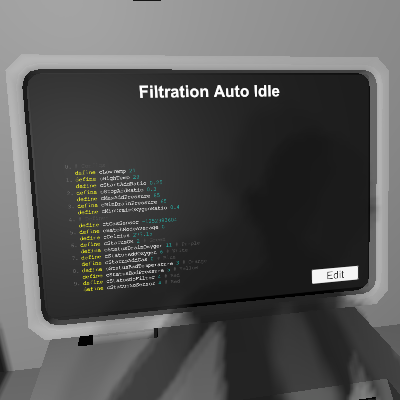
About Filtration Auto Idle
From Steam WorkshopAutomatically turn filtration unit to active/idle, based on filter value and pressures. Optional display and warning lights. This script is designed to run inside a filtration unit. It is for…
Automatically turn filtration unit to active/idle, based on filter value and pressures. Optional display and warning lights. This script is designed to run inside a filtration unit. It is for filtration units that filter out a single gas. Do not use mixed filters.
Pins: - d0 (optional): LED display for remaining filter value (out of 200, 100 for each filter). Colored based on status (see below). - d1 (optional): Warning light. See below for when it is turned on.
Status color and warning light: - Blue: Idle, no input gas to process. No warning light. - Green: Active, processing input gas. No warning light. - Orange: Output/waste pressure high. Warning light. - Red: Filter low. Warning light.
Config: - See the first few lines.
Additional functionalities for programmers: - The remaining filter value, divided by 2, is saved in the filtration unit's Setting. (Because the Setting value could only go up to 100.) This provides a quick access for other programs that may want to read the value.
Filtration Auto Idle on Nxeon
From our catalogue- One-click install
- Not available. One-click install isn't available for this game's mods yet. Download it and upload it to your server in Files.
- Server load
- light
- Smallest plan we suggest
- Stationeers — 4 GB (4 GB RAM). This follows our own load rating above, not a benchmark.
Run Filtration Auto Idle on a Stationeers server
Deploy a server above, then upload the file in Files.
What kind of mod it is
From the catalogTechnology & automation
Machines, power, logistics and automation.
Compatibility
- Game
- Stationeers
- File size
- 129 KB
Verified at the source
- ✓Steam WorkshopOfficial listing, checked 2026-09-24Open ↗
- ✓AuthorBunstructors, as published on Steam Workshop
- ✓LicenseNot published by the sourceFree









