






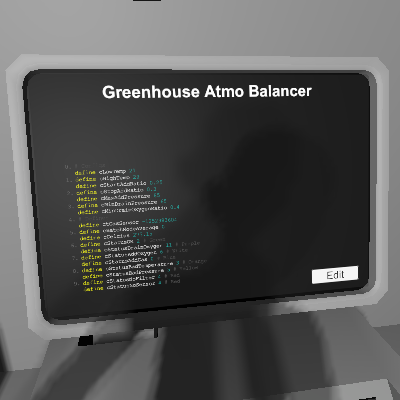
About Greenhouse Atmo Balancer
From Steam WorkshopMake sure O2, CO2, N2 are all present in the atmosphere around roughly 1/3 each. Drain O2 if necessary. Temperature and pressure are considered. Setup: - This script assumes that there are only…
Make sure O2, CO2, N2 are all present in the atmosphere around roughly 1/3 each. Drain O2 if necessary. Temperature and pressure are considered.
Setup: - This script assumes that there are only Oxygen, CO2, and Nitrogen in the atmosphere. Please scrub off all other gases. - This setup assumes that CO2 and Nitrogen will be consumed, and Oxygen will be produced. - One or more gas sensors, with the same name. - Active vents set to pressurize the atmosphere, connected to Oxygen, CO2, and Nitrogen supplies. - Filtration unit with Oxygen filters, set to pump Oxygen out of the atmosphere and return everything else to the atmosphere. - It is recommended that gas supplies have their temperature controlled, however this is not necessary. If the supplies differ from room temperature, this script will stop adding them when the room temperature is no longer acceptible. Room temperature control (air conditioning) should be set up differently. - It is recommended that you set up the initial atmosphere manually. This script is not designed to reliably pressurize the atmosphere from vacuum, but it should work to keep the atmosphere within parameters once it is set up.
Pins: - d0: Gas sensor. Any gas sensor with the same name in the connected network will also be used. - d1: Active vent for adding Oxygen. - d1: Active vent for adding CO2. - d3: Active vent for adding Nitrogen. - d4: Filtration unit for removing Oxygen. - d5 (optional): LED display for pressure. Color coded based on status (see below).
Operating logic and display colors: - If no gas sensor is set, the display will be a red "0". - If temperature is out of range (default 21-29°C), the display will be orange. All add/remove pumps will be shut off. - If Oxygen ratio is above cMinDrainOxygenRatio (default 40%) and the pressure is above cMinDrainPressure (default 65kPa), Oxygen filtration unit will be turned on, and display will be purple. - However, if the oxygen filters have run out, the display will be red and the filtration unit will be turned off. Please replace the filters. - For each of Oxygen, CO2, and Nitrogen, if the overall pressure is below cMaxAddPressure (default 85kPa), and the gas ratio is below cStartAddRatio (default 25%), the active vent will be turned on. The active vent will be turned off when the ratio reaches cStopAddRatio (default 30%). - The display color for draining oxygen takes priority. - If oxygen is being added, the display color will be white. (This should never happen is everything is running correctly.) - Otherwise, if CO2 or Nitrogen is being added, the display color will be blue. - If the pressure is above cMaxAddPressure (default 85kPa) but the oxygen ratio is below cMinDrainOxygenRatio (default 40%), meaning there is too much CO2 and Nitrogen in the atmosphere, the display color will be yellow and all add/remove will be shut off. Manual intervention is required, or alternatively wait for the plants to consume the extra gases. (This should never happen is everything is running correctly.)
Configs: - See the first few lines.
Greenhouse Atmo Balancer on Nxeon
From our catalogue- One-click install
- Not available. One-click install isn't available for this game's mods yet. Download it and upload it to your server in Files.
- Server load
- light
- Smallest plan we suggest
- Stationeers — 4 GB (4 GB RAM). This follows our own load rating above, not a benchmark.
Run Greenhouse Atmo Balancer on a Stationeers server
Deploy a server above, then upload the file in Files.
What kind of mod it is
From the catalogTechnology & automation
Machines, power, logistics and automation.
Compatibility
- Game
- Stationeers
- File size
- 132 KB
Verified at the source
- ✓Steam WorkshopOfficial listing, checked 2026-09-24Open ↗
- ✓AuthorBunstructors, as published on Steam Workshop
- ✓LicenseNot published by the sourceFree









