







About GrowLights
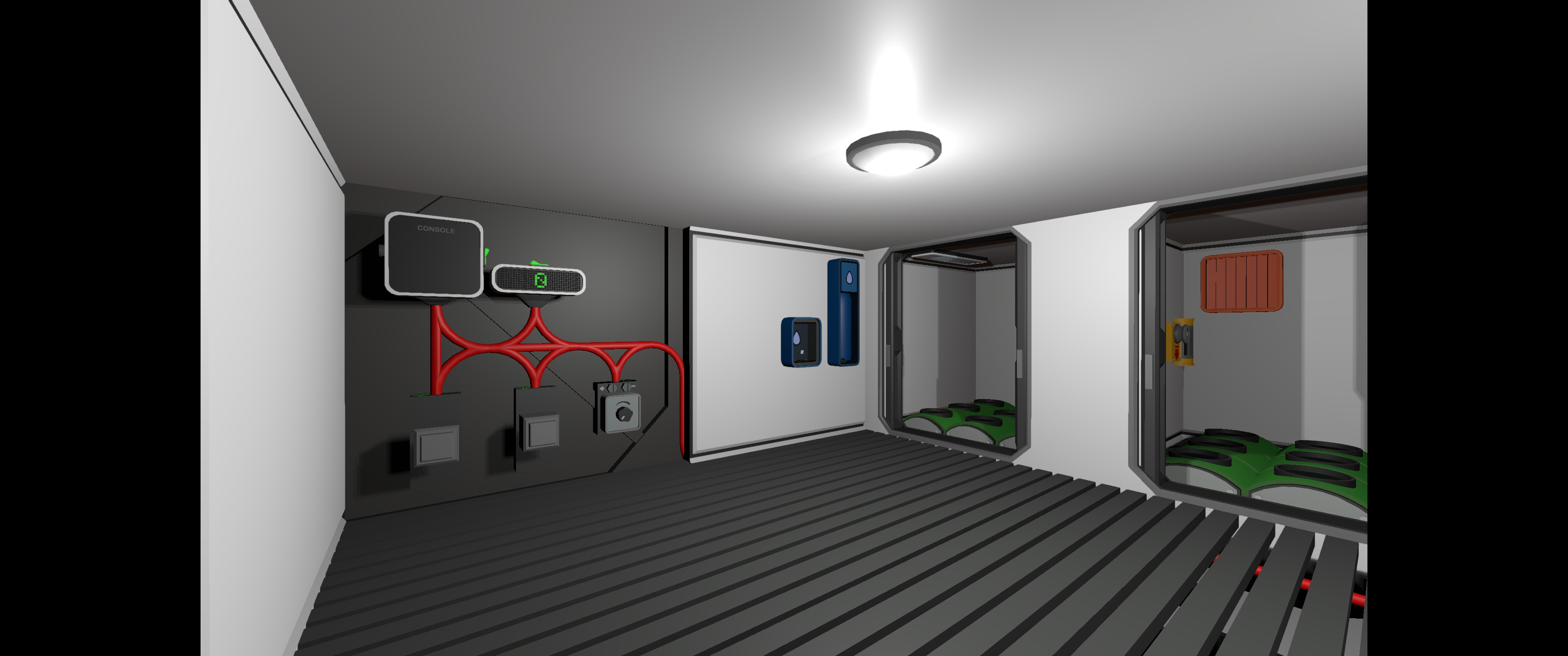
From Steam WorkshopControls Growlights based on the selected Crop Type. Required Items: Console with HashDisplay (for showing the Crop Type), Set to the IC Housing Button (Start) for starting the timer / Switching to…
Controls Growlights based on the selected Crop Type.
Required Items:
- Console with HashDisplay (for showing the Crop Type), Set to the IC Housing
- Button (Start) for starting the timer / Switching to the next Cycle
- Button (Stop) for stoping the timer
- Dial (Crop) to select the crop type.
- LED Display (Timer) for the displaying the time
- GrowLight (GrowLights), obviously
How to use:
[olist] [*] Select the Crop using the Dial [*] Press Start [/olist] When you want to use a different crop:
- make sure the timer is stopped (Stop)
- select your crop
Press the Start button, to switch the current cycle (lights on to lights off or lights off to lights on)
Crops in the Script:
[table] [tr][th]Dial[/th][th]Crop[/th][th]Light on in Sec[/th][th]Light off in sec[/th][/tr][tr][td]0[/td][td]Debug[/td][td]5[/td][td]2[/td][/tr] [tr][td]1[/td][td]Potato[/td][td]300[/td][td]200[/td][/tr] [tr][td]2[/td][td]Soy[/td][td]600[/td][td]300[/td][/tr] [tr][td]3[/td][td]Fern[/td][td]480[/td][td]300[/td][/tr] [/table]
How to add new Crop Types:
[olist] [*] Push the Prefab Hash into the Stack [*] Push the the Light per day Value in Seconds (Minutes * 60 + Seconds) [*] Push the Darkness per day Value in Seconds [*] Adjust the Settings for your dial [/olist] e.g.:
# Pumpkin
push 1277828144
push 500 #(8*60+20)
push 100 #(1*60+40)
Important:
Although I'm showing off 2 Plots, this script can only handle 1 Growlight per IC.
Highlights
From source dataFootprint
Rated a light load on a server.
Last update
Its author last shipped an update 6 mo ago.
GrowLights on Nxeon
From our catalogue- One-click install
- Not available. One-click install isn't available for this game's mods yet. Download it and upload it to your server in Files.
- Server load
- light
- Smallest plan we suggest
- Stationeers — 4 GB (4 GB RAM). This follows our own load rating above, not a benchmark.
- Latest build
- 2026-04-19, released 2026-04-19
Game versions by loader
| Loader | Game versions | Newest |
|---|---|---|
| Workshop |
From 1 recorded build of GrowLights.
Run GrowLights on a Stationeers server
Deploy a server above, then upload the file in Files.
What kind of mod it is
From the catalogWeapons, items & crafting
New weapons, gear, items and the recipes to make them.
Compatibility
- Game
- Stationeers
Verified at the source
- ✓Steam WorkshopOfficial listing, checked 2026-10-11Open ↗
- ✓AuthorFWolle, as published on Steam Workshop
- ✓LicenseNot published by the sourceFree









