






About Hash Display - Crafter Selection Screen
From Steam WorkshopTAP THE SCREEN, PICK THE RECIPE. A Hash Display linked to a printer gets a third mode: the board shows the printer's current recipe, and a tap on the screen opens the printer's own recipe list.…
TAP THE SCREEN, PICK THE RECIPE.
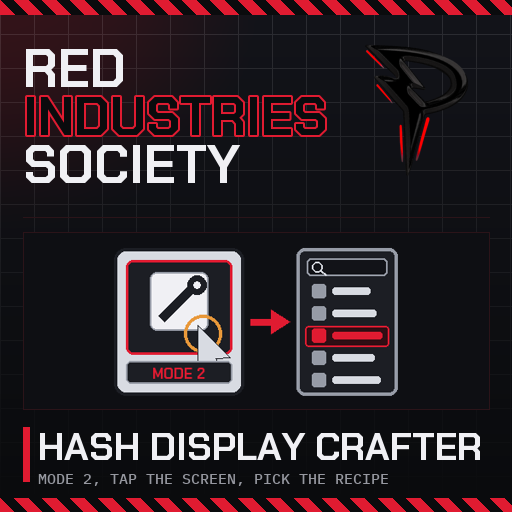
A Hash Display linked to a printer gets a third mode: the board shows the printer's current recipe, and a tap on the screen opens the printer's own recipe list. Choose what it makes from the console instead of walking over to it.

[hr][/hr]
✨ What it does
- 🔢 Mode 2, Crafting. The board keeps Mode 0 (Prefab) and Mode 1 (GasLiquid) and gains Mode 2. Set it from a chip with [code]ss d0 0 Mode 2[/code] where d0 is the console. Without this mod the game caps that write at 1.
- 🖼️ The board shows the recipe. In Crafting mode the screen draws the item the linked printer is set to make, name and picture, and follows along when the recipe changes.
- 👆 Tap to choose. Look at the screen and click. The printer's recipe list opens with its search bar. Pick one and the printer switches to it, on any server.
- 🔍 Look at it, read it. Aiming at the board gives the printer's own tooltip: the item it is set to make with how much of each material you have against how much it needs, and the contents of the machine under that.
- 🔐 Same rules as the printer. The printer must be on and powered, not locked, and your access card must be allowed on it, exactly as if you pressed its own button.
📦 How to set it up
Put a Hash Display board in a console. Screwdriver on the console for config mode, link the printer (Autolathe, Electronics Printer, Tool Manufactory, Pipe Bench, any of that family). Then in a chip:
alias console d0
ss console 0 Mode 2
Back in operate mode the screen shows the recipe. Click it to change it.
🧩 Requires
Plugin (code) mod. Install BepInEx with the StationeersLaunchPad plugin first. Needed on the server and on every client: the server accepts Mode 2, the client draws the screen and opens the list. Works next to Smart Hash Display; neither needs the other.
[hr][/hr]
🧰 The rest of them
Every mod I have put on the Workshop, in one list
💬 Something off? Say so
Bugs, odd behaviour, or a thing you wish it did: the comments are the place. What you built and what it did is enough to go on.
Everything here is free and stays free. If one of them saved you an afternoon, there is a button.

Highlights
From source dataFootprint
Rated a light load on a server.
Last update
Its author last shipped an update 28d ago.
Hash Display - Crafter Selection Screen on Nxeon
From our catalogue- One-click install
- Not available. One-click install isn't available for this game's mods yet. Download it and upload it to your server in Files.
- Server load
- light
- Smallest plan we suggest
- Stationeers — 4 GB (4 GB RAM). This follows our own load rating above, not a benchmark.
- Latest build
- 2026-09-17, released 2026-09-17
Game versions by loader
| Loader | Game versions | Newest |
|---|---|---|
| Workshop |
From 1 recorded build of Hash Display - Crafter Selection Screen.
Run Hash Display - Crafter Selection Screen on a Stationeers server
Deploy a server above, then upload the file in Files.
What kind of mod it is
From the catalogWeapons, items & crafting
New weapons, gear, items and the recipes to make them.
Compatibility
- Game
- Stationeers
Verified at the source
- ✓Steam WorkshopOfficial listing, checked 2026-10-16Open ↗
- ✓AuthorPantACRO4life, as published on Steam Workshop
- ✓LicenseNot published by the sourceFree









