






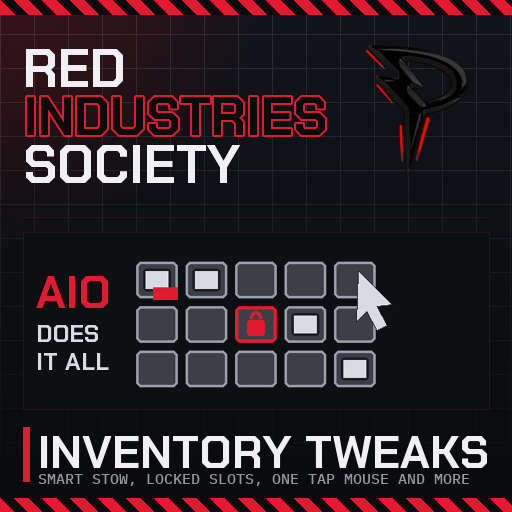
About Inventory Tweaks
From Steam WorkshopINVENTORY, WINDOWS AND CONTROLS. ONE MOD. Stacks merge on their own, slots remember what belongs in them, windows stay where you put them, and the things you do fifty times an hour are one key each:…
INVENTORY, WINDOWS AND CONTROLS. ONE MOD.
Stacks merge on their own, slots remember what belongs in them, windows stay where you put them, and the things you do fifty times an hour are one key each: the kit for whatever you are looking at, the tool for the next build stage, Next on the held device, your tablet, your lenses. If it is not in here yet, say so on the discussion page.

[hr][/hr]
🎒 Inventory
- 📥 Smart Stow stacks. Moving with Smart Stow (default G) tops up existing stacks instead of starting new ones, and items go back to the slot they came from.
- 🔒 Locked slots. Lock a slot to an item type, hand drill, cable coil, whatever you like. Hover with Alt and press the lock key. A locked slot wears a coloured border, and while it is empty it shows a faint ghost of the item it is waiting for. Smart Stow always sends the item back to its locked slot, however it left it: pulled out with F, moved into another slot by hand, or fetched by a hotkey. When that slot is taken, the next empty slot locked to the item gets it, and only when every one is full does the normal order apply. Locks are kept per server on multiplayer, so they survive a restart.
- 🔢 Stow priority. Choose the order Smart Stow prefers: existing stack, locked slot, typed slot, plain slot, visible window.
- 🔧 Small fixes. Swapping into a typed slot works when the game would have refused.
🪟 Windows
- 📌 Windows that stay put. A P beside the X in every window. Red: locked, it cannot be dragged. Green: free to move. Every window is remembered between sessions, on a server too: open or closed, docked or pulled out, and where you left it.
- 🧹 No gaps. No more holes in the window stack after sleeping or waking.
- 🖱️ Mouse cursor, your way. Hold the key as stock, tap once to toggle, or tap twice to latch. Set on the Controls page of the game's own settings.
⌨️ Controls
All under Inventory Tweaks on the Controls page, every one rebindable.
- 🎯 Pick Block. Aim at anything and press the middle mouse button: the kit that builds it, set to that exact piece, or an item of the same kind, goes into your active hand. Nothing matching on you: the fail sound and a message.
- 🔨 Construct and Deconstruct. Aim at a structure and press F2: the tool and material its next stage needs are in your hands. F3 fetches the tool that takes the current stage apart. Whatever you were holding that the build does not need is Smart Stowed first.
- ⏭️ Next on the held device. Z presses Next on whatever is in your active hand (the Advanced Tablet's cartridge, a filter, a mode switch), Shift+Z presses Prev.
- 📱 Tablet and lenses. F4 equips the first tablet in your inventory or stows the one in your hand. F7 turns worn sensor lenses on or off.
- 🔟 Number row items. With the cursor free, hover an item and press 1 to 0 to bind it. During play that number puts the exact item in a hand or stows it again, parking and restoring a held item when both hands are full.
🔗 Where it comes from
This is a fork of Inventory Tweaks by theit8514, MIT licensed, source at github.com/theit8514/Stationeers-InventoryTweaks. Everything up to 0.4.9 is their work. 0.5.0 adds the multiplayer lock storage and the mouse cursor modes. 0.6.0 merges in Controls Plus by James: the construct, deconstruct, tablet and lens keys and the number row item hotkeys, reworked to stow through this mod.
🧩 Requires
Plugin (code) mod. Install BepInEx with the StationeersLaunchPad plugin first. Client side only: works on any server, nothing to install on the server.
[hr][/hr]
🧰 The rest of them
Every mod I have put on the Workshop, in one list
💬 Something off? Say so
Bugs, odd behaviour, or a thing you wish it did: the comments are the place. What you built and what it did is enough to go on.
Everything here is free and stays free. If one of them saved you an afternoon, there is a button.

Highlights
From source dataFootprint
Rated a light load on a server.
Last update
Its author last shipped an update 21d ago.
Inventory Tweaks on Nxeon
From our catalogue- One-click install
- Not available. One-click install isn't available for this game's mods yet. Download it and upload it to your server in Files.
- Server load
- light
- Smallest plan we suggest
- Stationeers — 4 GB (4 GB RAM). This follows our own load rating above, not a benchmark.
- Latest build
- 2026-09-24, released 2026-09-24
Game versions by loader
| Loader | Game versions | Newest |
|---|---|---|
| Workshop |
From 1 recorded build of Inventory Tweaks.
Run Inventory Tweaks on a Stationeers server
Deploy a server above, then upload the file in Files.
What kind of mod it is
From the catalogQuality of life & UI
Small conveniences, tweaks and interface improvements players notice straight away.
Compatibility
- Game
- Stationeers
Verified at the source
- ✓Steam WorkshopOfficial listing, checked 2026-10-16Open ↗
- ✓AuthorPantACRO4life, as published on Steam Workshop
- ✓LicenseNot published by the sourceFree









