







About Render Distance Multiplier [BepinexMods]
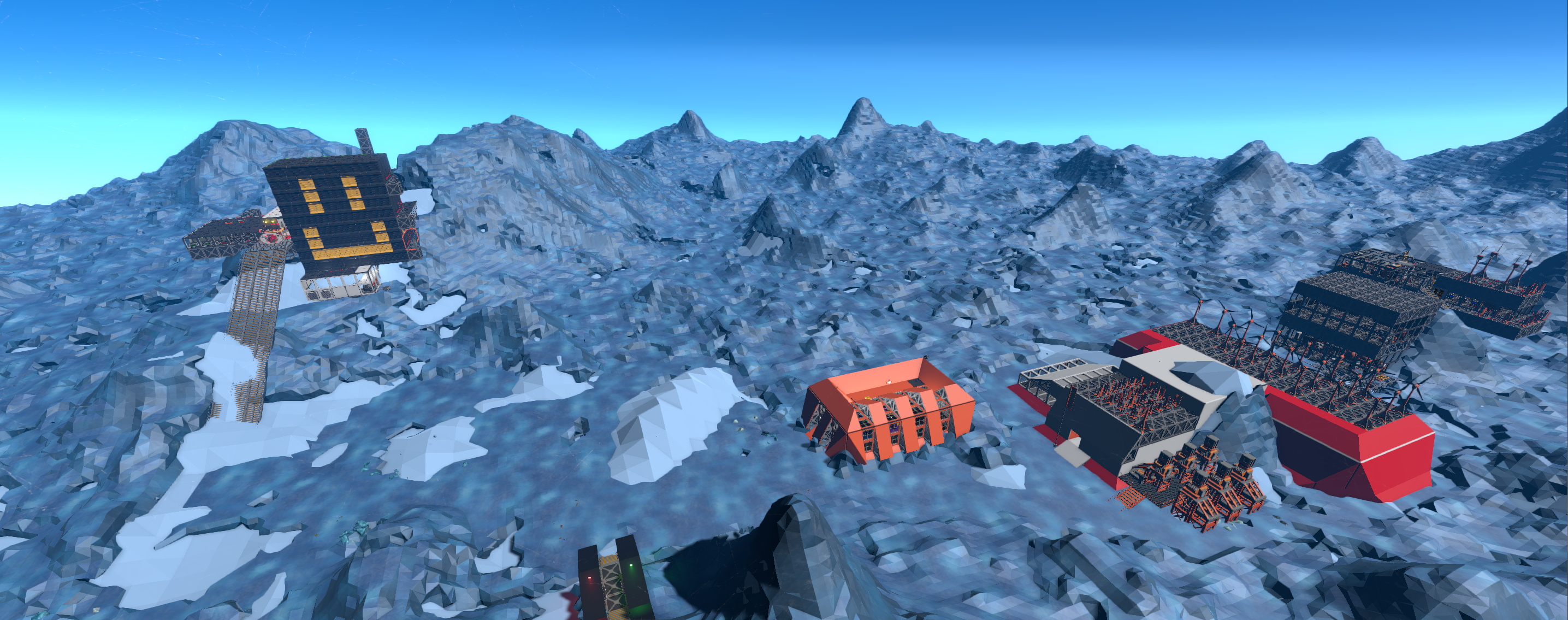
From Steam WorkshopFor now it's just multipliers for settings. For render distance multiplier at setting levels Medium, High and Extreme. Extreme setting with default miltiplier 2 will show frame structures at 500 m.…
For now it's just multipliers for settings. For render distance multiplier at setting levels Medium, High and Extreme. Extreme setting with default miltiplier 2 will show frame structures at 500 m.
There's also Shadows distance, Light shadows distance and Shadows distance multiplier's modifiers.
Multipliers is configurable in Stationeers/BepInEx/config/RenderDistanceMod.cfg
Mod is overwriting methods of OcclusionManager.UpdateRenderDistanceMultiplier and ShadowQualitySetting.Apply.
---------------- Old mod version for previous stable game version (to switch you can rename two dll in mod folder at SteamLibrary\steamapps\workshop\content\544550\3171327238)
Fix for game settings and occlusion calculations to make Objects Distance Multiplier slider in Advanced settings be useful. Max value will let big structures be show up at 650 meters.
Stairs and Draggable things (crates, portable devices, mining robots) set as big structure too. Also max render distance for terrain chunks is raised to 650 m. At 650 m LOD terrain usually disappear. Cannot change it for now. Trying to enlarge LOD plane size and Alpha cutout distance.
Basic shadows distance with too short values got modified. Added config for shadows and wall light-generated shadows modifiers.
Config file is Stationeers/BepInEx/config/RenderDistanceMod.cfg Can change max values there and also switch rendering types, like affect only big structures and draggables. By default all things is affected by modifier.
It made with full barbaric overwrite of Thing.SetOcclusion, so other mods will cannot use this method. ---
Thanks to Eviltek2099 for testing at powerful pc with nice huge base and give pics.
Installation. Step 1: Install BepInEx: https://docs.bepinex.dev/articles/user_guide/installation/index.html Step 2: Install the StationeersMods plugin: https://github.com/jixxed/StationeersMods Step 3: Subscribe.
Highlights
From source dataFootprint
A 2 MB download, rated a light load on a server.
Last update
Its author last shipped an update 2 yr ago.
Render Distance Multiplier [BepinexMods] on Nxeon
From our catalogue- One-click install
- Not available. One-click install isn't available for this game's mods yet. Download it and upload it to your server in Files.
- Server load
- light
- Smallest plan we suggest
- Stationeers — 4 GB (4 GB RAM). This follows our own load rating above, not a benchmark.
- Latest build
- 2024-08-05, released 2024-08-05, 2 MB
Game versions by loader
| Loader | Game versions | Newest |
|---|---|---|
| Workshop |
From 1 recorded build of Render Distance Multiplier [BepinexMods].
Run Render Distance Multiplier [BepinexMods] on a Stationeers server
Deploy a server above, then upload the file in Files.
What kind of mod it is
From the catalogWorld generation
Changes or adds to how new terrain, biomes and structures are created.
Compatibility
- Game
- Stationeers
- File size
- 2 MB
Verified at the source
- ✓Steam WorkshopOfficial listing, checked 2026-10-10Open ↗
- ✓AuthorKastuk, as published on Steam Workshop
- ✓LicenseNot published by the sourceFree









