






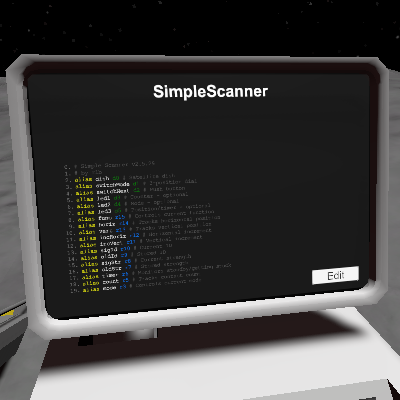
About SimpleScanner
From Steam WorkshopSummary: This is a simplistic script to automatically record satellite contact locations, and call them with two button presses. Recommended use is to leave it alone for a while and do something…
[h1]Summary:[/h1]This is a simplistic script to automatically record satellite contact locations, and call them with two button presses.
Recommended use is to leave it alone for a while and do something else, and come back every now and then to see if it found anyone worthwhile.
Setup:
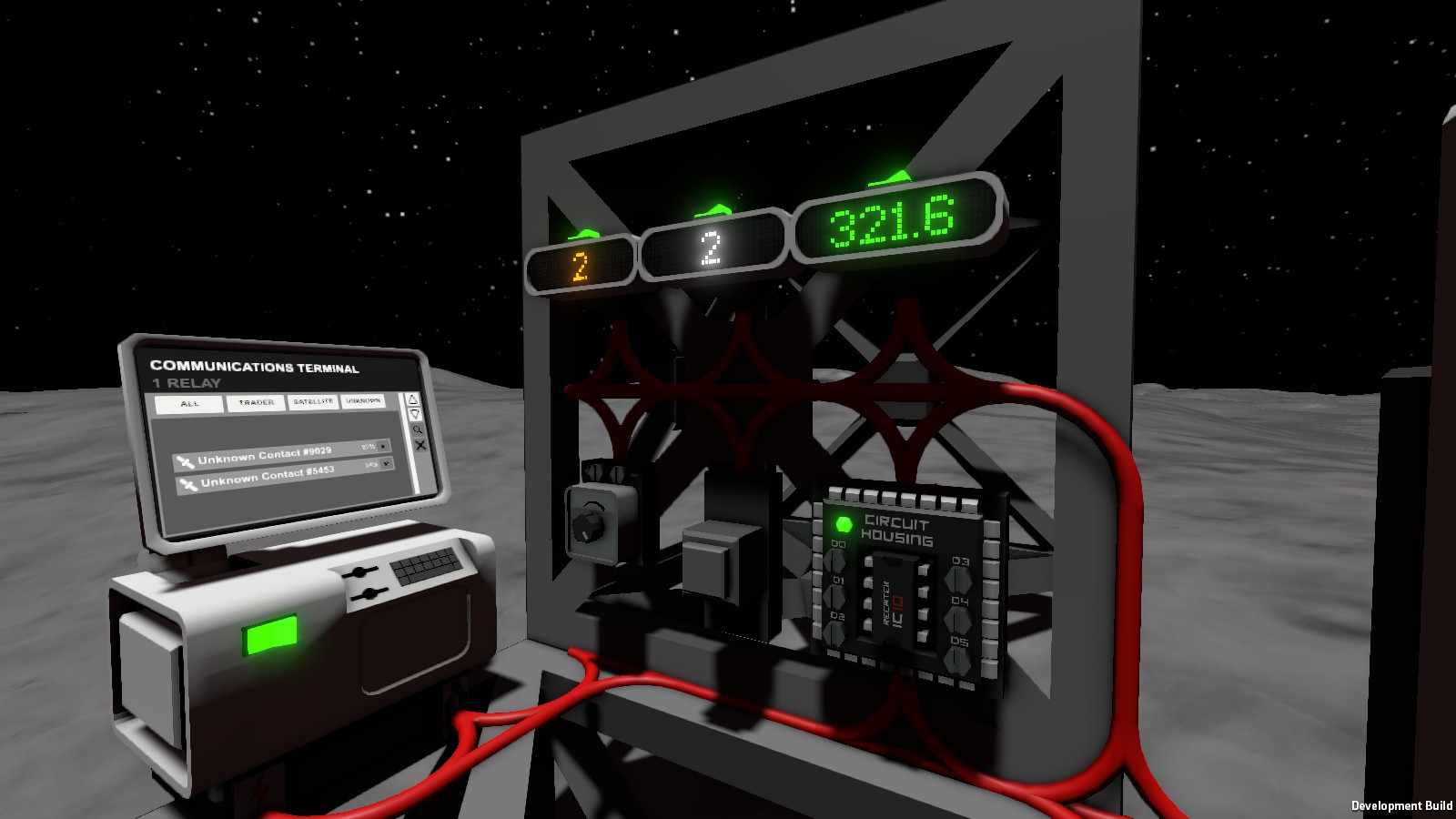
- Set d0 to your satellite dish.
- Set d1 to a 3-position dial. This is your mode control.
- Set d2 to a pushbutton. This is your recall button.
Optional setup:
- Set d3, d4 and d5 to LED displays.
- (You really want d3, the system won't crash but you won't know how many contacts you found.)
- Turn your dial to mode 2.
Mode control:
- Mode -1 is booting up. It is not part of normal operation, and should show only after exporting code to the IC.
- Mode 0 is standby. Satellite dish will shut off. It will reactivate upon switching to a different mode.
- Mode 1 is call mode. The satellite dish will point to traders previously located when you push your recall button.
- Mode 2 is scan mode. The system will search for traders and attempt to pin their locations.
Displays:
- LED 1 shows the current number of contacts.
- LED 2 shows the current mode.
- LED 3 shows position in scan/call mode, or timer in standby mode.
- The socket shows current function, for troubleshooting.
Bugs and other quirks:
- The IC can't distinguish between traders and infosats. I have no control over this. You'll just have to hope it finds more traders than sats.
- The IC won't find every contact. In fact, it won't find most of them. This is for two reasons:
- The satellite dish only reports the highest-strength contact, so contacts near the default vertical setting tend to eclipse others. You'll get between 3 to 6 per pass.
- The precision on signal strength is really pretty bad. As a result, the IC can't find contacts far away from default vertical setting without a lot of luck. A better algorithm could fix this, but in the meantime ask the devs for 3- or 4-digit precision on satellite signal strength.
- Frequently, in call mode you will not find a signal. This happens because contacts expire while the IC is scanning others, or napping. I can't see contact age or expiration date, so you'll have to put up with it.
- Sometimes the IC doesn't register the recall button press; in such cases the contact counter refuses to decrement. I don't know why. Therefore I refuse to do anything about it! Just press the button again, until it decides to cooperate.
The system will automatically enter standby after completing a 360-degree sweep. At least, I think that's what it does. I'm too lazy to run a proper check.Turns out it was in standby, just not updating the display because it was still in scan mode.5 minutes after entering standby, the system will enter scan mode. This happens regardless of what your mode is set to. Can't be bothered to fix it.I fixed it.
Tweaking & hacking
- You can adjust default vertical position via defVert definition. I have it at 60 for optimized coverage, but 45 should give theoretical full coverage.
- Bear in mind that the lower you set it, the less area it covers with precision. Its precision is pretty bad already so be cautious.
- I don't recommend setting it to below 45, as you might spot contacts with vertical less than 0 degrees. I don't know what would happen, but it's probably bad.
- You can set default increment via inc definition. It's set to 1 degree by default.
- Turning it down gives you greater theoretical precision, but slows down your scan. Since locational precision is capped pretty hard by signal strength precision, I wouldn't bother turning it any farther down.
- You can adjust standby cycle length via sleep definition. It's set to 300 because most contacts will have expired by then.
- If you turn it down, on average you'll have more contacts, but you're more likely to interrupt it during a scan.
- You can adjust the precision at which the system records contact data via threshold definition. It's set to 0.95 by default.
- I wouldn't recommend messing with this one. If you turn it higher, the IC is less likely to land within its window. If you turn it lower, the system is likely to record contact data below the 95% that you need to call a trader. However, if the system is already doing this, you lose little by turning it up.
- You can tweak start and end horizontal boundaries via horizStart and horizEnd definitions. By default these are 0 and 360, respectively.
- These enable multiple satellite dishes covering separate areas. I don't recommend messing with them otherwise.
If you find other bugs, tell me so. I likely won't do anything about them, but I'll feel guilty about it. You'll feel helpful and/or schadenferude.
SimpleScanner on Nxeon
From our catalogue- One-click install
- Not available. One-click install isn't available for this game's mods yet. Download it and upload it to your server in Files.
- Server load
- light
- Smallest plan we suggest
- Stationeers — 4 GB (4 GB RAM). This follows our own load rating above, not a benchmark.
Run SimpleScanner on a Stationeers server
Deploy a server above, then upload the file in Files.
What kind of mod it is
From the catalogTechnology & automation
Machines, power, logistics and automation.
Compatibility
- Game
- Stationeers
- File size
- 170 KB
Verified at the source
- ✓Steam WorkshopOfficial listing, checked 2026-09-24Open ↗
- ✓Authorrlb, as published on Steam Workshop
- ✓LicenseNot published by the sourceFree









