






About Smeltery
From Steam WorkshopSmart and cheap furnace for great station! Based on Betelgeuse's build https://steamcommunity.com/sharedfiles/filedetails/?id=2008412047 , I like his work but I want to melt ices too :) Benefits: -…
Smart and cheap furnace for great station! Based on Betelgeuse's build https://steamcommunity.com/sharedfiles/filedetails/?id=2008412047 , I like his work but I want to melt ices too :)
Benefits: - easy to build and set up - automated pressure and temperature control - melts basic alloys and ice in a safe way - automatically ejects alloy when ready - cheap, low fuel consumption - looks pretty good :)
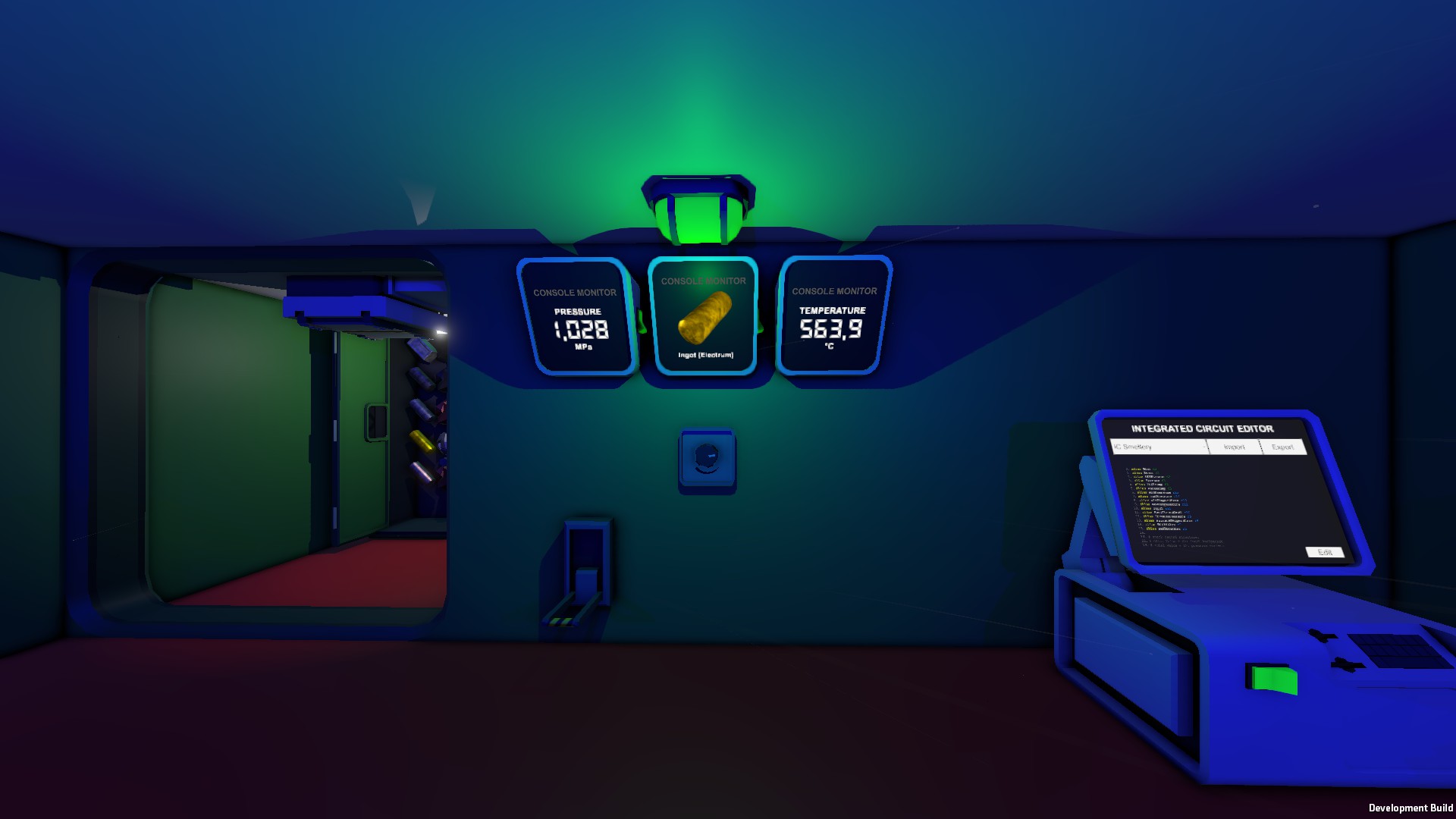
Setup See pictures for how to place everything. Yup, you should connect with pipes furnace output and input :) Important note: pumps should be placed no more than one pipe piece after furnace! Extra pipes here have chance to burst someday. Connect devices in one network - IC Housing, furnace, two pumps, at least one console with hash display motherboard, LED light, lever and dial. Add chutes and style as you like. Take labeler and name pumps, one for waste(directed out) and other for fuel(directed in). Next, choose devices on IC Housing screws(see picture): d0 - Dial d1 - Lever d2 - LED light d3 - Furnace d4 - Volume Pump(fuel, directed in) d5 - Volume Pump(waste, directed out) Insert data disk into console with hash display and select IC Housing - it provides picture for selected recipe. Not necessary, but if you have two more consoles with gas display motherboard - insert data disk into it, select furnace and choose mode to display(pressure or temperature).
Interaction After everything is up and powered(and provided with fuel!), rotate dial to select recipe and look at hash display - it should switch picture. There are 6 options: 0 - Constantan 1 - Electrum 2 - Invar 3 - Solder 4 - Steel 5 - Ices Then pull lever - LED should turn on, wait for green light(indicates that pressure and temperature in range) and throw ore into furnace. That's all! If you dropped correct ingredients, the furnace will return the correct alloy. When you done, pull up lever - furnace will stop.
Tips When in "Ices" mode - actually, you don't have to wait for the green light. For this mode it indicates that furnace completely empty, e.g. contains no gases in it. Just make sure that you don't throw stack of volatiles right after oxite :) If you weld a furnace in a frame or better build a small pressurized room around the furnace - it will significantly reduce fuel consumption, as it will keep high temperature for a long time.
P.S. The script code contains a bunch of comments, so it should be easy to figure out what's going in it. Thumbs up if you like this approach :)
Update: you can use the Constantan mode for Iron, Copper etc. But it works in the half automatic way - after throwing ores into the furnace you need to wait a bit(when the ores are melted, the pressure will stop changing rapidly) and pull up the lever.
Highlights
From source dataFootprint
A 217 KB download, rated a light load on a server.
Last update
Its author last shipped an update 6 yr ago.
Smeltery on Nxeon
From our catalogue- One-click install
- Not available. One-click install isn't available for this game's mods yet. Download it and upload it to your server in Files.
- Server load
- light
- Smallest plan we suggest
- Stationeers — 4 GB (4 GB RAM). This follows our own load rating above, not a benchmark.
- Latest build
- 2020-08-02, released 2020-08-02, 217 KB
Game versions by loader
| Loader | Game versions | Newest |
|---|---|---|
| Workshop |
From 1 recorded build of Smeltery.
Run Smeltery on a Stationeers server
Deploy a server above, then upload the file in Files.
What kind of mod it is
From the catalogBuilding & decoration
Blocks, furniture, decorations and building tools.
Compatibility
- Game
- Stationeers
- File size
- 217 KB
Verified at the source
- ✓Steam WorkshopOfficial listing, checked 2026-10-10Open ↗
- ✓AuthorTryCatch, as published on Steam Workshop
- ✓LicenseNot published by the sourceFree









