







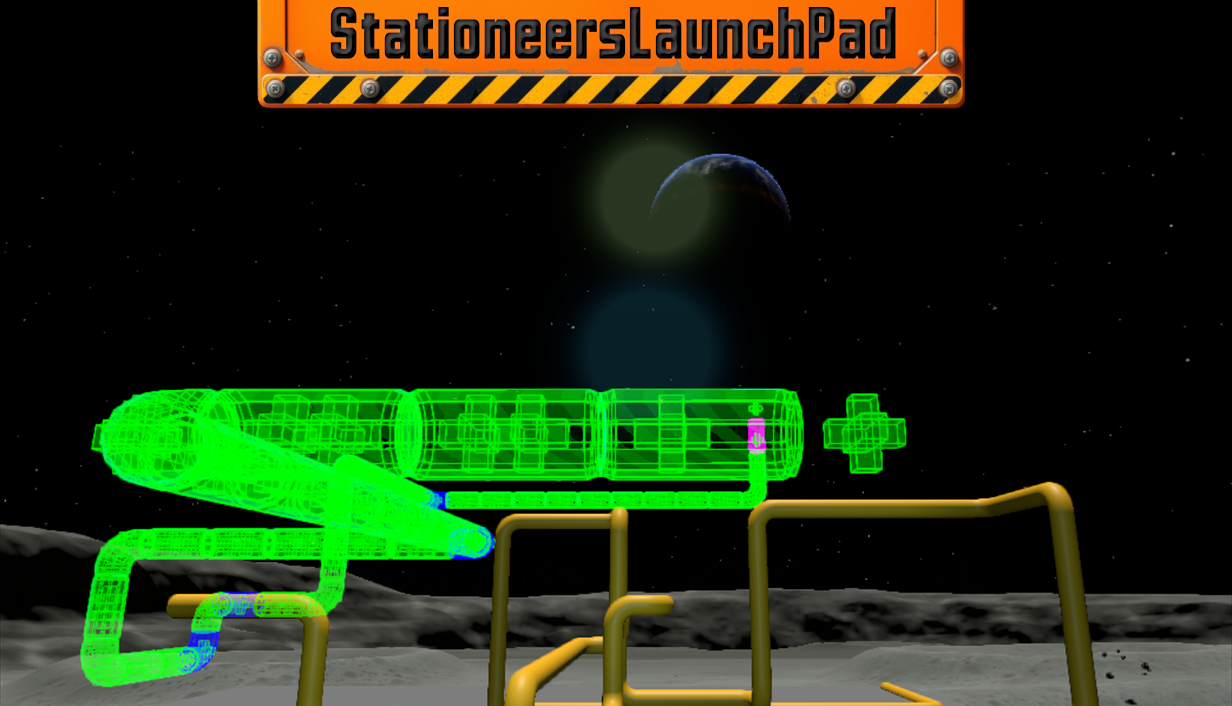
About ZoopMod [StationeersLaunchPad]
From Steam WorkshopZoopMod WARNING: This mod requires the StationeersLaunchPad Plugin and BepInEx to be installed. For installation, see the detailed guide at:…
ZoopMod
WARNING: This mod requires the StationeersLaunchPad Plugin and BepInEx to be installed. For installation, see the detailed guide at: https://github.com/StationeersLaunchPad/StationeersLaunchPad
If you have an older loader setup installed, please remove it and use StationeersLaunchPad instead.
Please ensure you are unsubscribed from older versions of this mod: https://steamcommunity.com/sharedfiles/filedetails/?id=3182410797
GitHub repository: https://github.com/Nivvdiy/ZoopModRecovered
Works when joining a multiplayer server as a client.
Cables, Pipes, Chutes Allows you to build long lines between two points in a single action. Waypoints can be added to control the path more precisely. Lines cannot exceed the amount of building materials in your inventory.
Frames, Walls Allows you to build large surfaces between two points. Zooping creates the largest possible surface; building full cubes is not supported in zoop mode. Frames cannot be placed if another frame, wall, or large structure is in the way (to prevent errors and incorrect item consumption). No waypoints are available for frames and walls.
Additions:
- Fix for completion time, ensuring consistency in subsequent building actions.
- Key bindings.
- Authoring tool support.
- Zooping for frames.
- Multiplayer client support.
- Zooping for walls.
- Compatibility with The Power Line Update.
- Compatibility with The Gases Update.
- Bulk deconstruction mode for cables, pipes, and chutes.
Usage: While in construction mode, hold Left Shift (default) and press the primary action, then move the mouse to zoop. Hold the primary action to complete.
Alternatively, press Z (default) once to start zooping without holding + clicking.
You can add a waypoint by pressing middle mouse button (default), and remove the last one with V (default).
Bulk Deconstruction: Press N (default) with wire cutters or wrench to activate bulk mode. Click any cable, pipe, or chute to deconstruct the entire connected network. Safety validation prevents deconstruction of powered or pressurized networks.
All keys can be customized in the Stationeers settings.
Special thanks to:
- Elmotrix for the original mod
- jixxed for the advanced version
- Katsuk for the updated version
- tsholmes for somes fixes
- James Kingsley for the Power Line Update compatibility fix
- The Stationeers community for their support and feedback
Respect note: This continuation is being developed collaboratively, with respect for the mod's previous maintainers.
"If I have seen further, it is by standing on the shoulders of giants." – Isaac Newton
TODO:
- [x]Work on client side
- [x]Work with authoring tool
- [x]Add waypoints functionality (Version 2024.16.08)
- [x]Add zooping for frames (Version 2024.30.10)
- [x]Add possibility to zoop windowed chute (Version 2024.27.10)
- [x]Add zooping for wall
- [x]Add option to prefer long pieces, eg for chutes and pipes
- [ ]Add zooping for LArRE rails
Actually working on No work in progress at the moment.
Known Issues:
Does not currently work in Authoring mode.(Fixed in version 2024.17.10.01)The mod is always in CreativeFreedom mode, even without the CreativeFreedom mod installed.
Works for:
- "The Power Line Update" (August 12, 2026) - Hotfix v0.2.6428.27798
- "The Sanitation Update" (July 2, 2026)
- "The Gases Update" (March 19, 2026)
- "Bug Fixing" update (December 12, 2024)
- "Emergency Kit: Gas Masks and Engine Upgrade" update (December 11, 2024)
- "Short Circuit: Liquid Device Interactions" update (October 28, 2024)
- "In World Water" update (October 11, 2024)
- "Bug Fixing" update (August 13, 2024)
- "Tutorials and Helper Hints" update (August 5, 2024)
Highlights
From source dataFootprint
A 1 MB download, rated a light load on a server.
Last update
Its author last shipped an update 50d ago.
ZoopMod [StationeersLaunchPad] on Nxeon
From our catalogue- One-click install
- Not available. One-click install isn't available for this game's mods yet. Download it and upload it to your server in Files.
- Server load
- light
- Smallest plan we suggest
- Stationeers — 4 GB (4 GB RAM). This follows our own load rating above, not a benchmark.
- Latest build
- 2026-08-26, released 2026-08-26, 1 MB
Game versions by loader
| Loader | Game versions | Newest |
|---|---|---|
| Workshop |
From 1 recorded build of ZoopMod [StationeersLaunchPad].
Run ZoopMod [StationeersLaunchPad] on a Stationeers server
Deploy a server above, then upload the file in Files.
What kind of mod it is
From the catalogLibraries & compatibility
Foundations and fixes other mods build on. Usually installed because something else needs it.
Compatibility
- Game
- Stationeers
- File size
- 1 MB
Verified at the source
- ✓Steam WorkshopOfficial listing, checked 2026-10-16Open ↗
- ✓AuthorNivvdiy, as published on Steam Workshop
- ✓LicenseNot published by the sourceFree









