About 物品整理工具|Inventory Sorter v1.1|繁體中文・简体中文・English
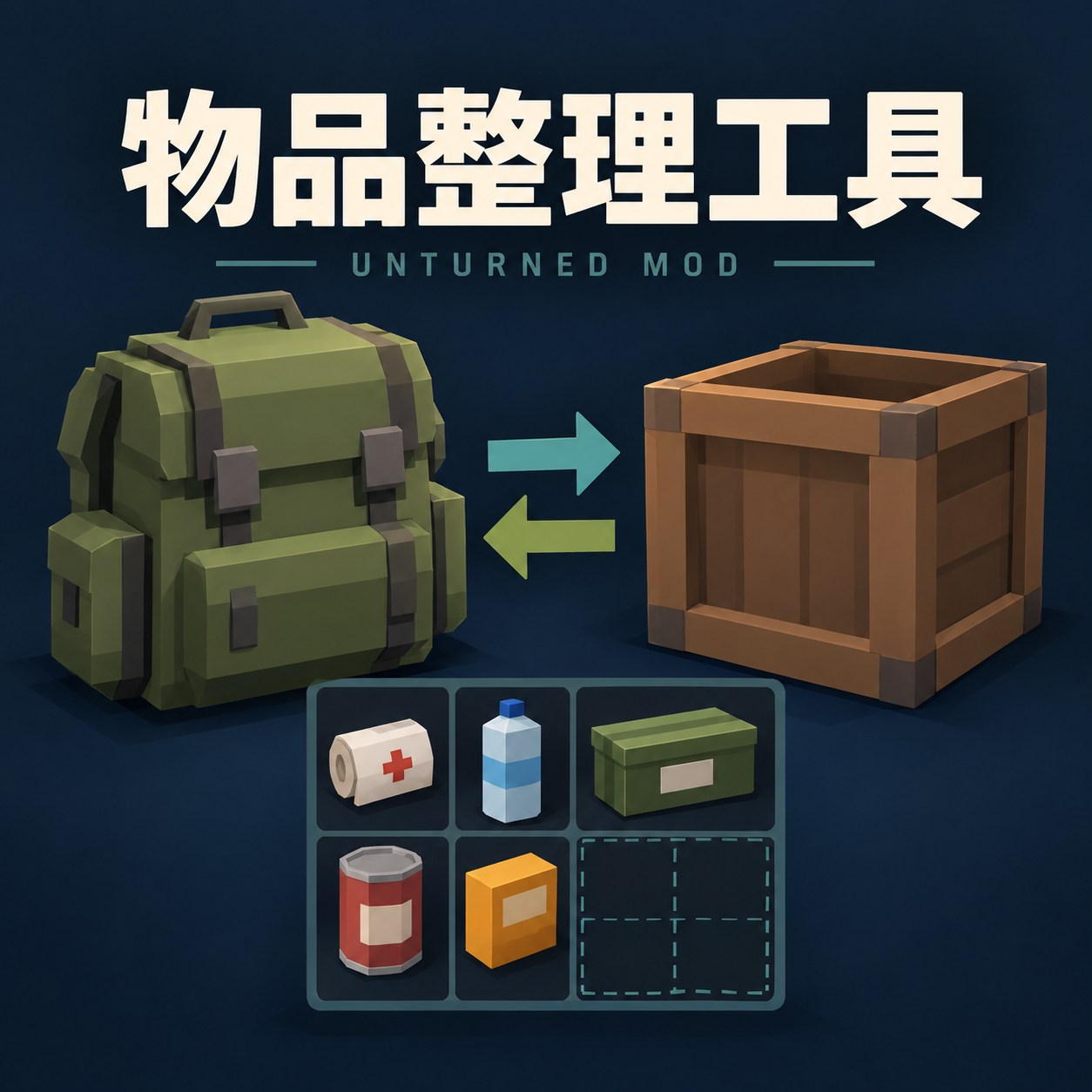
From Steam Workshop物品整理工具|Inventory Sorter v1.1 整理 Unturned 身上與箱子的物品,支援指定區域整理、快速存取及自動騰位。排列兼顧大物品靠前、同類集中與方向一致;空間受限時會嘗試更緊密的配置。 支援繁體中文、簡體中文與英文,可透過替換語言檔切換,不依賴遊戲漢化。 本 mod 使用 OpenAI GPT AI 協助開發與撰寫說明。 安裝與更新…
物品整理工具|Inventory Sorter
v1.1
整理 Unturned 身上與箱子的物品,支援指定區域整理、快速存取及自動騰位。排列兼顧大物品靠前、同類集中與方向一致;空間受限時會嘗試更緊密的配置。
支援繁體中文、簡體中文與英文,可透過替換語言檔切換,不依賴遊戲漢化。
本 mod 使用 OpenAI GPT AI 協助開發與撰寫說明。
安裝與更新
訂閱只會下載檔案,不會自動安裝。下載新版後仍須重新安裝/更新。
下載模組管理器 / Download Mod Manager
1. 在 GitHub 的 Assets 下載管理器 ZIP,完整解壓縮並執行「Unturned模組管理器.exe」。不要下載 Source code。
2. 關閉遊戲或伺服器,在管理器確認安裝目標,重新掃描工作坊內容或匯入模組 ZIP,再選取版本並安裝。匯入不等於安裝。
手動安裝:將安裝包 payload 內的 Modules 資料夾複製到遊戲或專用伺服器根目錄,取代同名檔案。
玩家端請以「不使用 BattlEye」啟動。多人環境請玩家端與伺服器安裝同一版本並重新啟動。使用原生 Modules,不需要 RocketMod 或 OpenMod。
使用說明
開啟背包,操作面板位於人物上方。
• S:整理勾選的身上區域。
• B:整理目前開啟的箱子。
• → / ←:放入箱子已有的同類物品,或取出勾選身上區域已有的同類物品。
• 移動全部物品:箭頭搬動所有能放得下的物品,不限同類。
• 騰位拾取:空格足夠但不連續時,嘗試騰出拾取或存放所需空間,預設開啟。
• 移動相同物品:使用遊戲原本的快速存取操作時,一併嘗試搬動來源中的同類物品。
S、B 是介面按鈕名稱,並非新增快捷鍵。放不下的物品會留在來源。複雜配置不保證找到最優排法;整理期間請暫停手動搬動物品。
切換語言
1. 關閉遊戲,找到下載內容中的 Languages 資料夾;若使用 ZIP,先完整解壓縮。
2. 英文選用 Languages/English/Language.txt;繁中選用 Languages/繁體中文/Language.txt;簡中選用 Languages/简体中文/Language.txt。
3. 將選用的 Language.txt 複製到遊戲根目錄下的:
Modules/InventorySpaceSort[/code]
覆蓋同名檔案後重新啟動遊戲。

預設為繁體中文。管理器只安裝模組本體,語言檔需自行複製。多人提示需要兩端都支援本版語言功能;每位玩家可各自選擇語言。

[hr][/hr]

[h2]English[/h2]

Inventory Sorter organizes your Unturned inventory and storage containers. It supports selected inventory areas, quick transfers, and automatic space-making for pickups and transfers.

Layouts aim to keep larger items near the top, matching items together, and orientations consistent. Tighter arrangements are considered when space is limited. Traditional Chinese, Simplified Chinese, and English use the same mod binaries.

[b]Developed and documented with assistance from OpenAI GPT AI.[/b]

[h2]Installation and updates[/h2]

[b]Subscribing only downloads the files. Installation is still required after downloading an update.[/b]

Close the game/server. Use the Mod Manager linked above to scan Workshop content or import the mod ZIP, select the version, and install it. Importing alone does not install the mod. Download the manager ZIP from Assets, not Source code; its executable is named Unturned模組管理器.exe.

Manual installation: copy the Modules folder inside payload to your game or dedicated server root folder, replacing matching files.

Launch the client without BattlEye. For multiplayer, install the same mod version on both client and server, then restart them. Uses native Modules; RocketMod and OpenMod are not required.

[h2]Controls[/h2]

Open your inventory. The panel appears above the character preview.

• [b]S[/b]: Sort selected inventory areas.

• [b]B[/b]: Sort the open storage container.

• [b]→[/b]: Deposit items matching those already in the container.

• [b]←[/b]: Withdraw items matching those in your selected inventory areas.

• [b]Move all[/b]: Let the arrows transfer all items that fit, regardless of type.

• [b]Auto space[/b]: Rearrange fragmented free cells to make room for pickups or transfers. Enabled by default.

• [b]Move same[/b]: Extend the game's quick-transfer action to matching items at the source.

S and B are button labels, not added keyboard shortcuts. Items that do not fit stay at the source. An optimal layout is not guaranteed. Avoid manually moving items while sorting.

[h2]Switch to English[/h2]

1. Close the game. Find Languages in the downloaded files; extract the ZIP first if needed.

2. Copy Languages/English/Language.txt into the following folder under your game directory:
[code]Modules/InventorySpaceSort
3. Replace the existing Language.txt, if present, and restart the game.
To restore Traditional Chinese, copy Languages/繁體中文/Language.txt to the same location. For Simplified Chinese, use Languages/简体中文/Language.txt. Traditional Chinese is the default. The manager installs the binaries; copy the language file manually. Both client and server need this language feature for per-player translated server hints.
問題回報 / Bug reports
請提供遊戲與模組版本、單人或伺服器環境、操作步驟、截圖及包含 InventorySpaceSort 的相關紀錄。
Please include game/mod versions, single-player or server context, reproduction steps, screenshots, and relevant log entries containing InventorySpaceSort.
Highlights
From source dataFootprint
Rated a light load on a server.
Last update
Its author last shipped an update 4d ago.
物品整理工具|Inventory Sorter v1.1|繁體中文・简体中文・English on Nxeon
From our catalogue- One-click install
- Supported on Nxeon Unturned servers. We download it from Steam Workshop, place it, and restart the server.
- Server load
- light
- Smallest plan we suggest
- Unturned — 2 GB (2 GB RAM). This follows our own load rating above, not a benchmark.
- Latest build
- 2026-10-31, released 2026-10-31
Game versions by loader
| Loader | Game versions | Newest |
|---|---|---|
| Workshop |
From 5 recorded builds of 物品整理工具|Inventory Sorter v1.1|繁體中文・简体中文・English.
Recent builds
| Build | Released | Game versions | Loaders |
|---|---|---|---|
| 2026-10-31 | 2026-10-31 | n/a | Workshop |
| 2026-10-31 | 2026-10-31 | n/a | Workshop |
| 2026-10-29 | 2026-10-29 | n/a | Workshop |
| 2026-10-08 | 2026-10-08 | n/a | Workshop |
| 2026-10-07 | 2026-10-07 | n/a | Workshop |
Run 物品整理工具|Inventory Sorter v1.1|繁體中文・简体中文・English on a Unturned server
Pick a server or deploy a new one above; it is installed in one click.
What kind of mod it is
From the catalogQuality of life & UI
Small conveniences, tweaks and interface improvements players notice straight away.
Compatibility
- Game
- Unturned
Verified at the source
- ✓Steam WorkshopOfficial listing, checked 2026-11-03Open ↗
- ✓Author芋頭先生, as published on Steam Workshop
- ✓LicenseNot published by the sourceFree