







About ComfortViewReforged
From ThunderstoreVisualize comfort ranges with colored rings and spheres. Pin furniture and compare coverage. An independent ComfortView update.

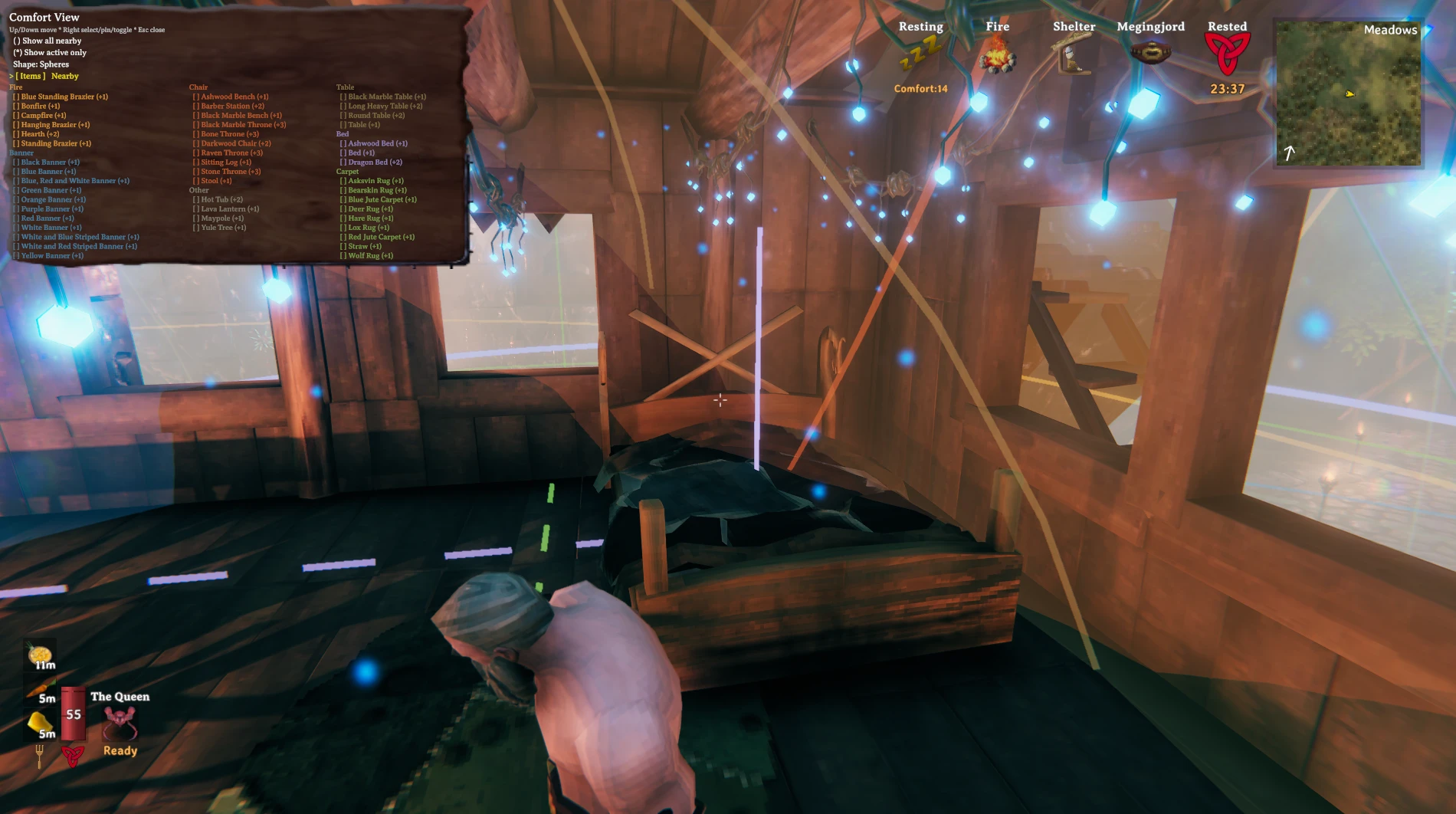
See the space your comfort items cover in Valheim. Display colored range rings or translucent 3D spheres, then pin individual pieces to inspect their overlap.
Features
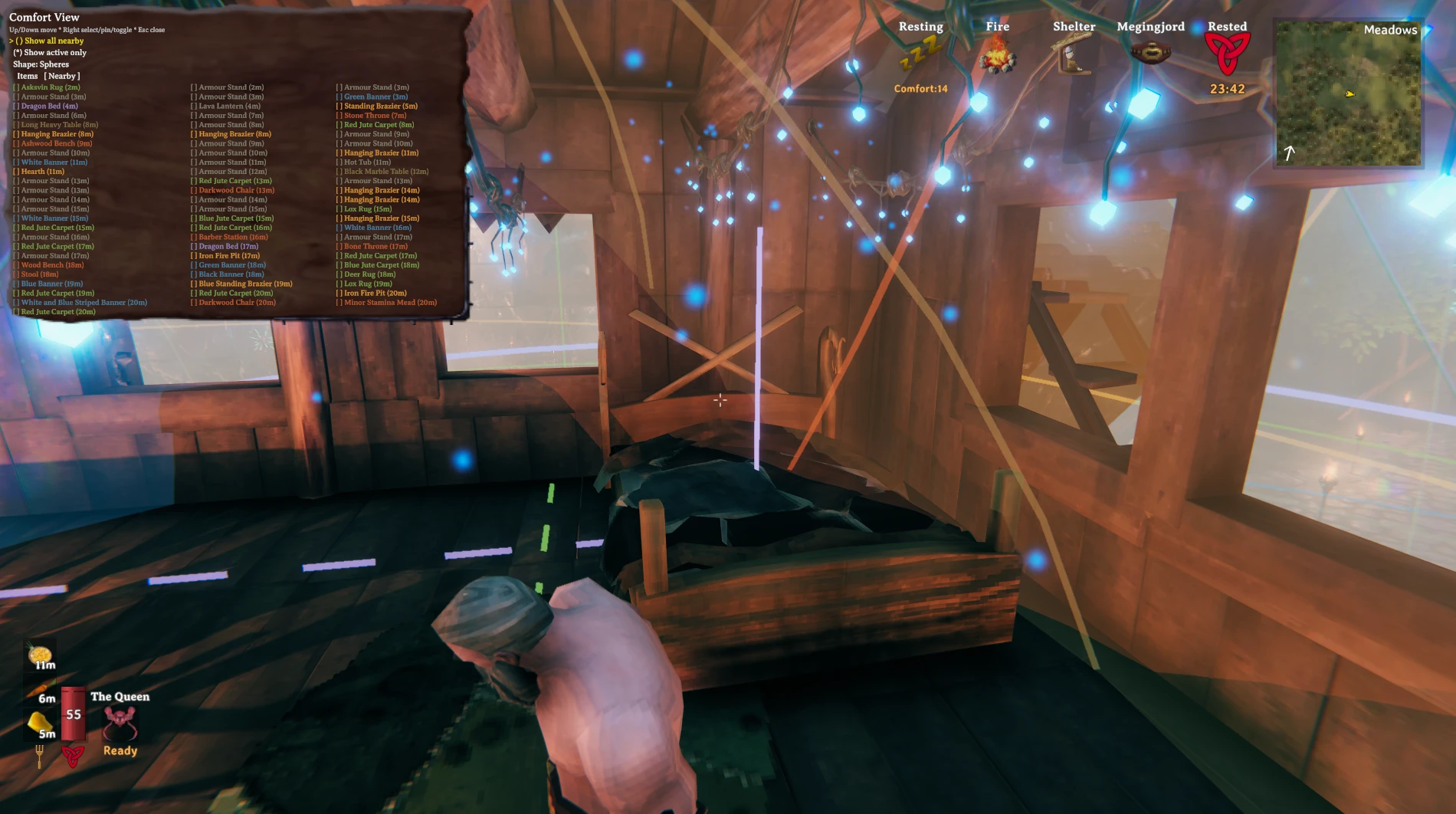
- Visualize the 10 m comfort radius around nearby furniture.
- Switch between ground-level circles and 3D spheres.
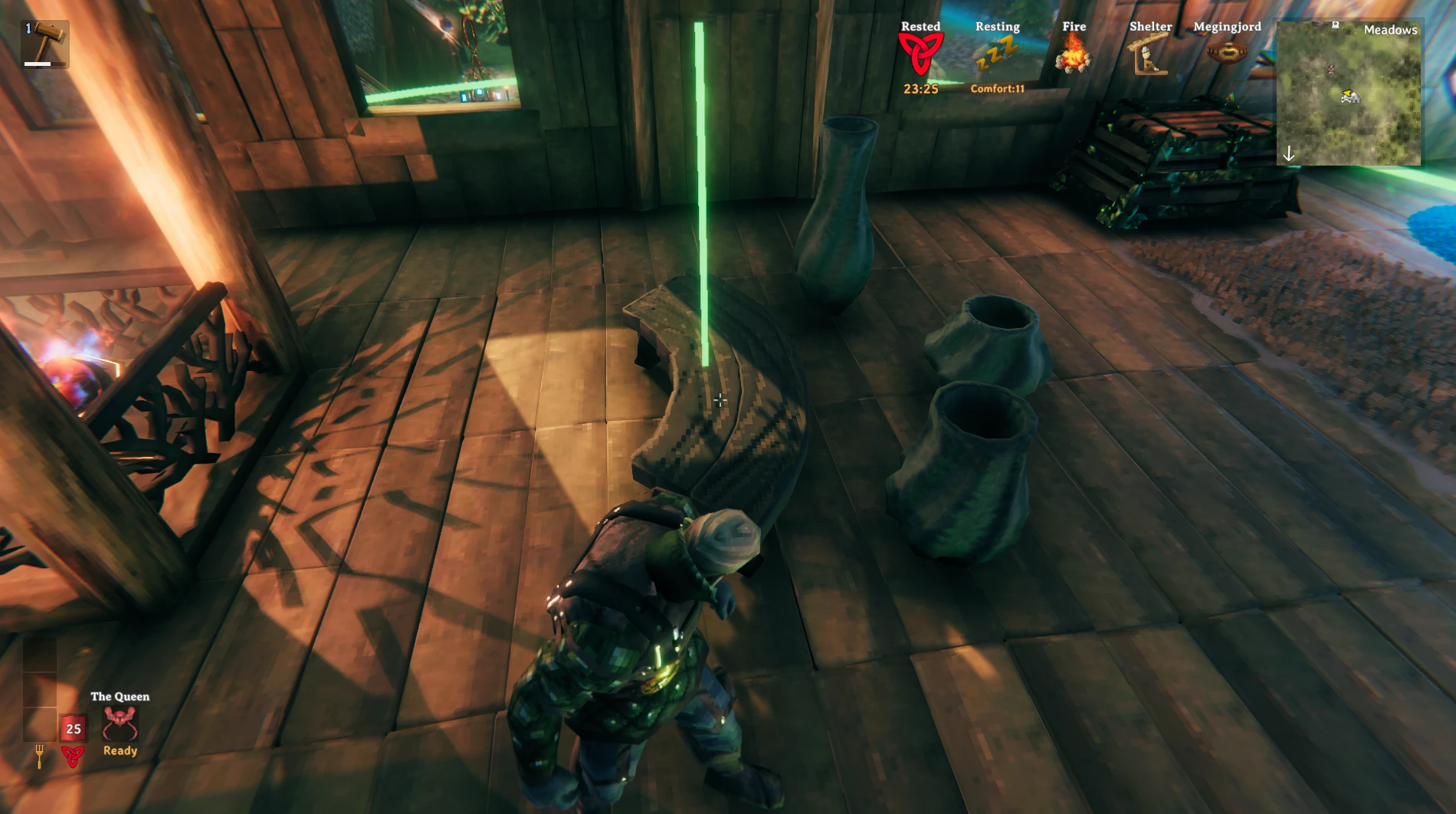
- Highlight an item's range by looking at it.
- Show all nearby items, use the active-only filter, or choose specific types and pieces.
- Discover comfort items from the running game's data, including newly eligible
and modded pieces, without maintaining a fixed item list.
Screenshots
From the original ComfortView by greymishka.
Item picker and comfort ranges
Nearby furniture and distances
Highlighting an item's range
Installation
Requires Valheim and BepInEx 5.
- Download a ZIP from Releases or Actions, or build it below.
- Close Valheim.
- Place
ComfortView.dllin your mod profile's
BepInEx/plugins/ComfortViewReforged/ directory.
- Launch the game with that profile.
Remove any original ComfortView DLL from the profile before installing. Reforged retains its plugin ID and config file, so the two versions cannot run together.
Tested in-game with Valheim. Range displays assume the default 10 m comfort radius.
Controls
| Key | Action | | --- | --- | | F6 | Show or hide ranges | | F7 | Open or close the selection menu | | F8 | Pin or unpin the item you're looking at | | Up / Down | Move through menu rows | | Right | Select an item or change the highlighted option | | Left / Right | Switch Items / Nearby tabs when the tab row is selected | | Escape | Close the menu |
To see spheres: press F7, highlight Shape, and press Right to select Spheres. Press F8 while looking at furniture to isolate its range. You can pin multiple items to compare their coverage.
F6, F7, and F8 bindings can be changed in BepInEx/config/mishka.valheim.comfortview.cfg.
Build
Requires .NET SDK 8, the Valheim client, and BepInEx 5.
dotnet build src/ComfortView/ComfortView.csproj -c Release \
  -p:GameDir="/path/to/Valheim" \
  -p:BepInExDir="/path/to/profile/BepInEx"
GameDir defaults to a standard Steam installation. Set BepInExDir for your mod profile. Output: src/ComfortView/bin/Release/net472/ComfortView.dll.
Development and releases · Repository layout · Changelog
Based on ComfortView by greymishka.
Highlights
From source dataLoaders
Runs on BepInEx.
Footprint
Rated a light load on a server.
Last update
Its author last shipped an update 52d ago.
ComfortViewReforged on Nxeon
From our catalogue- One-click install
- Supported on Nxeon Valheim servers, for BepInEx servers. We download it from Thunderstore, place it, and restart the server.
- Server type needed
- BepInEx
- Server load
- light
- Smallest plan we suggest
- Valheim — 4 GB (4 GB RAM). This follows our own load rating above, not a benchmark.
- Latest build
- 1.0.1, released 2026-09-12
Game versions by loader
| Loader | Game versions | Newest |
|---|---|---|
| BepInEx |
From 2 recorded builds of ComfortViewReforged.
Recent builds
| Build | Released | Game versions | Loaders |
|---|---|---|---|
| 1.0.1 | 2026-09-12 | n/a | BepInEx |
| 1.0.0 | 2026-09-12 | n/a | BepInEx |
Dependencies
- Required: BepInExPack Valheim
Declared by the newest build that lists any. Required ones are installed with it on one-click installs.
Run ComfortViewReforged on a Valheim server
Pick a server or deploy a new one above; it is installed in one click.
What kind of mod it is
From the catalogBuilding & decoration
Blocks, furniture, decorations and building tools.
Compatibility
- Game
- Valheim
- Loaders
- BepInEx
- Requires
- One-click install needs a BepInEx server.
Verified at the source
- ✓ThunderstoreOfficial listing, checked 2026-10-01Open ↗
- ✓AuthorAugusDogus, as published on Thunderstore
- ✓LicenseNot published by the sourceFree















