






About HandyClock
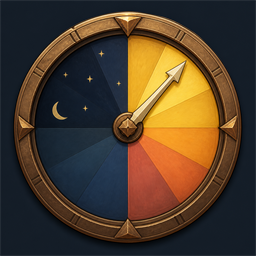
From ThunderstoreA modern draggable radial day/night clock for Valheim, inspired by survival-game clocks and displayed without a day counter.
Handy Clock
A small client-side Valheim day/night dial clock. It deliberately shows no day counter and no digital time: the colored face communicates the day phase and the hand shows the exact in-game time.
Features
- Modern procedural day/night dial; no external image files or asset bundles
- Default placement at the bottom-left, to the right of Valheim's health/food/guardian-power area
- Drag the clock while the inventory is open; the position is saved immediately
- No input interception during normal gameplay
- Configurable size, opacity, position, and visibility through BepInEx config
- Client-only: it does not need to be installed on a server
Install
Mod manager
Install the package with r2modman or Thunderstore Mod Manager. BepInExPack will be installed automatically.
Manual
- Install BepInExPack for Valheim.
- Copy
HandyClock.dlltoBepInEx/plugins/HandyClock/. - Launch Valheim.
The generated configuration is BepInEx/config/monok.handyclock.cfg.
Controls
Open your inventory, then click and drag the clock to reposition it. The new position is saved immediately. The clock never captures mouse input during normal gameplay.
Build
The project targets .NET Framework 4.7.2 and references the locally installed Valheim and BepInEx assemblies.
dotnet build -c ReleaseFor another installation, override the MSBuild properties:
dotnet build -c Release `
  -p:ValheimDir="D:\SteamLibrary\steamapps\common\Valheim" `
-p:BepInExDir="D:\Thunderstore\Valheim\profiles\Default\BepInEx"Highlights
From source dataLoaders
Runs on BepInEx.
Footprint
Rated a light load on a server.
Last update
Its author last shipped an update 3 mo ago.
HandyClock on Nxeon
From our catalogue- One-click install
- Supported on Nxeon Valheim servers, for BepInEx servers. We download it from Thunderstore, place it, and restart the server.
- Server type needed
- BepInEx
- Server load
- light
- Smallest plan we suggest
- Valheim — 4 GB (4 GB RAM). This follows our own load rating above, not a benchmark.
- Latest build
- 1.0.2, released 2026-08-07
Game versions by loader
| Loader | Game versions | Newest |
|---|---|---|
| BepInEx |
From 1 recorded build of HandyClock.
Dependencies
- Required: BepInExPack Valheim
Declared by the newest build that lists any. Required ones are installed with it on one-click installs.
Run HandyClock on a Valheim server
Pick a server or deploy a new one above; it is installed in one click.
What kind of mod it is
From the catalogGameplay & overhauls
New mechanics, content and overhauls that change how the game plays.
Compatibility
- Game
- Valheim
- Loaders
- BepInEx
- Requires
- One-click install needs a BepInEx server.
Verified at the source
- ✓ThunderstoreOfficial listing, checked 2026-10-02Open ↗
- ✓AuthorCreaton, as published on Thunderstore
- ✓LicenseNot published by the sourceFree















