






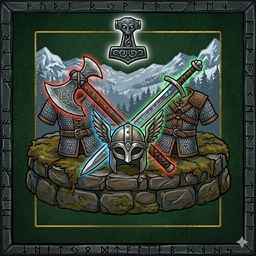
About Armory
From ThunderstoreCraft an Armory Rack to save, store and instantly recall named gear sets - armor, weapons, cape, utility and hotbar - without rummaging through chests every time you switch tasks.
Armory
Craft an Armory Rack to save, store, and instantly recall named equipment sets — armor, weapons, shield, cape, utility, and the eight hotbar slots — without rummaging through chests every time you switch between farming, mining, exploring, and fighting.
The rack is also a real storage container. Drop your alternate gear in, walk up, press [Use], and pick the loadout you want. Whatever you're currently wearing is swapped back into the exact slot the new gear came from.
Features
- Named loadout slots — save your current equipment as
"Farming","Mining","Boss", etc. Rename by clicking the slot name. Up to 10 slots per rack. - Combined armor + hotbar — captures helm, chest, legs, cape, belt, trinket, and quickbar items 1–8.
- Loadouts are the cells you choose — each worn slot, hotbar key and quick slot can be in a loadout or out of it, and Load touches only what's in. A new loadout starts as armor and cape. Press + on a row to see every saved cell and add or remove some; the group labels add or remove a whole group. An armor set, a weapon kit and a food set load one after another to build an outfit.
- Storage + loadouts in one — the rack is also a Container (6×4 grid). Load pulls items from the rack and your inventory; saved gear in the rack counts as "available".
- In-place swap — when Load equips a new item, whatever was in that slot gets stored back at the exact grid position the new item came from. Nothing ends up on the action bar unless that's where it was sitting.
- Live status — a green ● on the Load button means you're already wearing this loadout. Missing items show red in the summary text and red in the icon strip.
- Compare window — side-by-side view of your current gear vs. the saved set, with color-coded availability.
- Named racks — point at a rack and press Shift+[Use] to name it. The name shows on the hover text and heads both panels, so a wall of racks is readable at a glance.
- Personal or shared — a button in the panel decides whether anyone may open the rack or only the player who built it. Build your own rack, set it to Personal, and your loadouts and the gear behind them are yours.
- Optional in-game pause — config flag pauses the game while the panel is open, the way the ESC menu does. Works by itself solo or hosting alone; on a dedicated server it takes Pause My Server.
How to Use
- Build an Armory Rack from the Hammer menu's Furniture tab. Requires a Workbench in range. See Recipe.
- Press [Use] on the rack to open the panel — your inventory and the rack's storage appear alongside it. Each loadout row has an Equip button and a menu button (three bars) with Save, Show all cells, Compare and Delete; the steps below say "click Save" and so on, meaning that menu, or the row buttons if you turn those on in the config.
- Click Save (↓) on a slot to capture what you're currently wearing and the items in hotbar slots 1–8.
- Click Load (↑) on a saved slot to equip that loadout. Items come from the rack first, then your inventory. Whatever you were wearing gets stored in the slot the loaded item came from.
- A row shows only the cells its loadout loads; a new one starts as helmet, chest, legs and cape. Press + to see every cell that was saved, click a cell to add it or take it out, and press - to hide the rest again. The label above a group (Armor, Weapons, Food, ...) adds or removes the whole group. Save always records everything, so a cell added later shows what you had there at the last save.
- Click the slot name to rename it. Click the red x to delete the slot (empty slots and duplicates delete without confirmation; non-empty unique slots prompt first).
- Click Shared / Personal in the top-left to choose who may open the rack. Only the player who built it can change this.
- To name a rack, point at it and press Shift+[Use] — the same modifier Valheim uses for renaming a portal. An empty name returns it to "Armory".
Personal racks
A rack set to Personal can only be opened by the player who built it — loadouts, storage and all. That is how each player keeps their own sets: build a rack, make it personal, and the gear those loadouts need lives inside it. A Shared rack is open to everyone, which is what you want for a communal armory.
Valheim enforces this itself, with the same rule it applies to a personal chest, and the same consequence: nobody can hammer down a personal rack while it still holds items. To remove one, empty it first or set it back to Shared.
Recipe
| Material | Quantity | |---|---| | Fine Wood | 8 | | Round Log | 4 | | Bronze Nails | 4 | | Bronze | 2 | | Deer Hide | 2 |
Buildable at the Workbench. Black Forest tier.
Configuration
The config file is created at BepInEx/config/GBahns.Armory.cfg on first run.
\[General\]
Pause Game While Armory Open(default: false) — pauses the game while the rack panel is open, the way the ESC menu does. It asks the game for the pause rather than stopping your own clock, so it works by itself when you are playing solo or hosting alone, and on a dedicated server it takes Pause My Server to grant it. Without that mod the request is refused on a server, which is the point — your clock stopping while the server runs on would only desync you. While the pause is in effect, a craft started from the inventory screen cannot finish until you close the rack; the craft timer counts game time.
Highlights
From source dataLoaders
Runs on BepInEx.
Footprint
Rated a light load on a server.
Last update
Its author last shipped an update 44d ago.
Armory on Nxeon
From our catalogue- One-click install
- Supported on Nxeon Valheim servers, for BepInEx servers. We download it from Thunderstore, place it, and restart the server.
- Server type needed
- BepInEx
- Server load
- light
- Smallest plan we suggest
- Valheim — 4 GB (4 GB RAM). This follows our own load rating above, not a benchmark.
- Latest build
- 2.0.0, released 2026-09-21
Game versions by loader
| Loader | Game versions | Newest |
|---|---|---|
| BepInEx |
From 4 recorded builds of Armory.
Recent builds
| Build | Released | Game versions | Loaders |
|---|---|---|---|
| 2.0.0 | 2026-09-21 | n/a | BepInEx |
| 1.3.0 | 2026-09-16 | n/a | BepInEx |
| 1.2.0 | 2026-09-15 | n/a | BepInEx |
| 1.0.0 | 2026-09-10 | n/a | BepInEx |
Dependencies
- Required: BepInExPack Valheim
- Required: Jotunn
Declared by the newest build that lists any. Required ones are installed with it on one-click installs.
Run Armory on a Valheim server
Pick a server or deploy a new one above; it is installed in one click.
What kind of mod it is
From the catalogBuilding & decoration
Blocks, furniture, decorations and building tools.
Compatibility
- Game
- Valheim
- Loaders
- BepInEx
- Requires
- One-click install needs a BepInEx server.
Verified at the source
- ✓ThunderstoreOfficial listing, checked 2026-10-01Open ↗
- ✓AuthorDeathMonger, as published on Thunderstore
- ✓LicenseNot published by the sourceFree











