






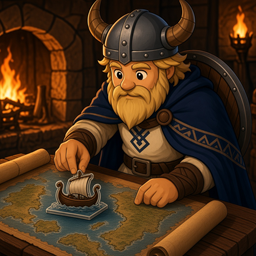
About BoatTracking
From ThunderstoreName your boats! See all boats positions on the map. Single player or multiplayer.
BoatTracking
Name your boats by holding E.
All boats are visible on the map from anywhere - even across the ocean, even when nobody is near them. Unnamed boats will use their type name.
Use in single player, or multiplayer. For dedicated servers see install instructions below.
Install (multiplayer / dedicated)
- Open r2modman / Thunderstore Mod Manager → Valheim.
- Install BepInExPack_Valheim if you do not already have it.
- Online → search
DevDonkey-BoatTracking→ Install on your client profile. - Install the same package on your dedicated server profile (or copy
BoatTracking.dllinto the serverBepInEx/plugins/folder). - Restart the server, then launch the game through the mod manager.
If client and server builds get out of sync, you will see an in-game warning asking you (or the host) to update.
Install (singleplayer)
Same package via r2modman is enough - the local host acts as the server.
Manual: put BoatTracking.dll in BepInEx/plugins/ (needs BepInExPack_Valheim).
How to use
- Look at a ship and hold E to open rename (tap E still boards / steers as normal).
- Names show on the minimap and full world map.
- Unnamed ships still appear as Raft, Karve, Longship, or Drakkar (config can hide unnamed ones).
Ships tracked
Raft, Karve, Longship, and Drakkar (Ashlands).
Notes
- Does not track carts.
- Source: github.com/MattHB1/valheim-boat-tracking
- Other mods: DevDonkey on Thunderstore
- Changelog: CHANGELOG.md
Highlights
From source dataLoaders
Runs on BepInEx.
Footprint
Rated a light load on a server.
Last update
Its author last shipped an update 44d ago.
BoatTracking on Nxeon
From our catalogue- One-click install
- Supported on Nxeon Valheim servers, for BepInEx servers. We download it from Thunderstore, place it, and restart the server.
- Server side
- Optional on the server
- Server type needed
- BepInEx
- Server load
- light
- Smallest plan we suggest
- Valheim — 4 GB (4 GB RAM). This follows our own load rating above, not a benchmark.
- Latest build
- 1.0.1, released 2026-09-20
Game versions by loader
| Loader | Game versions | Newest |
|---|---|---|
| BepInEx |
From 2 recorded builds of BoatTracking.
Recent builds
| Build | Released | Game versions | Loaders |
|---|---|---|---|
| 1.0.1 | 2026-09-20 | n/a | BepInEx |
| 1.0.0 | 2026-09-16 | n/a | BepInEx |
Dependencies
- Required: BepInExPack Valheim
Declared by the newest build that lists any. Required ones are installed with it on one-click installs.
Run BoatTracking on a Valheim server
Pick a server or deploy a new one above; it is installed in one click.
What kind of mod it is
From the catalogVehicles & ships
Cars, boats, aircraft, ships and other things to drive or fly.
Works on a server
From source side supportThunderstore lists server-side support for BoatTracking as optional: it can run on a server, but isn’t required there.
Compatibility
- Game
- Valheim
- Loaders
- BepInEx
- Runs on
- Serveroptional on the server
- Requires
- One-click install needs a BepInEx server.
Verified at the source
- ✓ThunderstoreOfficial listing, checked 2026-10-01Open ↗
- ✓AuthorDevDonkey, as published on Thunderstore
- ✓LicenseNot published by the sourceFree















