






About Ominous
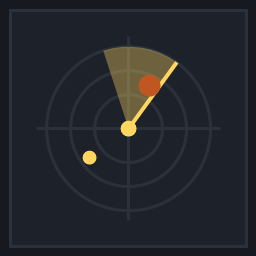
From ThunderstoreLive threat radar for Valheim. Tracks the nearest predator, plays biome-tiered dread music that crosses into view, and ships four synthesized soundtracks with an Ominous Sounder item.
Ominous
Something is following you, and you get to hear it coming. Ominous adds a proximity-driven dread score and a warning beacon that escalate as predators close in, driven by a craftable utility item you carry.
A Valheim BepInEx 5 plugin built on Jotunn.
Features
- The Ominous Sounder, a craftable utility item. A runic wisp orb floats over your shoulder.
- Threat escalation — a quiet suspense bed that swells as the nearest predator closes, then decays away over a few seconds once it is gone. Pitch rises with proximity, up to +15%.
- Beacon light on the item, shifting cyan → amber → crimson, with a pulse rate that accelerates from 1.5 Hz to 7.0 Hz as threat climbs.
- Perimeter sonar ping when a predator first crosses your detection radius, so something closing in from off-screen still announces itself.
- Vanilla music ducking — the dread track sits under exploration music rather than over it, and crossfades smoothly so nothing pops.
- A live web editor at
http://127.0.0.1:8788/while the game runs. - Six Biome Attunement tiers, so you choose how far the sounder reaches — and how much of the map it listens to.
- Four synthesized starter tracks included.
Requirements
- BepInExPack Valheim
- Jotunn (2.30.x)
- Valheim 1.0.16+
Installation
- Install through your mod manager (recommended).
- Manual: place
Ominous.dllintoBepInEx\plugins\Ominous\, along withtracks\.ominous_config.jsonis written automatically on first launch.
How to Use
- Craft an Ominous Sounder at a workbench: 10 Wood, 2 Copper, 5 Resin, 2 Leather Scraps.
- Equip it in your utility slot.
- Walk. The orb hovers over your shoulder and reacts to whatever is closest.
- Open
http://127.0.0.1:8788/to assign tracks, tune distances and volumes, and set trigger radii.
Biome Attunement
Item quality doubles as your attunement tier, so upgrading the sounder widens both what it can hear and how far it reaches.
| Tier | Biomes | |---|---| | 1 | Meadows, Black Forest | | 2 | Swamp, Ocean | | 3 | Mountains | | 4 | Plains | | 5 | Mistlands | | 6 | Ashlands, Deep North |
The item tooltip shows your tier, your radar range, your beacon aura range, and a ✓ or ✗ per biome. Attunement is stored per biome, so you are not locked into a single progression order.
The bundled tracks
| File | Character | |---|---| | troll_jaws.wav | A two-note rising ostinato with sub-bass footsteps. | | wolf_stalker.wav | Muffled heartbeat, blizzard wind, a nervous cello pulse. | | wraith_spectral.wav | Dissonant swamp choir over a spectral drone. | | serpent_abyss.wav | Sub-oceanic rumble with deep brass swells. | | radar_ping.wav | Metallic sonar chime, used for perimeter alerts. |
Adding your own
- Drop any
.wavor.mp3intoBepInEx\plugins\Ominous\tracks\. - Point a creature at it — either in
ominous_config.jsonor through the web editor. - For seamless looping, pick something that loops cleanly or is an atmospheric drone.
Configuration
Two files.
com.dfg.ominous.cfg, section General: Enabled, EnableWebGui, WebPort (default 8788).
ominous_config.json beside the plugin: MasterVolume, DuckingStrength, PitchScaling, FadeInSpeed, FadeOutSpeed, ScanInterval, RequireEquippedItem, EnableBeaconLight, BeaconLightRange, PingOnPerimeterEnter, and a Creatures array. Each creature entry carries its Prefab, Track, TriggerDistance, MaxVolumeDistance, Volume, Priority, Enabled, Biome and RequiredTier.
Notes and limitations
- The sounder occupies your utility slot and therefore competes with Megingjord and the Wishbone. That is deliberate — it is an item you carry, not a passive buff — but if you would rather it always run, set
RequireEquippedItemtofalseinominous_config.json. - Creature scanning is allocation-free and runs four times a second by default (
ScanInterval0.25), not every frame. - A creature with no biome assigned still gets a sensible tier from its name.
- The web editor listens on localhost only.
Support
If this mod has made your journey through the Tenth World a little better, consider tossing a coin into my Ko-fi jar: https://ko-fi.com/draugrforgedgaming. Your support keeps the forge hot and the mead flowing! Skål!
Highlights
From source dataLoaders
Runs on BepInEx.
Footprint
Rated a light load on a server.
Last update
Its author last shipped an update 33d ago.
Ominous on Nxeon
From our catalogue- One-click install
- Supported on Nxeon Valheim servers, for BepInEx servers. We download it from Thunderstore, place it, and restart the server.
- Server type needed
- BepInEx
- Server load
- light
- Smallest plan we suggest
- Valheim — 4 GB (4 GB RAM). This follows our own load rating above, not a benchmark.
- Latest build
- 1.0.0, released 2026-10-03
Game versions by loader
| Loader | Game versions | Newest |
|---|---|---|
| BepInEx |
From 1 recorded build of Ominous.
Dependencies
- Required: BepInExPack Valheim
- Required: Jotunn
Declared by the newest build that lists any. Required ones are installed with it on one-click installs.
Run Ominous on a Valheim server
Pick a server or deploy a new one above; it is installed in one click.
What kind of mod it is
From the catalogVehicles & ships
Cars, boats, aircraft, ships and other things to drive or fly.
Compatibility
- Game
- Valheim
- Loaders
- BepInEx
- Requires
- One-click install needs a BepInEx server.
Verified at the source
- ✓ThunderstoreOfficial listing, checked 2026-10-03Open ↗
- ✓AuthorDFG, as published on Thunderstore
- ✓LicenseNot published by the sourceFree















