






About Build Ease
From ThunderstoreEasy UE-style building for Valheim.
Build Ease
English
Easy UE-style building for Valheim.
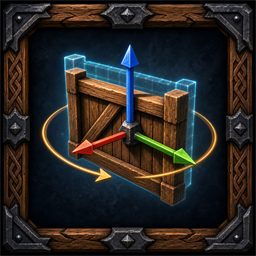
Build Ease adds an Unreal-style transform gizmo, an RMB-controlled free camera and a configurable shadow-free work light to Valheim's normal building mode. It edits only the current placement ghost and keeps vanilla building, repairing and dismantling actions. Features include world/local axes, automatic surface and build-point snapping, continuous camera-ray placement, configurable rotation steps, exact transform sampling and post-build pose retention. The work light follows the camera, exists only while the editor is active and is removed on exit.
The in-game interface follows Valheim's selected language: Russian uses the Russian UI, while English and every other game language use the English UI. A language change is applied immediately without restarting the game.
AAABuildMenu compatibility activates automatically only when AAABuildMenu is installed. Its search and filters remain available, the selected prefab and placement ghost stay synchronized even when a filter has no results, and Build Ease can still sample pieces hidden by the current filtered view.
Compatibility warning: this mod is not compatible with other mods that provide a building free camera or their own placement gizmo. Disable those mods before using Build Ease. PerfectPlacement ABM/AEM, Build Camera, the MoveBuildPieces move mode and similar editor/camera modes must not be active at the same time.
Video demonstration: Watch on YouTube
Camera
| Action | Control | |---|---| | Enter or leave the editor; equips a building hammer from the inventory if needed | B | | Show or hide the toolbar | Config: Interface / Show toolbar | | Move the toolbar | Drag its title with LMB while the cursor is free | | Open or close the vanilla build menu | Short RMB click | | Look around and move the camera | Hold RMB + mouse / WASD | | Move camera up/down | Hold RMB + E / Q, or Space / Ctrl | | Move faster | Hold RMB + Shift | | Change camera speed | Hold RMB + mouse wheel | | Toggle continuous surface-snapped placement under the camera centre | T | | Toggle the camera work light | F | | Close the build menu / leave the editor | Esc / second Esc |
Gizmo and snapping
| Action | Control | |---|---| | Translation gizmo | W | | Rotation gizmo | E or R | | World/local axes | X | | Toggle automatic surface/build-point snapping | G | | Move on one axis | Drag an X/Y/Z arrow with LMB | | Move in increments equal to the projected span between the piece's outer vanilla snap points; falls back to bounds | Hold Shift while dragging an X/Y/Z arrow | | Force increments equal to the projected visual-bounds size along an axis | Hold the configured Hotkeys / Bounds step modifier (LeftControl by default) while dragging an X/Y/Z arrow; Shift is not required | | Move across a surface or screen plane | Drag the centre square with LMB | | Rotate around one axis | Drag an X/Y/Z ring with LMB | | Rotate in 90° increments | Hold Shift while dragging an X/Y/Z ring | | Change the centre-handle size (35 px by default) | Config: Visuals / Center handle size | | Disable camera-ray follow and return the ghost to the vanilla placement ray | Reset to ray toolbar button |
Building
| Action | Control | |---|---| | Build or repair | LMB away from the toolbar and gizmo | | Dismantle | MMB away from the toolbar and gizmo | | Sample a normal piece with its exact transform | Shift+MMB | | Blue ghost tint (optional, off by default) | Config: Visuals / Blue ghost preview |
Русский
Простое строительство в стиле UE для Valheim.
Build Ease добавляет в обычный режим строительства Valheim манипулятор трансформации в стиле Unreal Engine, свободную камеру с управлением через ПКМ и настраиваемый рабочий свет без теней. Мод изменяет только текущий призрак размещаемой детали и сохраняет ванильные строительство, ремонт и снос. Возможности включают мировые и локальные оси, автоматическую привязку к поверхностям и точкам строительства, постоянное размещение по лучу камеры, настраиваемый шаг поворота, точное копирование трансформации и сохранение позиции с поворотом после строительства. Рабочий свет следует за камерой, существует только пока редактор активен и удаляется при выходе.
Игровой интерфейс следует выбранному в Valheim языку: для Russian используется русский интерфейс, а для English и любого другого языка — английский. Смена языка применяется сразу, без перезапуска игры.
Совместимость с AAABuildMenu включается автоматически только при установленном AAABuildMenu. Его поиск и фильтры продолжают работать, выбранный prefab и строительный ghost остаются синхронизированы даже при пустом результате фильтра, а Build Ease может брать пробу деталей, скрытых текущим фильтром.
Предупреждение о совместимости: мод несовместим с другими модами, которые добавляют свободную строительную камеру или собственный gizmo размещения. Перед использованием Build Ease отключите такие моды. Режимы PerfectPlacement ABM/AEM, Build Camera, перенос MoveBuildPieces и аналогичные редакторы или камеры не должны быть активны одновременно.
Видео-демонстрация: Смотреть на YouTube
Камера
Highlights
From source dataLoaders
Runs on BepInEx.
Footprint
Rated a light load on a server.
Last update
Its author last shipped an update 4 mo ago.
Build Ease on Nxeon
From our catalogue- One-click install
- Supported on Nxeon Valheim servers, for BepInEx servers. We download it from Thunderstore, place it, and restart the server.
- Server side
- Optional on the server
- Server type needed
- BepInEx
- Server load
- light
- Smallest plan we suggest
- Valheim — 4 GB (4 GB RAM). This follows our own load rating above, not a benchmark.
- Latest build
- 0.3.16, released 2026-07-19
Game versions by loader
| Loader | Game versions | Newest |
|---|---|---|
| BepInEx |
From 7 recorded builds of Build Ease.
Recent builds
| Build | Released | Game versions | Loaders |
|---|---|---|---|
| 0.3.16 | 2026-07-19 | n/a | BepInEx |
| 0.3.14 | 2026-07-17 | n/a | BepInEx |
| 0.3.13 | 2026-07-17 | n/a | BepInEx |
| 0.3.11 | 2026-07-17 | n/a | BepInEx |
| 0.3.10 | 2026-07-16 | n/a | BepInEx |
| 0.3.8 | 2026-07-16 | n/a | BepInEx |
Dependencies
- Required: BepInExPack Valheim
Declared by the newest build that lists any. Required ones are installed with it on one-click installs.
Run Build Ease on a Valheim server
Pick a server or deploy a new one above; it is installed in one click.
What kind of mod it is
From the catalogQuality of life & UI
Small conveniences, tweaks and interface improvements players notice straight away.
Works on a server
From source side supportThunderstore lists server-side support for Build Ease as optional: it can run on a server, but isn’t required there.
Compatibility
- Game
- Valheim
- Loaders
- BepInEx
- Runs on
- Serveroptional on the server
- Requires
- One-click install needs a BepInEx server.
Verified at the source
- ✓ThunderstoreOfficial listing, checked 2026-10-02Open ↗
- ✓AuthorDragonMotion, as published on Thunderstore
- ✓LicenseNot published by the sourceFree












