






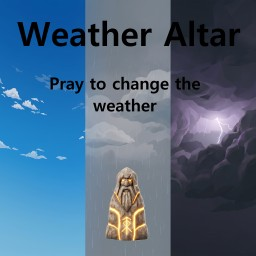
About Weather Altar
From ThunderstoreBuild a Weather Altar and pay coins and blood to change the weather worldwide for a limited time. Solo and co-op friendly; server-synced settings.
Weather Altar
How it works
- Build the Weather Altar (found beside the vanilla Ward in the hammer menu — it uses the same building materials).
- Interact with it to open the offering menu.
- Choose the weather and press Offer.
- Pay 10 Coins + 10 HP (defaults) — the sacrifice never kills you.
- The weather lasts 10 minutes of real time, then natural weather returns.
Buying a new offering replaces the active one and restarts the duration.
Multiplayer
Works in solo, hosted co-op, and dedicated servers. The mod must be installed on the server and every client. The accepted offering is shared by everyone — one player's offering changes the weather for the whole session.
Server-restart note: the temporary weather effect is session-based and ends when the server/world session ends. The altar itself persists in the save as normal.
Configuration (server-synced)
Settings live in BepInEx/config/com.mous.weatheraltar.cfg under the [Offering] section. On multiplayer servers, values are server-controlled and pushed to all clients (admins only):
| Setting | Default | Description | | --- | --- | --- | | CoinCost | 10 | Coins required per offering (1–10000) | | HealthCost | 10 | Health sacrificed per offering (1–1000) | | DurationSeconds | 600 | Real-time duration of the effect (10–3600) |
Details
- The altar reuses the vanilla Ward model and building recipe; the ward's protective force field is not part of it.
- Weather is applied through the game's own environment override path: dungeons, scripted events, and indoor areas keep their normal environments. Clear is not daylight — time of day is unaffected.
- Sleeping does not pause or extend the timer; the countdown runs in real time while the session is open.
Tech notes
Built on Jötunn and BepInEx. Offering transactions are quote-validated by the server; prices that change mid-purchase are rejected safely without consuming resources.
Installation
Install via the Thunderstore Mod Manager or r2modman (dependencies are pulled automatically), or manually place WeatherAltar.dll into BepInEx/plugins/.
Highlights
From source dataLoaders
Runs on BepInEx.
Footprint
Rated a light load on a server.
Last update
Its author last shipped an update 51d ago.
Weather Altar on Nxeon
From our catalogue- One-click install
- Supported on Nxeon Valheim servers, for BepInEx servers. We download it from Thunderstore, place it, and restart the server.
- Server side
- Optional on the server
- Server type needed
- BepInEx
- Server load
- light
- Smallest plan we suggest
- Valheim — 4 GB (4 GB RAM). This follows our own load rating above, not a benchmark.
- Latest build
- 1.0.3, released 2026-09-14
Game versions by loader
| Loader | Game versions | Newest |
|---|---|---|
| BepInEx |
From 4 recorded builds of Weather Altar.
Recent builds
| Build | Released | Game versions | Loaders |
|---|---|---|---|
| 1.0.3 | 2026-09-14 | n/a | BepInEx |
| 1.0.2 | 2026-09-14 | n/a | BepInEx |
| 1.0.1 | 2026-09-14 | n/a | BepInEx |
| 1.0.0 | 2026-09-12 | n/a | BepInEx |
Dependencies
- Required: BepInExPack Valheim
- Required: Jotunn
Declared by the newest build that lists any. Required ones are installed with it on one-click installs.
Run Weather Altar on a Valheim server
Pick a server or deploy a new one above; it is installed in one click.
What kind of mod it is
From the catalogBuilding & decoration
Blocks, furniture, decorations and building tools.
Works on a server
From source side supportThunderstore lists server-side support for Weather Altar as optional: it can run on a server, but isn’t required there.
Compatibility
- Game
- Valheim
- Loaders
- BepInEx
- Runs on
- Serveroptional on the server
- Requires
- One-click install needs a BepInEx server.
Verified at the source
- ✓ThunderstoreOfficial listing, checked 2026-10-01Open ↗
- ✓AuthorEnyMan, as published on Thunderstore
- ✓LicenseNot published by the sourceFree











