






About InventoryYeeter
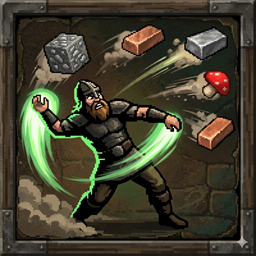
From ThunderstorePanic button (Default: G) to jettison your heaviest non-equipped items until you are no longer encumbered.
Inventory Yeeter ⚒️
Ever found yourself encumbered while a 2-star Wolf is nibbling on your ankles? Inventory Yeeter is your emergency panic button. Drop the dead weight, keep your gear, and live to fight another day.
🚀 Features
- Emergency Jettison: Press a hotkey to instantly drop your heaviest stacks ahead of you until you are no longer encumbered.
- Precision Math: Instead of dropping entire stacks, the mod calculates exactly how many items you need to drop from a stack to be able to run again, saving the rest of your loot!
- Smart Protection: By default, it will NEVER drop your equipped armor, weapons, or tools.
- Smart Map Markers: Automatically drops an 'X' on your map labeled with the heaviest item you dropped (e.g., Yeeted: Silver ore (+2 more)). The prefix text is customizable!
- Customizable Threshold: Keep your food and wood safe; the mod only targets heavy stacks based on your config.
- Seamless Movement: Items are delayed for auto-pickup so you can keep running forward, and throwing items won't interrupt your movement.
⌨️ Controls & Mouse Bindings
The default key is G, but it is fully rebindable.
- Supports Mouse Buttons (e.g., set to
Mouse3orMouse4for side buttons). - Supports Modifiers (e.g.,
LeftShift + G).
🛠 Installation
- Install BepInEx for Valheim.
- Place
InventoryYeeter.dllin yourValheim/BepInEx/pluginsfolder (or use r2modman). - Run the game once to generate the config file.
⚙️ Configuration
Edit com.custom.inventoryyeeter.cfg in your BepInEx/config folder to:
- YeetHotkey: Change the trigger key.
- AddMapMarker: Toggle the automatic map pins.
- MapPinText: Change the prefix text for the map markers.
- CenterMessageText: Customize the message shown on screen when items are yeeted. (Supports
{0}for stack count and{1}for weight). - ProtectEquipped: Decide if your equipped tools are safe.
- WeightThreshold: Set the minimum weight a stack must be to be considered "yeetable."
Highlights
From source dataLoaders
Runs on BepInEx.
Footprint
Rated a light load on a server.
Last update
Its author last shipped an update 7 mo ago.
InventoryYeeter on Nxeon
From our catalogue- One-click install
- Supported on Nxeon Valheim servers, for BepInEx servers. We download it from Thunderstore, place it, and restart the server.
- Server type needed
- BepInEx
- Server load
- light
- Smallest plan we suggest
- Valheim — 4 GB (4 GB RAM). This follows our own load rating above, not a benchmark.
- Latest build
- 1.0.3, released 2026-03-29
Game versions by loader
| Loader | Game versions | Newest |
|---|---|---|
| BepInEx |
From 4 recorded builds of InventoryYeeter.
Recent builds
| Build | Released | Game versions | Loaders |
|---|---|---|---|
| 1.0.3 | 2026-03-29 | n/a | BepInEx |
| 1.0.2 | 2026-03-22 | n/a | BepInEx |
| 1.0.1 | 2026-03-21 | n/a | BepInEx |
| 1.0.0 | 2026-03-21 | n/a | BepInEx |
Dependencies
- Required: BepInExPack Valheim
Declared by the newest build that lists any. Required ones are installed with it on one-click installs.
Run InventoryYeeter on a Valheim server
Pick a server or deploy a new one above; it is installed in one click.
What kind of mod it is
From the catalogQuality of life & UI
Small conveniences, tweaks and interface improvements players notice straight away.
Compatibility
- Game
- Valheim
- Loaders
- BepInEx
- Requires
- One-click install needs a BepInEx server.
Verified at the source
- ✓ThunderstoreOfficial listing, checked 2026-10-02Open ↗
- ✓AuthorFAFO, as published on Thunderstore
- ✓LicenseNot published by the sourceFree












