






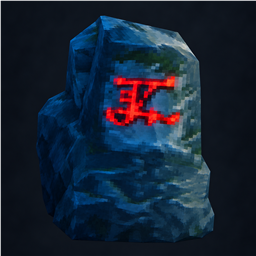
About Runestone Base Protection
From ThunderstoreLink placeable runestones into protected fields that suppress ordinary creature spawns. Optional shared building range, rain protection, and hostile mob repulsion.
Runestone Base Protection
Link placeable runestones into a field that prevents ordinary creature spawns, much like a workbench.
Install
Install BepInEx 5, Jotunn 2.30.0 or newer, and this mod on the server or host and every client. All players need the same mod version.
With Thunderstore Mod Manager or r2modman, install this package; the listed dependencies install automatically. Install the mod and dependencies on a dedicated server separately.
For Nexus or manual installation, extract the Nexus ZIP into Valheim's BepInEx folder, or install it in Vortex as a BepInEx Root Mod. The DLL should end up at BepInEx/plugins/LinkedRunestoneProtection/BaseProtection.dll.
Use
Runestones are in the hammer's Misc category. Each costs 10 Stone and requires a workbench to place.
| Control | Action | | --- | --- | | Use (E by default) | Select a stone or add it to your draft; make it your Ctrl-snap anchor. | | Shift+Use | Finish the draft, adding an unlinked stone first if one is targeted. | | Ctrl+Use | Unlink a stone. | | Ctrl+Shift+Use on another player's field | Approve a draft near structures you built, or withdraw your approval. | | Hold Ctrl while placing | Align to the anchor's 16 directions; corners use its linked field or the two latest placements. |
Two stones form a circle whose diameter is the distance between them; three to eight form a polygon. A gold draft has no field effect. Finishing it creates an active cyan boundary. Removing a stone reorders the survivors, or returns the field to a draft if the shape is no longer valid. By default, edges can be up to 200 m, a field can cover up to 40,000 m², and active fields cannot overlap. The boundary appears while holding a hammer unless you change your local visibility setting.
Only the player who placed a stone can link or unlink it. Its owner or a server admin can remove it. Other players can use its field benefits and select it as a Ctrl-snap anchor, but cannot link it. Stones need no fuel, resist weather, and are not deliberately targeted by ordinary enemies.
By default, a field must stay at least 20 m from structures placed by other characters. For a shared base, finish placing and linking the draft stones, then have each other builder stand beside one of those stones and press Ctrl+Shift+Use to approve that draft. The owner can then finish it with Shift+Use. Each builder must approve with the same character that placed their structures. A builder can withdraw approval with Ctrl+Shift+Use; withdrawing from an active field immediately returns it to a draft. Adding, unlinking, or destroying a stone clears approvals because the field shape changed. The server still rejects fields near structures belonging to anyone who has not approved that draft.
Field effects
| Spawn source | Default behavior inside an active field | | --- | --- | | Ordinary biome spawns, including passive wildlife | Blocked; individual creature overrides are available. | | Raids | Enemies spawn outside the field and can run in, even with repulsion enabled. | | Boss summons | Unaffected. | | Fixed location spawn points | Follow workbench rules; configurable. | | Physical spawner objects, such as Bone Piles | Unaffected; configurable. |
Creatures already present are not removed. Optional server settings, all off by default, can also:
- Give anyone standing inside building range for individually enabled stations: workbench, forge, stonecutter, artisan table, or black forge. This covers hammer placement, removal, and structure repair, but not item crafting or placing station upgrades.
- Prevent rain and water wear on structures inside the field.
- Make ordinary hostile creatures turn away at the boundary. Bosses, raid creatures, and creatures already inside are not repelled.
Settings
Gameplay settings come from the host or server; boundary visibility is each player's choice. BepInEx creates BepInEx/config/valheim.runestone.baseprotection.cfg after the first launch. For an optional in-game F1 panel, install BepInEx Configuration Manager for BepInEx 5 (Mono) on the clients that want it.
All mod settings appear in the F1 panel without enabling Advanced.
Highlights
From source dataLoaders
Runs on BepInEx.
Footprint
Rated a light load on a server.
Last update
Its author last shipped an update 13d ago.
Runestone Base Protection on Nxeon
From our catalogue- One-click install
- Supported on Nxeon Valheim servers, for BepInEx servers. We download it from Thunderstore, place it, and restart the server.
- Server side
- Optional on the server
- Server type needed
- BepInEx
- Server load
- light
- Smallest plan we suggest
- Valheim — 4 GB (4 GB RAM). This follows our own load rating above, not a benchmark.
- Latest build
- 1.1.1, released 2026-10-22
Game versions by loader
| Loader | Game versions | Newest |
|---|---|---|
| BepInEx |
From 2 recorded builds of Runestone Base Protection.
Recent builds
| Build | Released | Game versions | Loaders |
|---|---|---|---|
| 1.1.1 | 2026-10-22 | n/a | BepInEx |
| 1.1.0 | 2026-10-09 | n/a | BepInEx |
Dependencies
- Required: Jotunn
- Required: BepInExPack Valheim
Declared by the newest build that lists any. Required ones are installed with it on one-click installs.
Run Runestone Base Protection on a Valheim server
Pick a server or deploy a new one above; it is installed in one click.
What kind of mod it is
From the catalogBuilding & decoration
Blocks, furniture, decorations and building tools.
Works on a server
From source side supportThunderstore lists server-side support for Runestone Base Protection as optional: it can run on a server, but isn’t required there.
Compatibility
- Game
- Valheim
- Loaders
- BepInEx
- Runs on
- Serveroptional on the server
- Requires
- One-click install needs a BepInEx server.
Verified at the source
- ✓ThunderstoreOfficial listing, checked 2026-10-22Open ↗
- ✓AuthorFearlessKenji, as published on Thunderstore
- ✓LicenseNot published by the sourceFree











