About GroundReset
From ThunderstoreAutomatically and gradually resets the terrain across the map, taking into account player's wards and market zones. Fully server-side
<img src="https://thunderstore.io/thumbnail-serve/repository/icons/Frogger-GroundReset-2.8.0.png/?width=128&height=128" align="right" alt="Project Logo">
GroundReset
A dedicated server mod that restores terrain back to its original state gradually over a configurable rate.
About
GroundReset is a dedicated server mod that gradually resets the ground terrain across the map automatically.
No terrain changes occur for areas within:
- Wards from vanilla Valheim
- Wards from AzuMatt's WardIsLove mod
- Wards from ArcaneWard mod
- Marketplaces from KGValheim's Marketplace and NPCs mod
How It Works
Terrain across Valheim is generated by the game with a heightmap, composed of a very large set of point values. This mod identifies changed terrain and calculates the amount of change done to the original heightmap value, known as the current delta value. The current delta value is positive or negative depending on if the ground has been lowered or raised from its initial height.
- This mod will divide the current delta value by the Divider value set in the configuration for each point to get the
fraction amount to change the terrain by and towards the value of 0.
- Every amount of minutes defined in TheTriggerTime value in the configuration will have the mod modify the current
delta value by the fraction amount calculated by the division of current delta value by the Divider.
- When the value of the point is close enough to 0 (as defined by `
Min Height To Stepped Reset`), the terrain fully
resets to the original height assigned to by the game at the start of the world.
- Points located in the area of the active ward or the territory of a marketplace are not touched.
Install Notes
Install only on dedicated servers. This mod should not be installed on clients. Players do not need to install this mod on their side.
Configuration
Configuration values can be changed while in-game using a Configuration Manager mod. Otherwise, please open `GroundReset.cfg` created in the "BepInEx\config" folder to manually modify configurable values.
The two important values are:
- `
TheTriggerTime` \[Float]: The interpolation rate. This is the amount of real-clock minutes before the mod
progresses to another round of changes for all modified points on the map that are not protected or in a marketplace territory.
- `
Divider` \[Float]: The divider for the terrain restoration. Setting this higher will make changes more gradual and
will require more time to get to the original terrain value.
For more detailed configuration, use the configs below:
Paint To Ignore\[Boolean]: List of terrain paints that will be not reset. Valina paints are Dirt, Cultivated, Paved, Nothing. '(Cultivated) , (Paved)' means that Cultivated and Paved paints won't be reset. For paints from mods you can pass color in rbga format '(r, b, g, a)'Reset Smoothing\[Boolean]: Should the terrain smoothing be resetProcess Paint Lastly\[Boolean]: Set to true so that the paint is reset only after the ground height delta and
smoothing is completely reset. Otherwise, the paint will be reset at each reset step along with the height delta.
Process Smoothing After Height\[Boolean]: Set to true so that the smoothing is reset only after the ground height
delta is completely reset. Otherwise, the smoothing will be reset at each reset step along with the height delta.
Read the configuration file for other adjustable values.
Compatibility
 Marketplace And Server NPCs
 WardIsLove
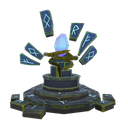 Arcane Ward
Credits
 Discord —
justafrogger
 Mod page
This mod was commissioned by 
VitByr. If you need a custom mod, do not hesitate to reach me out 😉.
Also, many thanks to <img alt="The gdragon avatar" src="https://cdn.discordapp.com/emojis/1196058163401736325.webp?size=96&quality=lossless" width="18"/> gdragon for the help with writing this text
<ins>If something does not work for you, you have found any bugs, or have suggestions — DM me or open a github issue</ins>
Highlights
From source dataLoaders
Runs on BepInEx.
Footprint
Rated a light load on a server.
Last update
Its author last shipped an update 8 mo ago.
GroundReset on Nxeon
From our catalogue- One-click install
- Supported on Nxeon Valheim servers, for BepInEx servers. We download it from Thunderstore, place it, and restart the server.
- Server side
- Required on the server
- Server type needed
- BepInEx
- Server load
- light
- Smallest plan we suggest
- Valheim — 4 GB (4 GB RAM). This follows our own load rating above, not a benchmark.
- Latest build
- 2.8.1, released 2026-03-08
Game versions by loader
| Loader | Game versions | Newest |
|---|---|---|
| BepInEx |
From 8 recorded builds of GroundReset.
Recent builds
| Build | Released | Game versions | Loaders |
|---|---|---|---|
| 2.8.1 | 2026-03-08 | n/a | BepInEx |
| 2.8.0 | 2026-03-08 | n/a | BepInEx |
| 2.7.2 | 2025-12-08 | n/a | BepInEx |
| 2.7.1 | 2025-10-01 | n/a | BepInEx |
| 2.7.0 | 2025-09-29 | n/a | BepInEx |
| 2.5.1 | 2024-01-25 | n/a | BepInEx |
Dependencies
- Required: BepInExPack Valheim
Declared by the newest build that lists any. Required ones are installed with it on one-click installs.
Run GroundReset on a Valheim server
Pick a server or deploy a new one above; it is installed in one click.
What kind of mod it is
From the catalogQuality of life & UI
Small conveniences, tweaks and interface improvements players notice straight away.
Runs on your server
From source side supportThunderstore lists GroundReset as required on the server. Check its Thunderstore page to see whether players need it too.
Compatibility
- Game
- Valheim
- Loaders
- BepInEx
- Runs on
- Serverrequired on the server
- Requires
- One-click install needs a BepInEx server.
Verified at the source
- ✓ThunderstoreOfficial listing, checked 2026-10-02Open ↗
- ✓AuthorFrogger, as published on Thunderstore
- ✓LicenseNot published by the sourceFree