






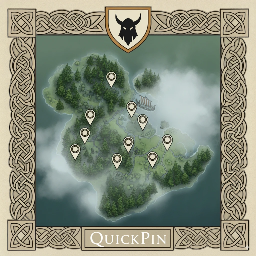
About Quick Pin
From ThunderstoreQuickPin - Hold to Pin Resources. Hold the Use key on a resource or point of interest to instantly add a map pin. Fully configurable, with an extensible item allowlist via XML.
QuickPin — Hold to Pin Resources
Press and hold the Use key on a resource or point of interest to instantly add a map pin. Fully configurable, with an extensible item allowlist via XML.
- Hold-to-pin action with a circular progress indicator on the crosshair.
- An extensible allowlist of pinnable items via
FrostJack.QuickPin_Items.xml.

Configuration
Config file: Valheim/BepInEx/config/FrostJack.QuickPin.cfg
Keys:
General.HoldDuration(float, seconds) — how long you must hold Use to pin. Default:1General.ShowHoldHint(bool) — show or hide the "[HOLD E] Tag Location" hint line. Default:true
In-Game Console Commands
Open the Valheim console with F5:
quickpin_showhint on|off— Toggles the hint line in the hover text.quickpin_holdduration <milliseconds>— Sets hold duration in milliseconds (100–10000). Example:quickpin_holdduration 1000
If you call a command without arguments, it prints the current value.
Items XML (Allowlist)
File: Valheim/BepInEx/config/FrostJack.QuickPin_Items.xml

Notes:
item ID(case-insensitive): You can find IDs on the Valheim Wiki (Item IDs page) or by inspecting prefabs.name: is the map pin label.enabled: toggles whether the item is included.- You can add, remove, or disable items as you like.
- Restart the game after editing to reload the list.
In-Game Screenshots


Highlights
From source dataLoaders
Runs on BepInEx.
Footprint
Rated a light load on a server.
Last update
Its author last shipped an update 3 mo ago.
Quick Pin on Nxeon
From our catalogue- One-click install
- Supported on Nxeon Valheim servers, for BepInEx servers. We download it from Thunderstore, place it, and restart the server.
- Server type needed
- BepInEx
- Server load
- light
- Smallest plan we suggest
- Valheim — 4 GB (4 GB RAM). This follows our own load rating above, not a benchmark.
- Latest build
- 1.0.3, released 2026-08-13
Game versions by loader
| Loader | Game versions | Newest |
|---|---|---|
| BepInEx |
From 1 recorded build of Quick Pin.
Dependencies
- Required: BepInExPack Valheim
Declared by the newest build that lists any. Required ones are installed with it on one-click installs.
Run Quick Pin on a Valheim server
Pick a server or deploy a new one above; it is installed in one click.
What kind of mod it is
From the catalogQuality of life & UI
Small conveniences, tweaks and interface improvements players notice straight away.
Compatibility
- Game
- Valheim
- Loaders
- BepInEx
- Requires
- One-click install needs a BepInEx server.
Verified at the source
- ✓ThunderstoreOfficial listing, checked 2026-10-02Open ↗
- ✓AuthorFrostJack980, as published on Thunderstore
- ✓LicenseNot published by the sourceFree















