






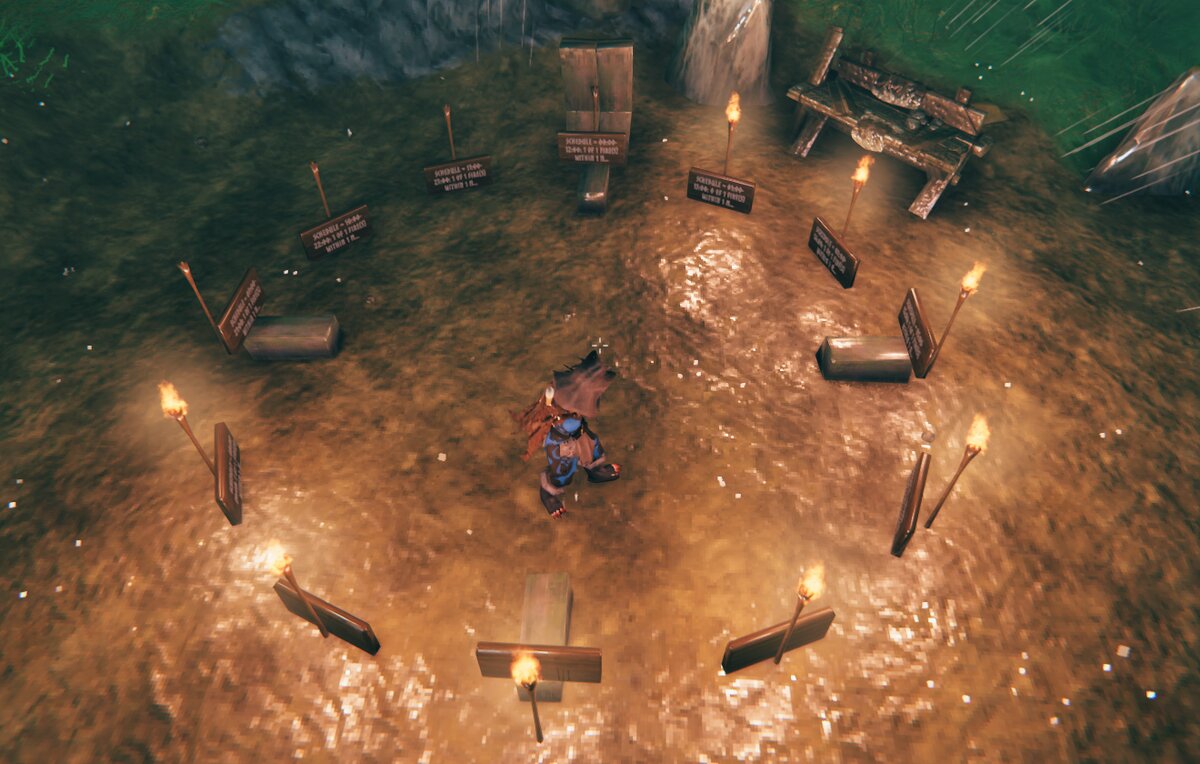

About Inferno
From ThunderstoreServer-side fire control: torches, fires, hearths and hot tubs stay lit with no refuelling, plus burn rate and day/night schedules. Players install nothing, so it works with crossplay (Xbox, PlayStation).
Inferno
Server-side control over every fire, torch and fuel-burning station in Valheim. Players install nothing, so it works with Xbox / Game Pass crossplay.
Source code, documentation and issue tracker: https://github.com/krab7191/valheim_inferno_mod
> Status: beta. Every feature is unit-tested. Features marked Available have also been verified in-game on > dedicated servers (local and hosted) with vanilla PC clients; the others are awaiting in-game testing > (see Compatibility).
Features
| Feature | Status | Notes | |---------|--------|-------| | Server-only install (clients need nothing, crossplay-safe) | Available (PC clients tested; console clients not yet) | No version check, no new items: vanilla and Xbox clients join as normal | | Per-item settings for every fuel-burning piece | Available | Found automatically at startup, including pieces added by other mods | | Always on | Available | Default for all light sources (torches, sconces, fires, hearths, braziers, lanterns, hot tubs, …). Keeps fuel full everywhere, also where nobody is nearby, so bases aren't dark when you arrive. While on, burn rate and schedule are kept but don't apply | | Fuel burn rate | Implemented, awaiting in-game test | −10 to +10, 0 = vanilla, each step 10 %: −10 uses no fuel, +10 burns twice as fast | | Daily on/off schedule | Available | On and off time on the in-game clock (06:00 = sunrise, 18:00 = sunset), one window per day. Equal times (default 00:00/00:00) = no schedule. Fuel is kept while a light is scheduled off. Only used when always on is off | | Correct burning while nobody is nearby | Implemented, awaiting in-game test | Vanilla burns all missed time at once when a player arrives, ignoring schedules. Inferno burns it on the server as time passes, following schedule and burn rate | | Server ownership mode (experimental, off by default) | Implemented, awaiting in-game test | The server keeps ownership of fires, so no player's game burns their fuel or switches them off in rain: fuel only changes when the server says so. Exact burn rate and schedule. See Server ownership mode | | Commands on signs, in chat and in the F5 console | Available | See Commands. Chat needs a second player online | | In-game item names and word groups | Available | hot tub, standing wood torch, torches, braziers; typos get suggestions | | Presets and undo | Available | preset night / eternal / vanilla in one command; undo steps back through your last 10 changes | | Readable replies | Available | One message on screen, kept in Compendium → Message log; sign commands leave a short answer on the sign (formatting like <color=green> is kept) | | Per-base control (nearby) | nearby <metres>: Available (tested on PC). Ward area and 20 m: implemented, awaiting in-game test | Change only the fires in your ward's area (or within 20 m), or within a radius you choose (nearby 2); ward access required, like building | | Config file with live reload | Available | Edit through your host's web file manager; no restart | | AdminOnly permission switch | Available | Off by default: anyone may change settings. Anyone can turn it on; only admins can turn it off. Inferno never changes the server's admin list | | Full audit log and error reporting | Available | Every command, every change (who, old → new) and every config-file edit goes to the BepInEx log | | Safe uninstall | Implemented, awaiting in-game test | On a normal server shutdown Inferno switches scheduled-off lights back on before the world is saved; fuel stays as it is | | Optional PC client mod: in-game settings menu | Implemented, awaiting in-game test | Same DLL on a PC client + ConfigurationManager (F1). Shows and edits the server's settings live; read-only for non-admins while AdminOnly is on. See Client mod | | Per-item smoke toggle | Implemented, awaiting in-game test | Removes smoke for players who have the client mod; everyone else sees vanilla smoke |
Items that are not light sources (smelters, blast furnaces, ovens, …) keep vanilla behaviour until you change them. Items without fuel (e.g. the charcoal kiln) and fires with infinite fuel are not listed.
Installation (server)
With a mod manager (r2modman, Thunderstore Mod Manager, or your host's Thunderstore mod installer): install GrundleLord-Inferno. BepInExPack Valheim is installed with it.
By hand:
- Install BepInExPack Valheim on the server
(most hosts have a one-click option).
- Copy
Inferno.dllandInferno.Core.dll(in the download'spluginsfolder) to the server's
BepInEx/plugins/Inferno/ folder.
- Restart the server. The log (
BepInEx/LogOutput.log) showsInferno … loadedand lists every item it found. - Settings are in
BepInEx/config/GrundleLord.Inferno.cfg(created on first start). A fully commented
sample-config.cfg comes with the download (also on GitHub).
Players don't install anything. A one-page guide for players (also console players) explains how to use Inferno with signs.
Commands
Three ways to type the same commands:
Highlights
From source dataLoaders
Runs on BepInEx.
Footprint
Rated a light load on a server.
Last update
Its author last shipped an update 24d ago.
Inferno on Nxeon
From our catalogue- One-click install
- Supported on Nxeon Valheim servers, for BepInEx servers. We download it from Thunderstore, place it, and restart the server.
- Server side
- Required on the server
- Server type needed
- BepInEx
- Server load
- light
- Smallest plan we suggest
- Valheim — 4 GB (4 GB RAM). This follows our own load rating above, not a benchmark.
- Latest build
- 0.3.2, released 2026-10-11
Game versions by loader
| Loader | Game versions | Newest |
|---|---|---|
| BepInEx |
From 6 recorded builds of Inferno.
Recent builds
| Build | Released | Game versions | Loaders |
|---|---|---|---|
| 0.3.2 | 2026-10-11 | n/a | BepInEx |
| 0.3.1 | 2026-10-09 | n/a | BepInEx |
| 0.3.0 | 2026-10-08 | n/a | BepInEx |
| 0.2.1 | 2026-10-07 | n/a | BepInEx |
| 0.2.0 | 2026-10-07 | n/a | BepInEx |
| 0.1.0 | 2026-10-07 | n/a | BepInEx |
Dependencies
- Required: BepInExPack Valheim
Declared by the newest build that lists any. Required ones are installed with it on one-click installs.
Run Inferno on a Valheim server
Pick a server or deploy a new one above; it is installed in one click.
What kind of mod it is
From the catalogQuality of life & UI
Small conveniences, tweaks and interface improvements players notice straight away.
Runs on your server
From source side supportThunderstore lists Inferno as required on the server. Check its Thunderstore page to see whether players need it too.
Compatibility
- Game
- Valheim
- Loaders
- BepInEx
- Runs on
- Serverrequired on the server
- Requires
- One-click install needs a BepInEx server.
Verified at the source
- ✓ThunderstoreOfficial listing, checked 2026-10-12Open ↗
- ✓AuthorGrundleLord, as published on Thunderstore
- ✓LicenseNot published by the sourceFree












