







About OCDheim
From ThunderstoreOCDheim is an opinionated collection of building and terraforming tools that bring 22nd-century-level laser precision to... your merry Viking settlement of 'Stokhölm' 🍻❤️
OCDheim - DEATH TO EYEBALLING!

The purpose of this mod is for me, a person suffering from severe OCD, to be able to enjoy Valheim in its full Glory™ while keeping noninvasive, consistent and respectful of the intended OG experience.
OCDheim is an opinionated collection of building and terraforming tools that bring 22nd-century-level laser precision to... your merry Viking settlement of 'Stokhölm' 🍻❤️
Do you bleed from every orifice while trying to eyeball a line of torches, a wall of chests, or pin trophies on a wooden pole?
Do you suffer a violent seizure while trying to level a ledge?
Then this is the mod for you.
Propaganda Movie
clickedy-click! click! To Play on YouTube... C'mon clickedy! 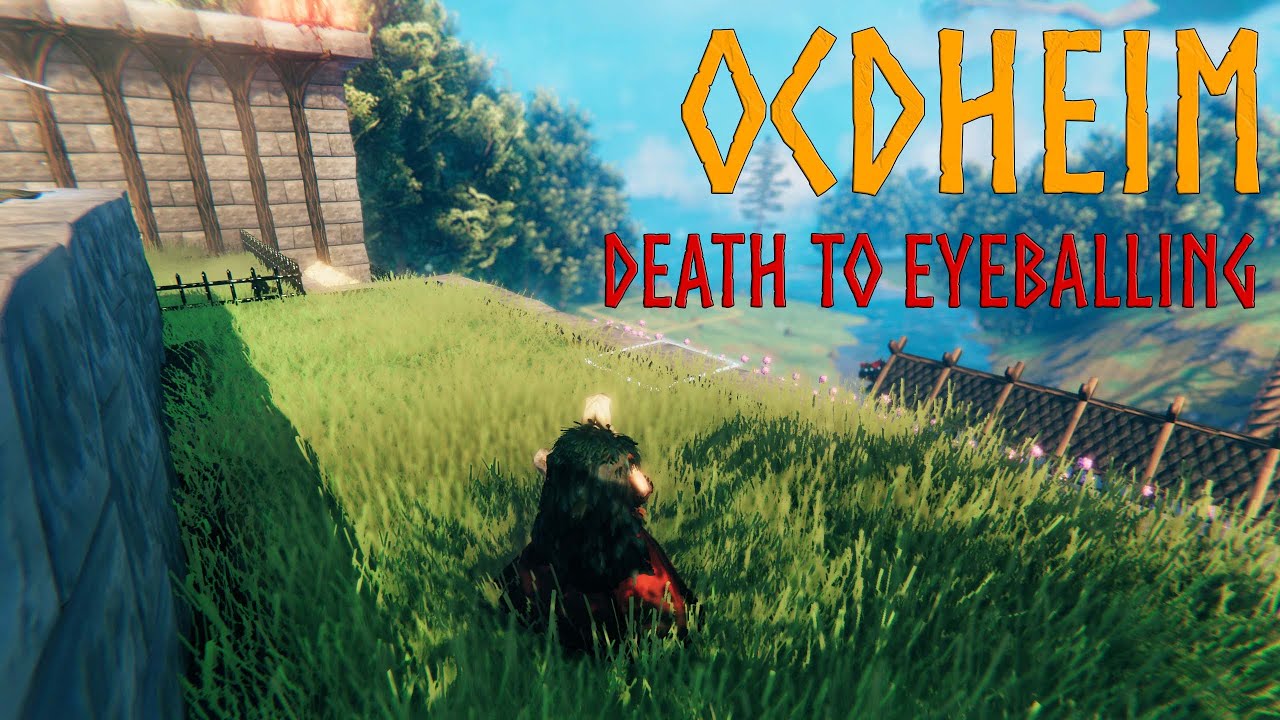
HOW to install OCDheim?
- Ensure BepInEx is properly installed
- Ensure Jötunn is properly installed
- Download OCDheim from your preferred mirror:
- Thunderstore
- Nexus Mods
- Extract the contents of the OCDheim .zip file to the BepInEx/plugins subdirectory of your Valheim installation
- Typical Windows path: C:/Program Files (x86)/Steam/steamapps/common/Valheim/BepInEx/plugins
- Typical Linux path: ~/.steam/debian-installation/steamapps/common/Valheim/BepInEx/plugins
WHY install OCDheim?
ADDITIONAL SNAP POINTS
- Furniture Pieces[^1] snap to Construction Pieces![^2]
- if [PRECISION MODE] is DISABLED → insert additional Snap Points every ~1.0m
- for example: a 2m x 2m Wood Floor would receive 5 additional Snap Points (not only in the corners, but also in the middle of the sides as well as in the middle of the piece)
- for example a 4m Log Pole would receive 3 additional Snap Points
- if [PRECISION MODE] is ENABLED → insert additional Snap Points every ~0.5m
- for example: a 2m x 2m Wood Floor would receive 21 additional Snap Points
- for example a 4m Log Pole would receive 7 additional Snap Points
- Construction Pieces receive additional Snap Points while snapping with other Construction Pieces
- if [PRECISION MODE] is ENABLED → insert additional Snap Points every ~0.5m
- if [PRECISION MODE] is DISABLED → no additional Snap Points
- Furniture Pieces snap to select other Furniture Pieces
- Table
- Round Table
- Long Heavy Table
- Black Marble Table
- I'm open to other proposals
GRID MODE (press ALT [RS] to toggle)
- The World Grid is visually imposed over terrain

- The Hoe and The Cultivator become tools of divine precision
- The terrain modification AoE snaps to the World Grid
- The terrain modification AoE visualization works under Ground Level (incl. under Sea Level)
- The terrain modification AoE visualization is razor sharp, with well-defined borders (visualized FULLY over affected tiles AND ONLY over affected tiles)
- The terrain modification AoE is applied uniformly over the affected tiles (doesn't dissolve closer to the border)
- The tile position (x, y, h) is overlayed over the terrain modification visualization for player convenience
- Especially useful when: leveling or cultivating ledges without spilling over slopes or corners
MOUSE WHEEL SCROLL ↑ or ↓[LT+D-PAD ↑orLT+D-PAD ↓] whenRaise Groundis active to precisely fine-tune the intensity of the effect- Especially useful when: the vicinity of your keep is TOO perfect and TOO even from the extensive use of
Level Groundin GRID MODE 😉 - All Build Pieces snap to the World Grid (as opposed to other Build Pieces)
- Especially useful when: laying down the foundation piece of your build so that the whole build resides on the World Grid
- All Seeds snap to the World Grid
- Especially useful when: well... quickly sowing while efficiently utilizing available terrain
PRECISION MODE (press Z [X] to toggle)
- Multiple Additional Snap Points
- if [GRID MODE] is ALSO enabled + The Hoe is equipped → no effect (since the minimal sensible AoE for terrain modification is a 1m x 1m tile)
- if [GRID MODE] is ALSO enabled + The Hammer is equipped → The World Grid density is increased from 1m x 1m tiles to 0.5m x 0.5m tiles
Remove Terrain Modifications (Hoe Tool)
Especially useful when:
- re-naturalizing your build
- covering up silver node excavation sites
- covering up "one click too many" crime sites 😉
Vertical Stacking of... Stacks
- Perhaps somewhat ironically stacks[^3] (or piles, or barrels) in Vanilla Valheim do not... well... erm... stack (or pile, or... erm... barrel?)
Well now they do: 
Additional Build Pieces
- Aesthetically Pleasing "Stone Floor 2x2"-inspired drop-in alternatives to:
- Stone Pillar 1x2 → Smooth Stone Pillar
- Stone Wall 1x1 → Smooth Stone Wall 1x1
- Stone Wall 2x1 → Smooth Stone Wall 2x1
- Stone Wall 4x2 → Smooth Stone Wall 4x2
- (_no equivalent_) → Smooth Stone Wall 2x2
Highlights
From source dataLoaders
Runs on BepInEx.
Footprint
Rated a light load on a server.
Dependencies
Needs 1 other project installed alongside it.
OCDheim on Nxeon
From our catalogue- One-click install
- Supported on Nxeon Valheim servers, for BepInEx servers. We download it from Thunderstore, place it, and restart the server.
- Server side
- Optional on the server
- Server type needed
- BepInEx
- Server load
- light
- Smallest plan we suggest
- Valheim — 4 GB (4 GB RAM). This follows our own load rating above, not a benchmark.
- Latest build
- 0.3.4, released 2026-10-03
Game versions by loader
| Loader | Game versions | Newest |
|---|---|---|
| BepInEx |
From 12 recorded builds of OCDheim.
Recent builds
| Build | Released | Game versions | Loaders |
|---|---|---|---|
| 0.3.4 | 2026-10-03 | n/a | BepInEx |
| 0.3.3 | 2026-09-27 | n/a | BepInEx |
| 0.3.2 | 2026-09-25 | n/a | BepInEx |
| 0.3.1 | 2026-09-23 | n/a | BepInEx |
| 0.3.0 | 2026-09-21 | n/a | BepInEx |
| 0.2.3 | 2026-07-11 | n/a | BepInEx |
Dependencies
- Required: Jotunn
Declared by the newest build that lists any. Required ones are installed with it on one-click installs.
Run OCDheim on a Valheim server
Pick a server or deploy a new one above; it is installed in one click.
What kind of mod it is
From the catalogBuilding & decoration
Blocks, furniture, decorations and building tools.
Works on a server
From source side supportThunderstore lists server-side support for OCDheim as optional: it can run on a server, but isn’t required there.
Compatibility
- Game
- Valheim
- Loaders
- BepInEx
- Runs on
- Serveroptional on the server
- Requires
- One-click install needs a BepInEx server. 1 other project installed alongside it.
Verified at the source
- ✓ThunderstoreOfficial listing, checked 2026-10-03Open ↗
- ✓Authorjavadevils, as published on Thunderstore
- ✓LicenseNot published by the sourceFree











