






About Signs
From ThunderstoreAdd information about your world to signs! Easy to configure and use.
jcdcdev.Valheim.Signs


This is a BepInEx plugin for Valheim that allows you to configure signs to display in-game information.
Feel free to suggest other useful signs!
Features
Simply place any sign and set the text to one of the following options, e.g {{onlineCount}}.
- Online Count
- Death Count
- Death Leaderboard
- Total Server Deaths
- Comfort
- Stamina
- Health
- Skills
- Game Time
- Actual Time
- Day Percentage
- Night Countdown
- Smelter/Eitr Content
- Storage Content
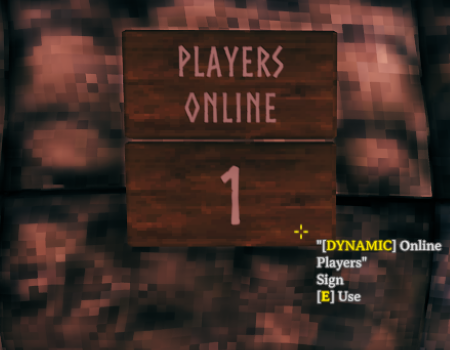
Online Count
Displays the current number of players online.
{{onlineCount}}
Death Count
Displays the current player's number of deaths on this world.
{{deathCount}}
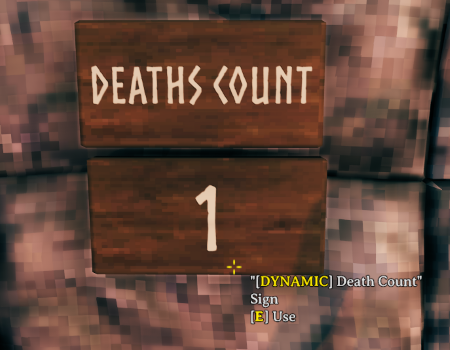
| Option | Description | Example | Example Output | |------------|---------------------------------------------------------------------------|-----------------------|----------------| | playerId | The player's name or ID.
Defaults to the current player if left blank | {{deathCount jcdc}} | 3 |
You can change each player's death by editing the Offset value stored in BepInEx/config/jcdcdev.Valheim.Signs/death-leaderboard.json
Death Leaderboard
Displays the players with the most deaths on this world.
{{deathBoard}}
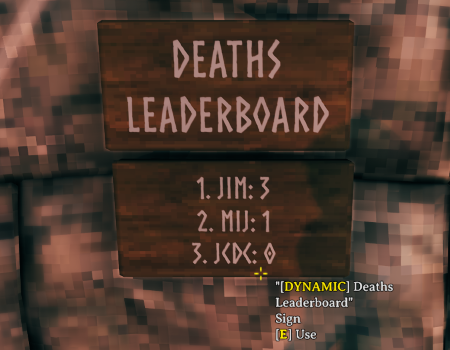
| Option | Description | Example | Example Output | |---------|---------------------------------------------------------------|--------------------|-----------------------------| | count | The number of players to show
Defaults to 3 if left blank | {{deathBoard 2}} | 1. JIM: 32. MIJ: 1 |
You can change each player's death by editing the Offset value stored in BepInEx/config/jcdcdev.Valheim.Signs/death-leaderboard.json
Total Server Deaths
Displays the total number of deaths on this world.
{{totalDeaths}}
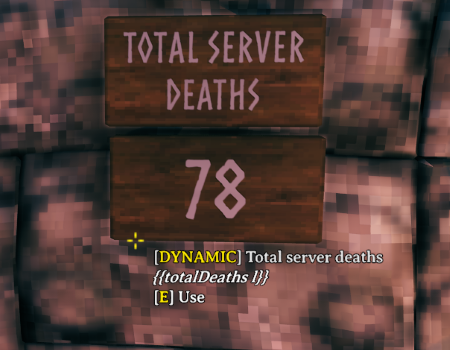
| Option | Description | Example | Example Output | |--------|-------------------|---------------------|----------------| | l | Removes the label | {{totalDeaths l}} | 3 |
Comfort
Displays the current comfort level of the player.
{{comfort}}
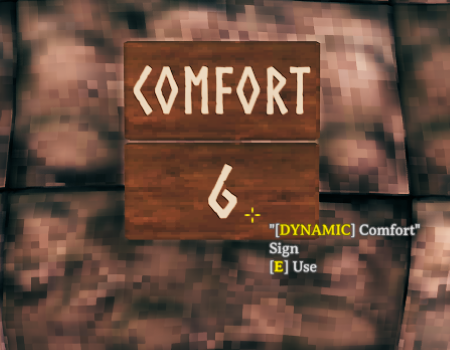
Stamina
Displays the current stamina level of the player.
{{stamina}}
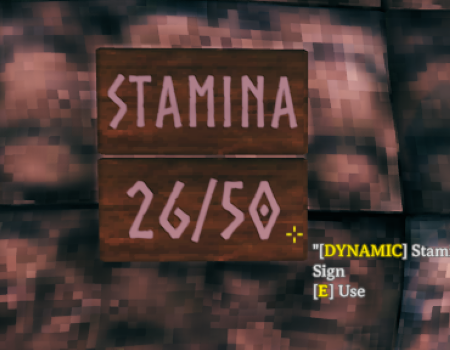
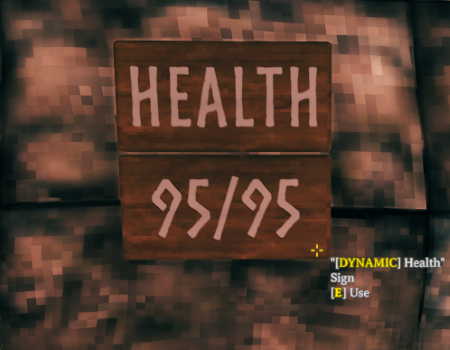
Health
Displays the current health level of the player.
{{health}}
Skills
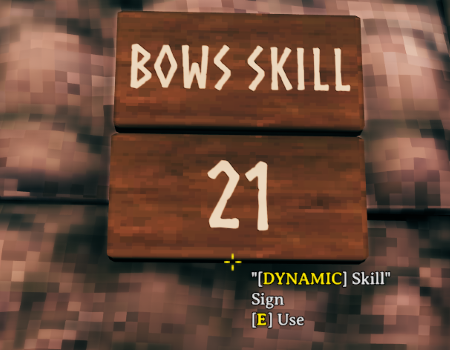
Displays the skill level of a player.
{{skill bows}}
Skills
- Axes
- Blocking
- BloodMagic
- Bows
- Clubs
- Crossbows
- ElementalMagic
- Fishing
- Jump
- Knives
- Pickaxes
- Polearms
- Ride
- Run
- Sneak
- Spears
- Swim
- Swords
- Unarmed
- WoodCutting
Options
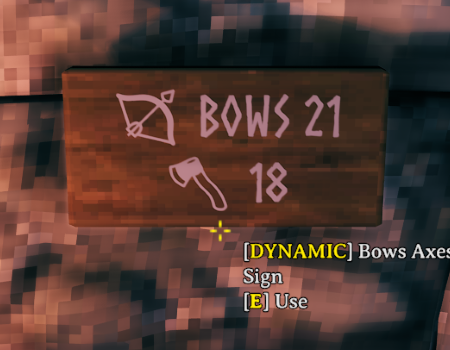
| Option | Description | Example | Example Output | |------------|---------------------------------------------------------------------------|------------------------|----------------| | emoji | Adds an emoji | {{skill bows emoji}} | 🏹 100 | | label | Adds a label | {{skill bows label}} | Bows 100 | | playerId | The player's name or ID.
Defaults to the current player if left blank | {{skill bows jcdc}} | 100 |
Game Time
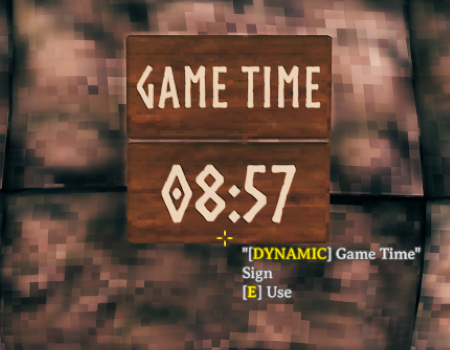
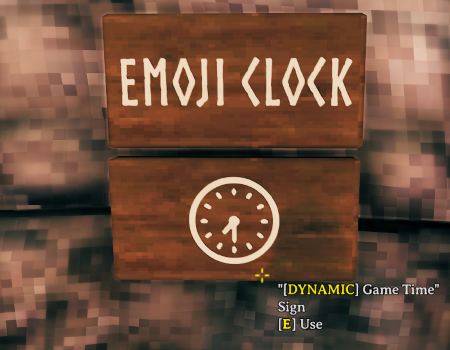
Displays the current in-game time.
{{gameTime}}
Highlights
From source dataLoaders
Runs on BepInEx.
Footprint
Rated a light load on a server.
Dependencies
Needs 2 other projects installed alongside it.
Signs on Nxeon
From our catalogue- One-click install
- Supported on Nxeon Valheim servers, for BepInEx servers. We download it from Thunderstore, place it, and restart the server.
- Server side
- Optional on the server
- Server type needed
- BepInEx
- Server load
- light
- Smallest plan we suggest
- Valheim — 4 GB (4 GB RAM). This follows our own load rating above, not a benchmark.
- Latest build
- 0.10.4, released 2025-08-10
Game versions by loader
| Loader | Game versions | Newest |
|---|---|---|
| BepInEx |
From 25 recorded builds of Signs.
Recent builds
| Build | Released | Game versions | Loaders |
|---|---|---|---|
| 0.10.4 | 2025-08-10 | n/a | BepInEx |
| 0.10.3 | 2025-08-01 | n/a | BepInEx |
| 0.10.2 | 2025-08-01 | n/a | BepInEx |
| 0.10.1 | 2025-05-22 | n/a | BepInEx |
| 0.10.0 | 2025-05-22 | n/a | BepInEx |
| 0.9.0 | 2025-05-22 | n/a | BepInEx |
Dependencies
- Required: BepInExPack Valheim
- Required: Jotunn
Declared by the newest build that lists any. Required ones are installed with it on one-click installs.
Pick a server or deploy a new one above; it is installed in one click.
What kind of mod it is
From the catalogQuality of life & UI
Small conveniences, tweaks and interface improvements players notice straight away.
Works on a server
From source side supportThunderstore lists server-side support for Signs as optional: it can run on a server, but isn’t required there.
Compatibility
- Game
- Valheim
- Loaders
- BepInEx
- Runs on
- Serveroptional on the server
- Requires
- One-click install needs a BepInEx server. 2 other projects installed alongside it.
Verified at the source
- ✓ThunderstoreOfficial listing, checked 2026-10-02Open ↗
- ✓Authorjcdcdev, as published on Thunderstore
- ✓LicenseNot published by the sourceFree












