






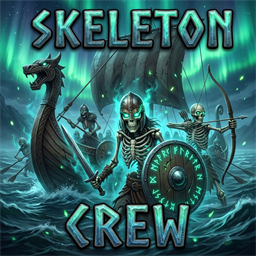
About SkeletonCrew
From ThunderstoreBetter skeleton summons for Valheim: Middle-click dismiss with hover HUD, intuitive swordsman/bowman selection, and intelligent boat boarding/unboarding.
SkeletonCrew
Better Skeleton Summons for Valheim by Jubaroo
Empower your Blood Magic necromancy with intelligent quality-of-life enhancements for summoned skeletons.
✨ Features
1. 🎯 Middle-Click Dismissal with Hover HUD
- Hover Prompt: Hovering over any summoned skeleton of yours displays an intuitive prompt:
[Middle Click] Dismiss skeleton (Keybind and text are customizable in config).
- Instant Unsummon: Clicking middle mouse unsummons the targeted skeleton with a satisfying puff of magic, freeing up your summon slots without damaging or killing them.
- Combat Safe: Intercepts secondary weapon attacks while aiming at your skeleton so your equipped weapon won't accidentally swing or waste stamina.
2. 🏹 Intuitive Bowman vs Swordsman Summoning
- Cycle Mode Key ([G]): While holding the Dead Raiser staff, press
Gto smoothly cycle between: - Swordsman (Equipped with sword & shield)
- Bowman (Equipped with bow)
- Random (Vanilla RNG behavior)
- Quick-Invert Modifier (Left Shift): Hold
Left Shiftwhile casting to temporarily invert your summon on the fly! - If you're on Swordsman mode, holding Shift spawns an archer.
- If you're on Bowman mode, holding Shift spawns a swordsman.
- On-Screen Summon HUD: Displays your current summon mode directly below your crosshair when the Dead Raiser is drawn.
- Inventory Tooltip: Item tooltip for Dead Raiser displays the currently selected summon mode and keybindings.
3. ⛵ Automated Boat Boarding & Disembarking
- Sail with your Skeletal Crew: When you step aboard any boat (Raft, Karve, Longship, Drakkar), following skeletons within boarding distance automatically hop aboard.
- Stable Deck Positioning: Skeletons match the boat's physics, remain firmly in symmetrical deck slots around the mast, and will not slide off, clip through, or fall overboard.
- Anti-Despawn Protection: Prevents distance-based unsummoning while sailing across vast oceans.
- Automated Disembarking: When you reach land or a dock and disembark, your skeletons smoothly disembark alongside you, resuming standard guard and follow behaviors.
⌨️ Controls & Keybindings
| Action | Default Key | Config Option | |---|---|---| | Dismiss Skeleton | Mouse2 (Middle Click) | DismissKey | | Cycle Summon Mode | G | CycleModeKey | | Quick-Invert Mode | Left Shift (Hold while casting) | HoldShiftInvertsMode |
⚙️ Configuration
A configuration file is generated at BepInEx/config/com.jubaroo.skeletoncrew.cfg:
- 1 - General: Server config sync options and debug logging.
- 2 - Dismissal: Customizable keybind (
DismissKey), prompt text, and HUD notifications. - 3 - Summon Selection: Default launch mode (
Swordsman/Bowman/Random), cycle hotkey (G), quick-invert modifier (Shift), and vanilla Key Hints bar toggle (ShowSummonModeKeyHint). - 4 - Boat Riding: Enable/disable ship riding, boarding radius (default 25m), deck positioning, and anti-despawn safety.
📦 Installation
Install using r2modman / Thunderstore Mod Manager, or extract SkeletonCrew.dll into your Valheim/BepInEx/plugins/ folder.
Highlights
From source dataLoaders
Runs on BepInEx.
Footprint
Rated a light load on a server.
Last update
Its author last shipped an update 4d ago.
SkeletonCrew on Nxeon
From our catalogue- One-click install
- Supported on Nxeon Valheim servers, for BepInEx servers. We download it from Thunderstore, place it, and restart the server.
- Server side
- Optional on the server
- Server type needed
- BepInEx
- Server load
- light
- Smallest plan we suggest
- Valheim — 4 GB (4 GB RAM). This follows our own load rating above, not a benchmark.
- Latest build
- 1.0.0, released 2026-10-31
Game versions by loader
| Loader | Game versions | Newest |
|---|---|---|
| BepInEx |
From 1 recorded build of SkeletonCrew.
Dependencies
- Required: BepInExPack Valheim
Declared by the newest build that lists any. Required ones are installed with it on one-click installs.
Run SkeletonCrew on a Valheim server
Pick a server or deploy a new one above; it is installed in one click.
What kind of mod it is
From the catalogVehicles & ships
Cars, boats, aircraft, ships and other things to drive or fly.
Works on a server
From source side supportThunderstore lists server-side support for SkeletonCrew as optional: it can run on a server, but isn’t required there.
Compatibility
- Game
- Valheim
- Loaders
- BepInEx
- Runs on
- Serveroptional on the server
- Requires
- One-click install needs a BepInEx server.
Verified at the source
- ✓ThunderstoreOfficial listing, checked 2026-10-31Open ↗
- ✓AuthorJubaroo, as published on Thunderstore
- ✓LicenseNot published by the sourceFree















