







About Landscaper
From ThunderstorePlace trees, rocks, plants, ruins, props and hundreds of other world objects with the Cultivator, Hoe and Hammer, then resize, tint, tilt and nudge them while placing.
Landscaper
I built this mod for my wife and our love of creating cozy spaces in this game. The mod adds hundreds of Valheim's own trees, rocks, plants, ruins, props and decorations as buildable pieces, and each piece can be resized, tinted, tilted and nudged during placement.
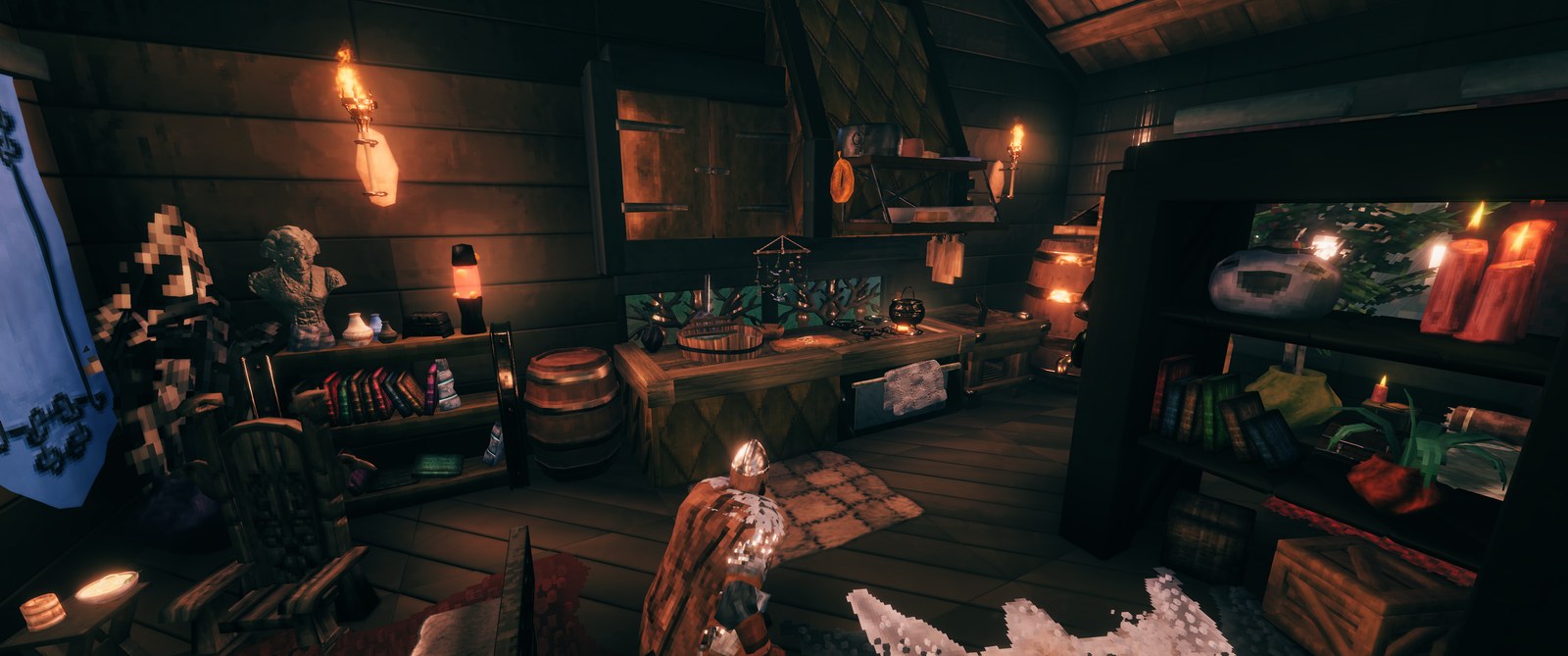
Features
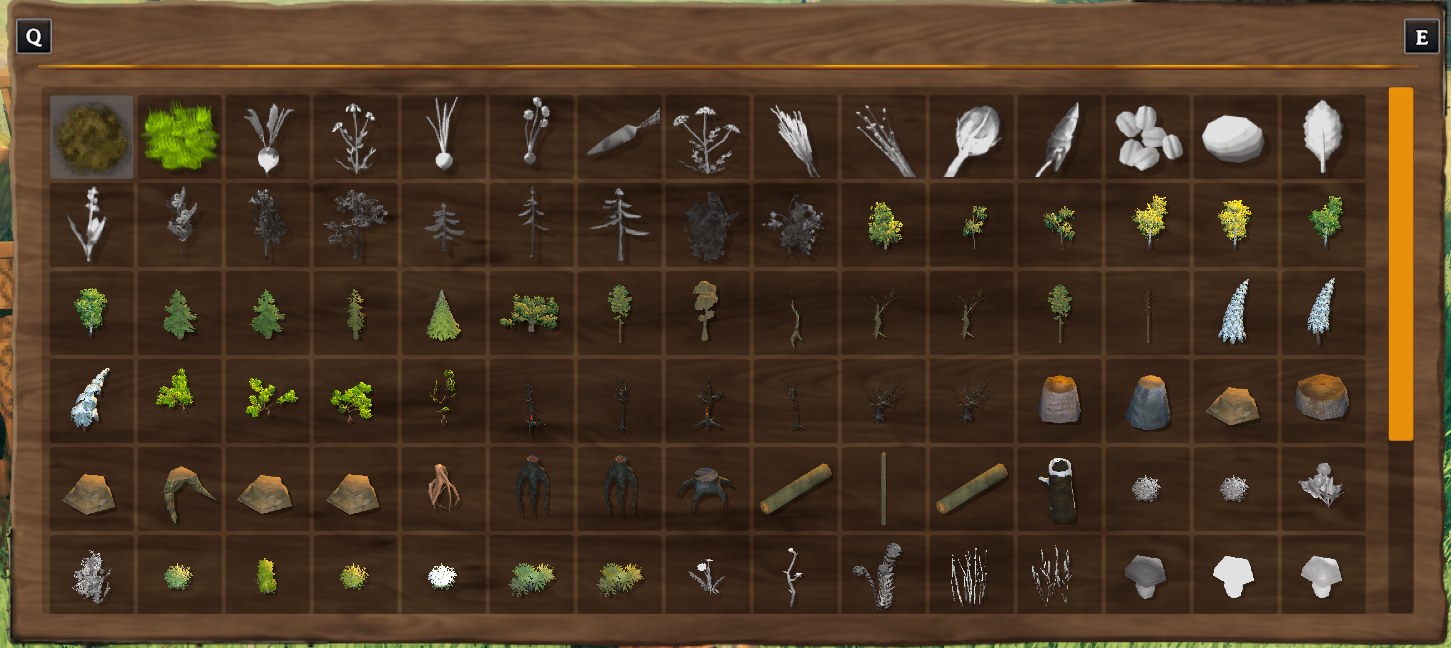
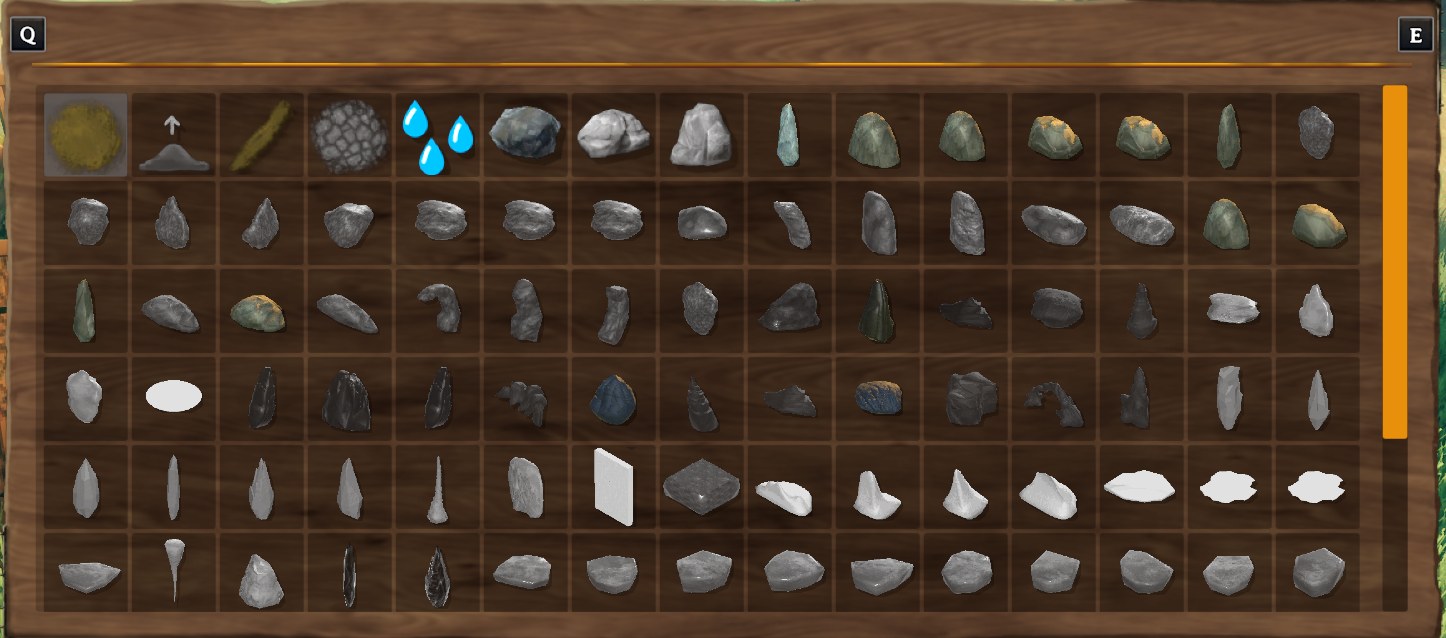
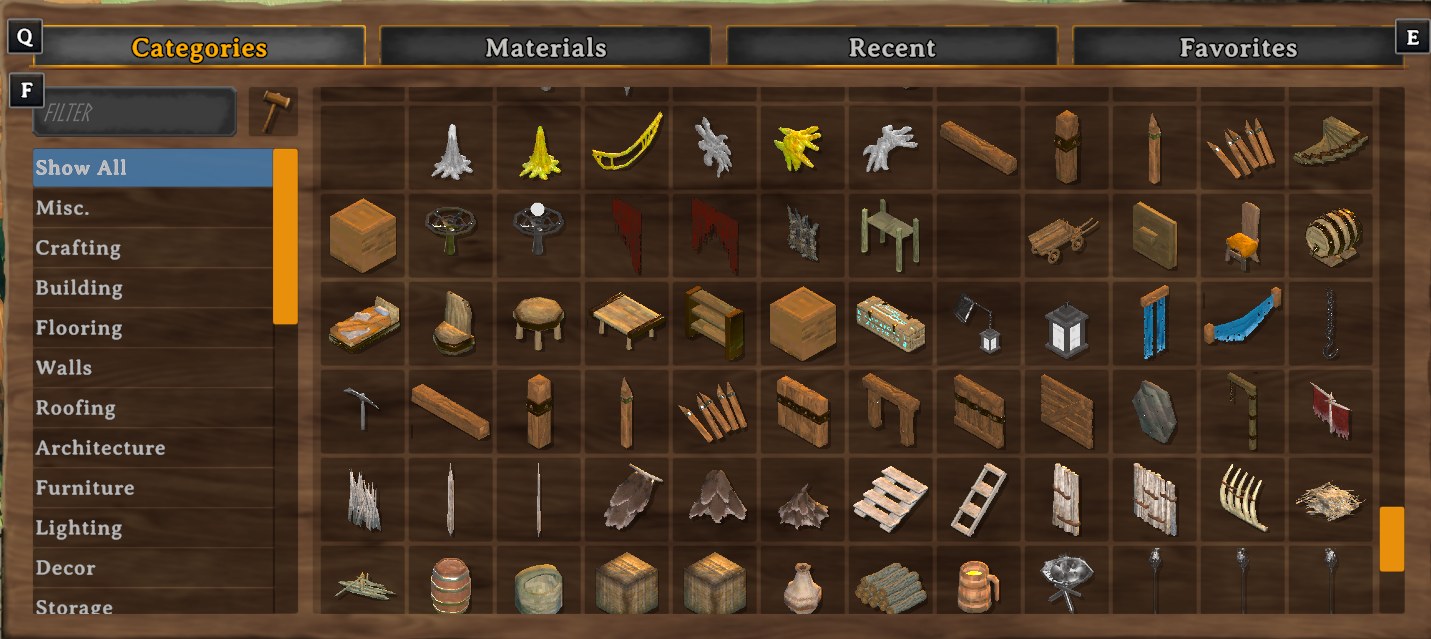
- Tons of new pieces: Adds 150+ buildable prefabs from objects you see out in the world: rocks, bushes, stone walls, spider webs, and many more.
- Adjust each piece to fit your vibe: recolor (tint), resize, rotate (on 3 axes), and nudge items to get each piece to fit perfectly.
- Place pieces without restrictions: Place pieces where you normally wouldn't be able to, such as planting seeds without cultivated ground or outside of their normal biomes.
- Add pond water: Make a pond for your base! Note: Uses tar pit mechanics which can be a bit finicky. Water can be removed with middle click.
- Indestructible: place indestructible pieces; protect your wood from the rain or build a floating castle.
- Item displays: set food, drinks and other items down on tables and shelves without an item stand.
- Double beds: the dragon bed sleeps two. A second player claims the other side, and it becomes both players' spawn point.
- Somewhat survival friendly: all pieces are given a reasonable cost, and unlocked just like vanilla pieces. May be game breaking in some ways (especially indestructible) so use with caution.
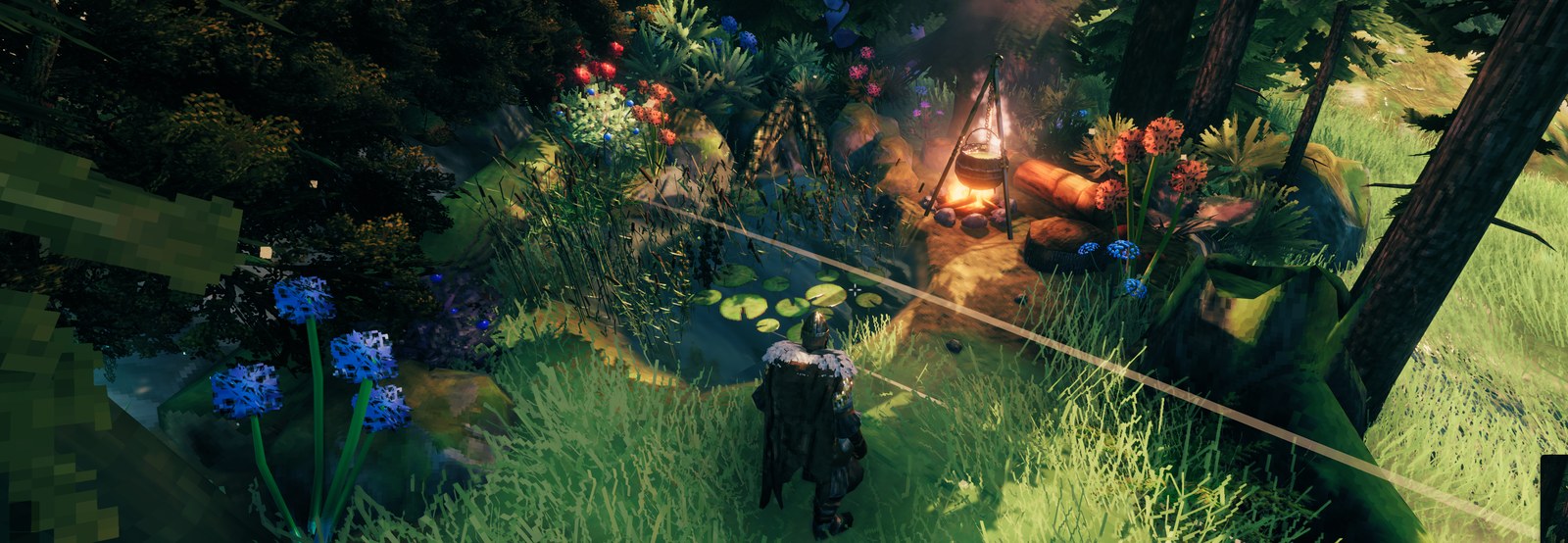
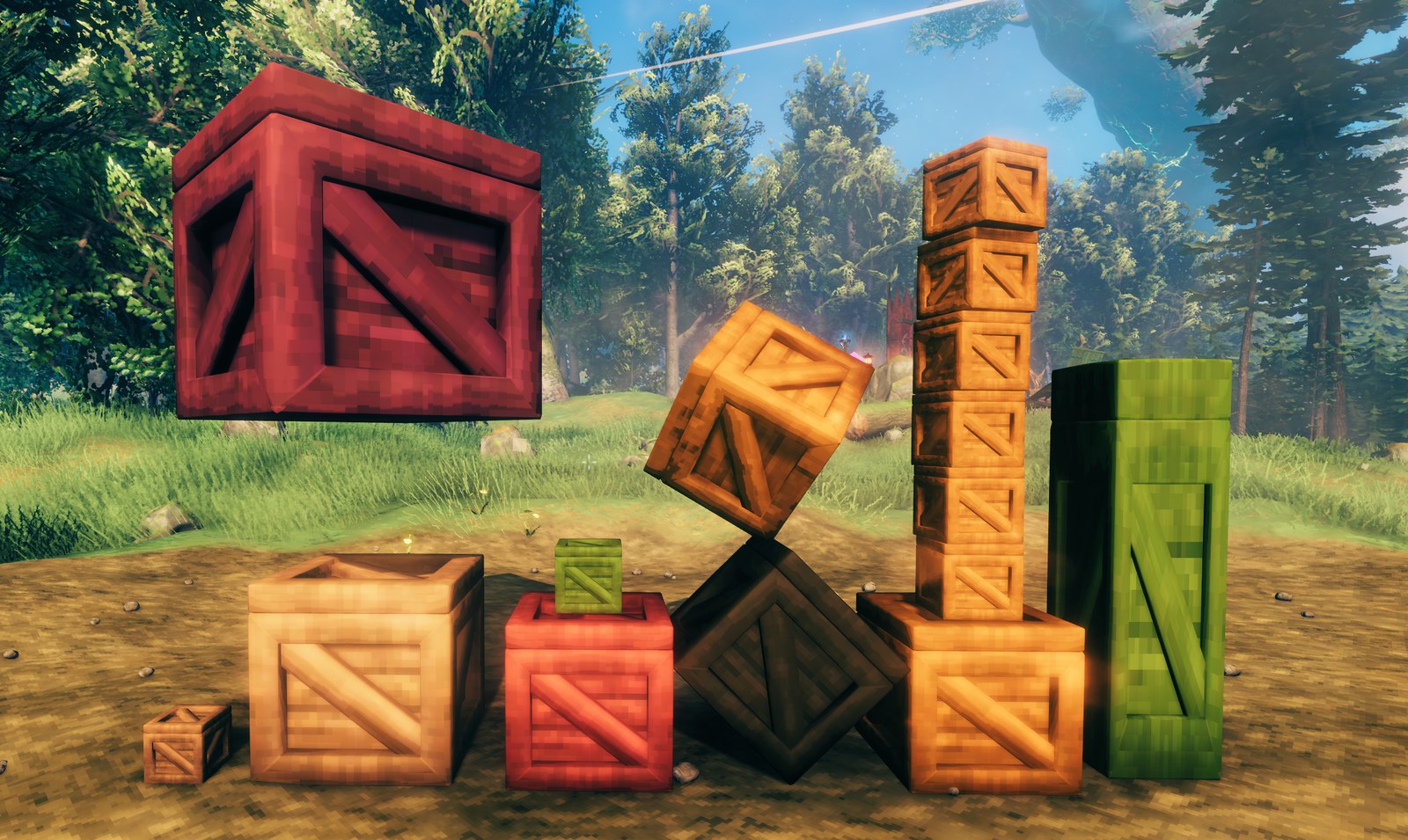
Some of the new pieces
Installation
First, please note that the mod is still in beta, so use at your own risk.
Install with r2modman or Thunderstore Mod Manager, which also installs BepInExPack Valheim and Jotunn. By hand: install BepInExPack Valheim and Jotunn, then copy Landscaper.dll into BepInEx/plugins/Landscaper. Every player needs the mod, at the same minor version. A dedicated server doesn't need it (see Dedicated Servers), but if it has it, it needs the same minor version too.
Controls
While placing a piece:
| Keys | Effect | |---|---| | [ / ] | Smaller / bigger. Hold Alt, Shift or both to change only the width, height or depth. Also sizes the Hoe's and Cultivator's ground tools. | | , / . | Previous / next tint preset. Fine tune hue/strength/brightness with alt/shift/alt+shift | | Scroll | Rotate, as usual | | Scroll +
Alt / Shift / Alt + Shift | Tilt forward/back, tilt sideways, fine tune rotation when in rotation mode
OR up and down/side to side/toward and away in move mode. | | / | Switch between rotation and move mode | | End | Reset size, tint, tilt and position | | \ | Indestructible placement on / off | | Middle click | Remove a piece, including pond water | | Shift + middle click | Copy the object you're aiming at, with its size, tint, rotation, and height |
Keys can be changed in the config.
Console Commands
Open the console with F5:
landscaper_remove [radius=10]: remove your Landscaper pieces around you (if admin: everyone's)landscaper_costs [on|off]: turn build costs off or on for every piece (host or admin)
Server Settings
Settings are in BepInEx/config/utesfan13.landscaper.cfg, each with a description. Costs, indestructible pieces, relaxed placement (Placement.IgnoreRules) and the tool menus are synced from the server, so only the server's config matters for those.
On a public server, consider turning off Placement.IgnoreRules (placing pieces in no-build areas) and Indestructible.Allowed, and turning on General.DecorativeOnly so placed trees and rocks can't be chopped or mined.
Dedicated Servers
A dedicated server can run without Landscaper; only the players need it. Without the mod on the server, nothing is synced, so each player's own settings are used, and nothing checks that players have the same version of Landscaper: keep everyone on the same one.
> Warning: While the mod can be run client-side only, on a server without the mod a player without > Landscaper can join and sees your pieces as the plain game objects they're made from, at normal size > and colour. While they're the only one near your pieces, their game can make them fall, wear them > down or break them (though indestructible pieces don't break, nor do trees and rocks while > General.DecorativeOnly is on). Builds resting on resized pieces may also collapse for them, > since they see those pieces at normal size; placing such builds as indestructible prevents it. > Nothing is lost when only players with the mod visit. If you can't be sure every player has it, > install the mod on the server too.
Uninstalling
Highlights
From source dataLoaders
Runs on BepInEx.
Footprint
Rated a light load on a server.
Last update
Its author last shipped an update 16d ago.
Landscaper on Nxeon
From our catalogue- One-click install
- Supported on Nxeon Valheim servers, for BepInEx servers. We download it from Thunderstore, place it, and restart the server.
- Server side
- Optional on the server
- Server type needed
- BepInEx
- Server load
- light
- Smallest plan we suggest
- Valheim — 4 GB (4 GB RAM). This follows our own load rating above, not a benchmark.
- Latest build
- 0.24.0, released 2026-10-19
Game versions by loader
| Loader | Game versions | Newest |
|---|---|---|
| BepInEx |
From 6 recorded builds of Landscaper.
Recent builds
| Build | Released | Game versions | Loaders |
|---|---|---|---|
| 0.24.0 | 2026-10-19 | n/a | BepInEx |
| 0.23.0 | 2026-10-16 | n/a | BepInEx |
| 0.21.0 | 2026-10-15 | n/a | BepInEx |
| 0.20.0 | 2026-10-13 | n/a | BepInEx |
| 0.19.0 | 2026-10-02 | n/a | BepInEx |
| 0.18.0 | 2026-10-01 | n/a | BepInEx |
Dependencies
- Required: Jotunn
- Required: BepInExPack Valheim
Declared by the newest build that lists any. Required ones are installed with it on one-click installs.
Run Landscaper on a Valheim server
Pick a server or deploy a new one above; it is installed in one click.
What kind of mod it is
From the catalogBuilding & decoration
Blocks, furniture, decorations and building tools.
Works on a server
From source side supportThunderstore lists server-side support for Landscaper as optional: it can run on a server, but isn’t required there.
Compatibility
- Game
- Valheim
- Loaders
- BepInEx
- Runs on
- Serveroptional on the server
- Requires
- One-click install needs a BepInEx server.
Verified at the source
- ✓ThunderstoreOfficial listing, checked 2026-10-19Open ↗
- ✓AuthorLandscaper, as published on Thunderstore
- ✓LicenseNot published by the sourceFree











